SendNow vs Intralinks: Which Virtual Data Room Should You Choose?

SendNow vs Intralinks: Which Virtual Data Room Should You Choose?
Choosing document-sharing software is not only a feature comparison. It is a buying decision about control, recipient experience, useful analytics and the real plan price required to complete a workflow.
This guide is designed for Boutique advisors, founders and deal teams searching for SendNow vs Intralinks.
Key takeaway: Contrast enterprise procurement and complexity with SendNow’s self-serve model.
A platform may look inexpensive at the entry level while reserving identity verification, watermarking, custom domains, data-room analytics or useful collaboration for a much higher plan. Another platform may include enterprise capabilities that a founder will never use. The correct comparison is the plan that delivers the required outcome, not the cheapest number shown on a pricing page.
Start with the workflow
For boutique advisors, founders and deal teams, the normal workflow has six stages:
- Prepare the document or folder.
- Decide who should receive access.
- Apply the minimum useful security.
- Share one clean browser link.
- understand page, return-visit and link-click activity.
- Follow up or revoke access based on the business process.
The platform should support this sequence without requiring the sender to become a data-room administrator. A founder sharing a pitch deck has a different requirement from a multinational managing an acquisition. A boutique advisor has a different requirement from a legal team coordinating hundreds of reviewers.
The best product is therefore not automatically the one with the longest feature list. It is the product that handles the current workflow with the least cost and operational friction.
Features that matter in a real comparison
Working in-document links
Pitch decks, proposals and financial presentations frequently contain websites, product demos, Calendly pages, case studies and supporting resources. If the viewer disables or restricts these links, the document loses part of its conversion value.
Page-level engagement
Total views alone are weak. Page-level analytics show where attention concentrated, whether the visitor reached the financial section, and whether key pages were revisited.
Link-click analytics
A click on a product demo, meeting link or case study is often a stronger signal than an open. Link-click data helps separate passive reading from a deeper action.
Identity and access controls
Email collection, verified email, passwords, specified-user lists, expiration, maximum views and revocation solve different access problems. They should be selected according to document sensitivity.
NDA and watermarking
An NDA gate can record acceptance before access. Watermarking discourages redistribution and creates accountability. Neither should be described as an absolute guarantee against leaks.
Branded multi-document portals
A portal or data room becomes useful when several related files need to be presented in one organized experience. The buyer should compare limits, analytics, permissions, domains and the actual monthly price required.
Where Intralinks fits
Intralinks can be a credible choice for organizations whose needs match its product direction. Larger vendors often provide deeper enterprise administration, complex permission structures, formal onboarding, specialist support or broad transaction workflows.
Those strengths should be weighed against cost, setup time and whether the buyer will use them. A product built for institutional transactions can be excessive for a founder sharing a deck, an agency sending a proposal or a boutique advisor running a smaller process.
Before choosing Intralinks, verify current monthly and annual pricing, included users, file limits, analytics retention, custom-domain requirements, watermarking, NDA support and whether the recipient must create an account.
SendNow’s value for boutique advisors, founders and deal teams
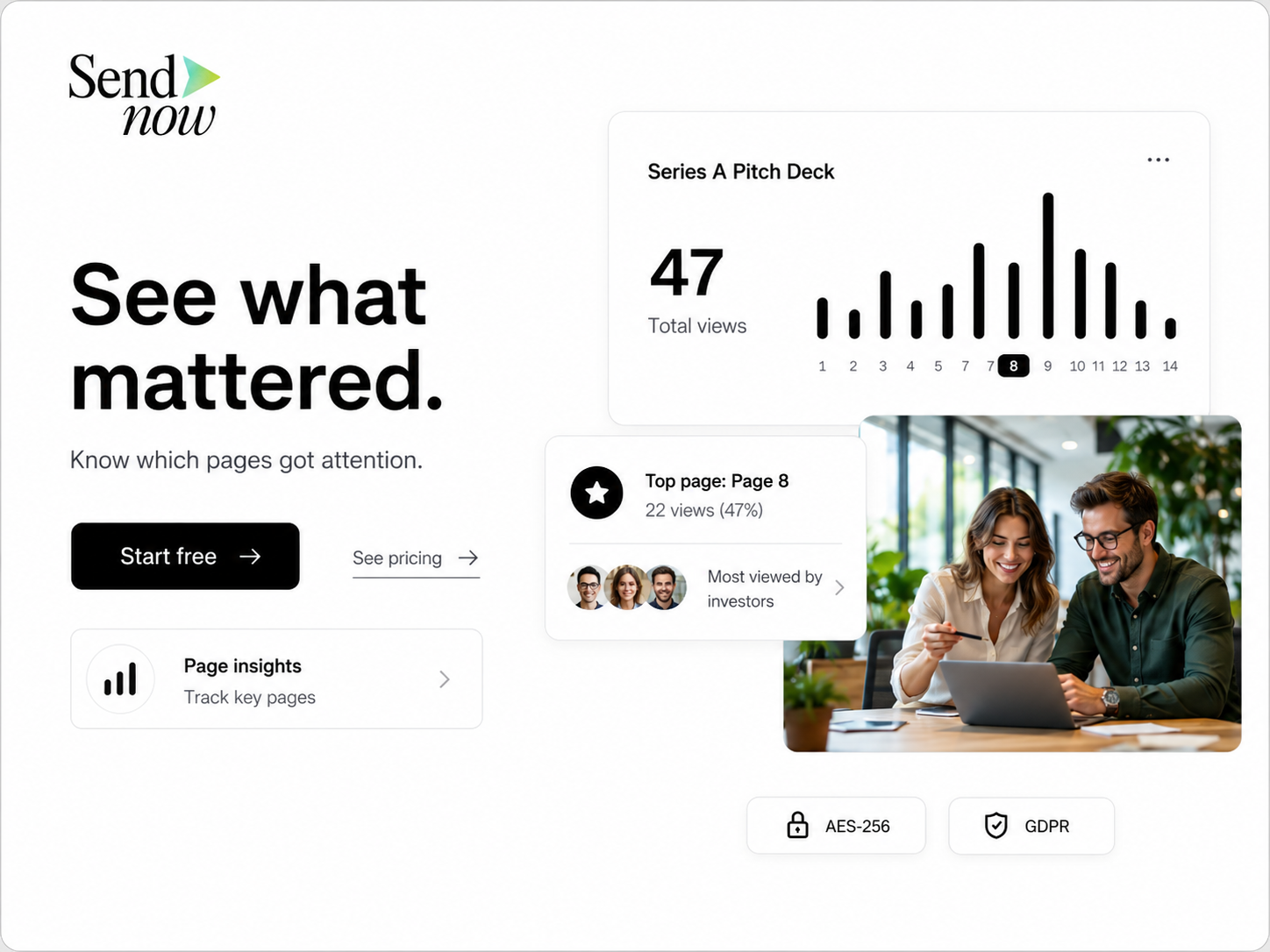
SendNow is built for founders, advisors, agencies, financial professionals and smaller deal teams. Document Lite costs USD 9 per month for five active documents. Document Pro costs USD 17 per month for up to 100 documents and adds advanced analytics, video analytics, allowed-user controls, NDA agreements, custom logo watermarking and revocation. Document Business costs USD 43 per month for up to 300 documents and adds large-file support, dynamic watermarking, custom domains, webhooks, Slack and team integrations.
MicroSite Pro costs USD 19 per month for 15 branded portals and up to 100 total documents. MicroSite Growth costs USD 49 per month for 50 MicroSites and 300 total documents, with custom domains, webhooks and priority support.
In-document hyperlinks remain usable across active SendNow plans. SendNow records document link-click events and gives document owners link-click analytics. MicroSites and Document Sharing are separate subscriptions, so each comparison should match the plan to the workflow rather than imply that every feature is bundled together.
SendNow offers a 24-hour trial with two document uploads, one MicroSite, basic visitor analytics, email verification and password protection. It is not a permanent free plan. Trial files and MicroSites are permanently deleted after 24 hours unless the user upgrades.
The positioning is straightforward: reach a useful professional workflow at USD 9, USD 17 or USD 19 instead of moving immediately into enterprise-style pricing.
SendNow does not need to win every enterprise feature comparison. Its advantage is giving founders and smaller teams the controls that affect everyday fundraising, proposals, client delivery and compact deal rooms at a price they can justify.
How to choose the correct SendNow plan
Document Lite
Choose Document Lite when the team shares a small number of active documents and needs basic analytics, email access, password protection, downloads and custom link names.
Document Pro
Choose Document Pro for fundraising, important proposals and confidential professional documents. It supports more documents and adds advanced analytics, allowed-user controls, NDA agreements, custom logo watermarking and revocation.
Document Business
Choose Document Business when custom document domains, dynamic watermarking, webhooks, Slack, team integrations, visitor export or larger files matter.
MicroSite Pro
Choose MicroSite Pro when several files should be organized inside a branded portal. It is suitable for investor rooms, client portals, proposal rooms and smaller deal rooms.
MicroSite Growth
Choose MicroSite Growth when the portal workflow requires higher limits, custom domains, webhooks and priority support.
A practical buying scorecard
Score each provider from one to five on these questions:
| Area | Question |
|---|---|
| Recipient experience | Can the recipient open the material quickly and use every important link? |
| Analytics | Can the owner see pages, revisits and meaningful clicks? |
| Access control | Are identity, password, whitelist, expiration and revocation options available? |
| Confidentiality | Are NDA and watermark options available at a reasonable tier? |
| Branding | Can the document or portal use a professional brand and domain? |
| Price | What is the flexible monthly cost of the plan that includes the required features? |
| Complexity | Can the team configure it without procurement, engineering or training? |
| Growth | Is there a clear upgrade path when limits or integrations become necessary? |
Do not score unused enterprise features as if they create immediate value. A complicated Q&A module does not help a founder who only needs to share a pitch deck. Likewise, a lightweight sharing tool may be insufficient for a regulated transaction involving hundreds of users.
The scorecard forces the comparison back to business value.
Security without false promises
No browser-based platform can guarantee that a confidential document will never be captured. A viewer can use an operating-system tool, another device or a camera. Honest security language matters.
A strong workflow uses layers:
- Verify or collect the viewer’s identity.
- Restrict access to intended recipients.
- Disable downloads when appropriate.
- Add NDA acceptance for sensitive material.
- Add a visible or dynamic watermark.
- Apply expiration and maximum-view rules.
- Review engagement and downloads.
- Revoke the live link when the process ends.
These layers reduce casual leakage, establish accountability and preserve control over the live source. They do not replace legal advice, internal policy or recipient trust.
Turning analytics into follow-up
Analytics should guide prioritization rather than create surveillance-style messages.

A single open is weak. Several combined signals are stronger:
- The recipient read most of the document.
- They returned on another day.
- They spent time on traction, pricing or financial pages.
- They clicked a demo, case study or meeting link.
- Another identifiable viewer entered the process.
- Engagement increased after an internal meeting.
A useful follow-up references the business conversation, not the tracking system. Instead of saying, “I saw you spent four minutes on page six,” say, “I wanted to add context on the traction and expansion assumptions.”
This keeps the message relevant while respecting the recipient.
Final verdict
Choose SendNow when the priority is affordable tracked document sharing, working in-document links, link-click analytics, security controls and branded portals for a founder, agency, advisor or smaller deal team.
Choose Intralinks when its specific ecosystem, enterprise administration, transaction tooling or adjacent workflow is central to the purchase and the higher cost or complexity is justified.
For most startup and SMB workflows, SendNow’s USD 9 Document Lite, USD 17 Document Pro and USD 19 MicroSite Pro plans provide a clearer path to value.
Frequently Asked Questions
What should startups prioritize in document-sharing software?
Working links, useful engagement analytics, proportional security, easy recipient access and a plan price that does not require enterprise features.
How much does SendNow cost?
Document Lite is USD 9 per month, Document Pro is USD 17, Document Business is USD 43, MicroSite Pro is USD 19 and MicroSite Growth is USD 49.
Does SendNow track clicks inside documents?
Yes. SendNow records in-document link-click events and provides link-click analytics to document owners.
Can SendNow stop every screenshot?
No. Its screenshot controls are browser-based. No web platform can prevent every operating-system, hardware, camera or mobile capture method.
When should a company use an enterprise VDR?
Use one when complex permissions, institutional diligence, specialist support, extensive audit controls or large transaction teams justify the higher cost and complexity.
What should be verified before publication?
Recheck competitor prices, plan limits, exchange rates and feature availability against official sources because these can change.
Share important documents without enterprise overhead
SendNow gives boutique advisors, founders and deal teams controlled document links, page and link engagement analytics, security options and branded MicroSite portals at startup-friendly prices.
Start your 24-hour SendNow trial
No credit card is required. Trial files and MicroSites are permanently deleted after 24 hours unless you upgrade.
Related SendNow guides
- SendNow vs Google Drive for Pitch Decks and Confidential Documents
- SendNow vs Dropbox for Secure Client and Investor Document Sharing
- When to Follow Up After Sending a Pitch Deck
- SendNow vs Datasite: Affordable Deal Room or Enterprise M&A Platform?
- 9 Best FirmRoom Alternatives for Boutique M&A and Fundraising
Official sources and further reading
Competitor pricing, currency conversions and plan limits can change. Check the live official pages immediately before publication.
About the Author: Rifana Hameem
Rifana is the founder of SendNow. She leads the team in building secure, compliant, and analytics-rich document sharing tools for finance and professional teams worldwide.
Connect on LinkedIn