Sécurisé Document Partage for Startups: A Practical Founder’s Guide

Secure Document Sharing for Startups: A Practical Founder’s Guide
Document-sharing software is often evaluated by the number of features printed on a pricing page. That is the wrong starting point.
The better question is whether the product supports the real workflow without disabling important document functionality, hiding useful analytics behind another tier, or forcing a small company into enterprise pricing.
This guide is written for Startup founders and small operating teams searching for secure document sharing for startups.
Key takeaway: Build a layered security and analytics workflow without enterprise complexity.
The evaluation throughout this article focuses on five outcomes: a clean recipient experience, working in-document links, actionable engagement analytics, proportional security and a monthly price that makes sense for the buyer.
What startups share
Important documents are rarely sent only to transfer information. They ask the recipient to take a next step.
A pitch deck asks an investor to continue a conversation. A proposal asks a buyer to approve scope and pricing. An investor update asks shareholders to understand progress. A diligence room asks several parties to review confidential material without losing control of access.
The sender therefore needs more than storage. They need presentation, access control, analytics and a clear end-of-life process for the link.
Before choosing a tool, write down:
- Who should access the material
- Which links inside the document must work
- Whether identity should be collected or verified
- Which pages and actions should be measured
- Whether downloads should be allowed
- How long access should remain active
- Whether the files belong in one portal
- What should happen when the process ends
This workflow map prevents overbuying and exposes free-plan restrictions before they become a live problem.
Why attachments create risk
Email attachments and ordinary cloud-storage links are familiar, but they create several limitations.
An attachment becomes an uncontrolled local copy. It cannot normally be revoked after delivery. The sender cannot replace it without sending a new version. Page-level engagement is unavailable, and the recipient can forward the original file without returning to the source.
Ordinary storage links improve version control but still focus primarily on access to a file. They may not provide the same visitor-level page analytics, link-click events, NDA gates, watermarking or presentation experience as a dedicated document-intelligence platform.
A controlled browser link keeps the sender connected to the live source. Depending on the plan, the sender can require an email, use a password, limit viewers, apply expiration, revoke access and understand engagement.
Security layers
Security should be applied in layers rather than treated as one feature.
Identity
Email capture identifies a submitted address. Verified-email access provides greater confidence that the viewer controls that inbox. Specified-user lists restrict access to approved recipients.
Confidentiality
Passwords create a shared secret. NDA gates can record acceptance before access. Watermarks discourage uncontrolled redistribution by making the source or visitor visible.
Ongoing control
Expiration, view limits, download settings and revocation help the owner control the live link after it has been sent.
Honest limitations
No browser platform can guarantee prevention of every screenshot, camera capture or operating-system method. Browser-based screenshot protection is a deterrent and friction layer, not an absolute technical guarantee.
Analytics and follow-up
Analytics should lead to a business decision.
Useful signals include:
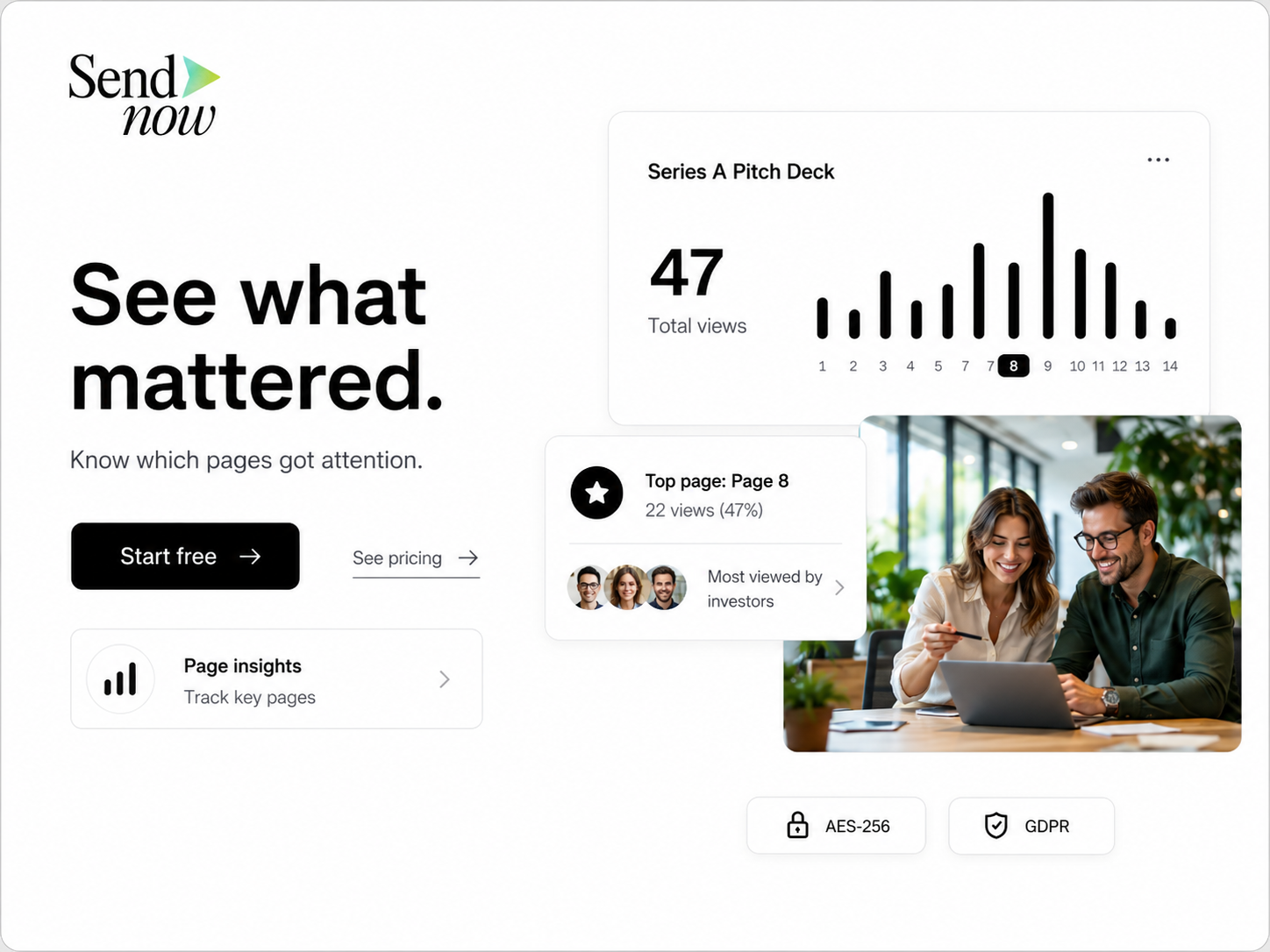
- The percentage of the document viewed
- Time concentrated on important pages
- Return visits
- Additional identifiable viewers
- Clicks on demos, calendars, websites or supporting resources
- Downloads
- Activity after a meeting or internal introduction
A single open is weak. A complete read, a later return and a click on the product demo together are stronger.
Analytics should never be used to make the recipient uncomfortable. A follow-up should reference the business topic, not reveal that the sender watched every page movement.
Plan selection
Price comparisons should use the plan that delivers the required workflow.
A free plan may permit uploads while disabling embedded links, shortening analytics retention or excluding verified access. An annual effective price may look low but require a full-year commitment. A custom domain may require a business tier. NDA gates and dynamic watermarking may require a separate data-room subscription.
Evaluate:
- Flexible monthly price
- Annual commitment and total upfront payment
- Document and storage limits
- User or guest charges
- Analytics retention
- Embedded-link support
- Security feature gates
- Custom-domain tier
- Portal or data-room limits
- Integration requirements
The lowest displayed price is not always the lowest cost of the real workflow.
Founder checklist
A practical rollout is straightforward:
- Finalize the document and confirm every embedded link.
- Remove information the recipient does not need.
- Upload the file to a controlled platform.
- Choose the minimum security appropriate for the stage.
- Test access in a private browser window and on mobile.
- Send one concise link.
- Review combined engagement signals after a reasonable interval.
- Follow up with useful context.
- Revoke or expire access when the process ends.
- Audit old links and portals regularly.
This process is simple enough for a founder and structured enough for a professional firm.
SendNow for startup document sharing
SendNow is designed for founders, agencies, advisors, financial professionals and smaller deal teams that need document intelligence without enterprise data-room pricing.
Document Lite costs USD 9 per month and supports five active documents. Document Pro costs USD 17 per month and supports up to 100 documents with advanced analytics, video analytics, specified-user controls, NDA agreements, custom logo watermarking and link revocation. Document Business costs USD 43 per month and supports up to 300 documents with large-file support, dynamic watermarking, custom domains, webhooks, Slack and team integrations.
MicroSite Pro costs USD 19 per month for up to 15 branded portals and 100 total documents. MicroSite Growth costs USD 49 per month for up to 50 MicroSites and 300 total documents, with custom domains, webhooks and priority support.
SendNow supports in-document hyperlinks across active plans. It records document link-click events and provides link-click analytics to document owners. MicroSites and Document Sharing are separate subscriptions, so buyers should choose the product that matches the workflow rather than assume every feature is bundled into every plan.

SendNow does not advertise a permanent free plan. It offers a transparent 24-hour trial with two document uploads, one MicroSite, basic visitor analytics, email verification and password protection. Trial files and MicroSites are permanently deleted after 24 hours unless the user upgrades.
A founder can use Lite for a small number of active decks or proposals, Pro for advanced fundraising and confidential documents, Business for custom domains and integrations, or MicroSites when multiple files should be presented inside one branded room.
This segmented approach allows the startup to buy the workflow it needs instead of paying for a full institutional VDR.
Frequently Asked Questions
How much does SendNow cost?
Document Lite costs USD 9 per month, Document Pro USD 17, Document Business USD 43, MicroSite Pro USD 19 and MicroSite Growth USD 49.
Does SendNow support clickable links inside documents?
Yes. In-document hyperlinks remain usable across active SendNow plans.
Does SendNow provide link-click analytics?
Yes. SendNow records document link-click events and provides the activity to document owners.
Is SendNow permanently free?
No. It provides a 24-hour trial. Trial files and MicroSites are deleted after 24 hours unless the user upgrades.
Can any document platform guarantee complete screenshot prevention?
No. Browser controls and watermarks reduce risk, but no web platform can prevent every operating-system, camera, hardware or mobile capture method.
What should be verified before publishing a comparison?
Recheck live competitor pricing, exchange rates, plan limits and feature availability against official pages.
Share important documents with more control
SendNow helps startup founders and small operating teams use controlled links, page and link-click analytics, proportional security and branded MicroSite portals without starting with enterprise VDR pricing.
Start your 24-hour SendNow trial
No credit card is required. Trial files and MicroSites are permanently deleted after 24 hours unless you upgrade.
Related SendNow guides
- Pitch Deck Analytics for Founders
- SendNow vs Papermark
- When to Follow Up After Sending a Pitch Deck
- Virtual Data Room Pricing Comparison: Startup Plans vs Enterprise VDRs
- Pitch Deck Link Analytics: Know Which Investors Clicked Your Demo
Official sources and further reading
- https://sendnow.live/pricing
- https://www.nist.gov/cyberframework
- https://owasp.org/www-project-top-ten/
Competitor plans, pricing and exchange rates can change. Verify live official pages before publication.
About the Author: Rifana Hameem
Rifana is the founder of SendNow. She leads the team in building secure, compliant, and analytics-rich document sharing tools for finance and professional teams worldwide.
Connect on LinkedIn