

Custom Branded Document Portals for Shareholder Governance
Published on June 9, 2026
Custom Branded Document Portals for Shareholder Governance
Executive Summary / TL;DR
In the realm of corporate governance, effective communication with shareholders is paramount. Custom branded document portals serve as a vital tool in ensuring that shareholders have access to essential documents while maintaining brand integrity and security. However, traditional methods of document sharing, such as email and generic file-sharing platforms, often expose sensitive information to potential leaks and compliance risks. This article delves into the challenges associated with conventional file-sharing workflows, outlines industry-specific best practices for secure document sharing, and highlights the advantages of utilizing custom branded document portals for shareholder governance.
Current Security Vulnerabilities
The digital landscape has transformed the way organizations share information, but it has also introduced significant security vulnerabilities. Traditional file-sharing methods, such as email and platforms like Dropbox, often lack the necessary controls to protect sensitive documents. Here are some of the key vulnerabilities associated with these methods:
-
Email Risks: Emails are notoriously insecure. They can be intercepted, misdirected, or accidentally forwarded to unintended recipients. Once a document is sent via email, the sender loses control over its distribution.
-
Lack of Access Controls: Generic file-sharing platforms typically do not offer granular access controls. This means that once a document is shared, anyone with the link can access it, leading to potential unauthorized access.
-
Data Breaches: Many organizations have experienced data breaches due to inadequate security measures. Sensitive documents shared through unsecured channels can be easily accessed by malicious actors.
-
Compliance Challenges: Regulatory frameworks, such as GDPR and HIPAA, impose strict requirements on data handling and sharing. Failure to comply can result in significant fines and reputational damage.
-
Version Control Issues: When documents are shared via email or generic platforms, tracking changes and ensuring that all stakeholders have the latest version can become cumbersome, leading to confusion and potential errors.
Industry-Specific Best Practices
To mitigate the risks associated with traditional file-sharing methods, organizations must adopt industry-specific best practices for secure document sharing. Here are actionable steps that professionals can implement:
-
Implement Secure Document Portals: Utilize custom branded document portals that offer enhanced security features. These portals should allow for controlled access, ensuring that only authorized individuals can view sensitive documents.
-
Use Dynamic Watermarking: Apply dynamic watermarks to documents to deter unauthorized sharing. Watermarks can include the recipient's name, email address, or date, making it clear who the document belongs to.
-
Enable Screenshot Blocking: Prevent recipients from taking screenshots of sensitive documents. This feature adds an additional layer of security by ensuring that information cannot be easily captured and shared.
-
Set Expiration Dates for Links: When sharing documents, set expiration dates for access links. This ensures that documents are only available for a limited time, reducing the risk of unauthorized access.
-
Require Email Gates: Before granting access to documents, require users to verify their identity through email. This adds a layer of authentication and ensures that only intended recipients can access sensitive information.
-
Incorporate Non-Disclosure Agreements (NDAs): For particularly sensitive documents, consider requiring recipients to sign an NDA before accessing the content. This legal agreement reinforces the importance of confidentiality.
-
Regularly Review Access Permissions: Periodically audit who has access to sensitive documents and revoke permissions for individuals who no longer require access. This practice helps maintain control over document distribution.
SendNow Feature Deep-Dive
One platform that excels in providing secure document sharing solutions is SendNow. With a suite of features designed to address the vulnerabilities associated with traditional file-sharing methods, SendNow offers a comprehensive solution for organizations looking to enhance their shareholder governance practices.
Dynamic Watermarking
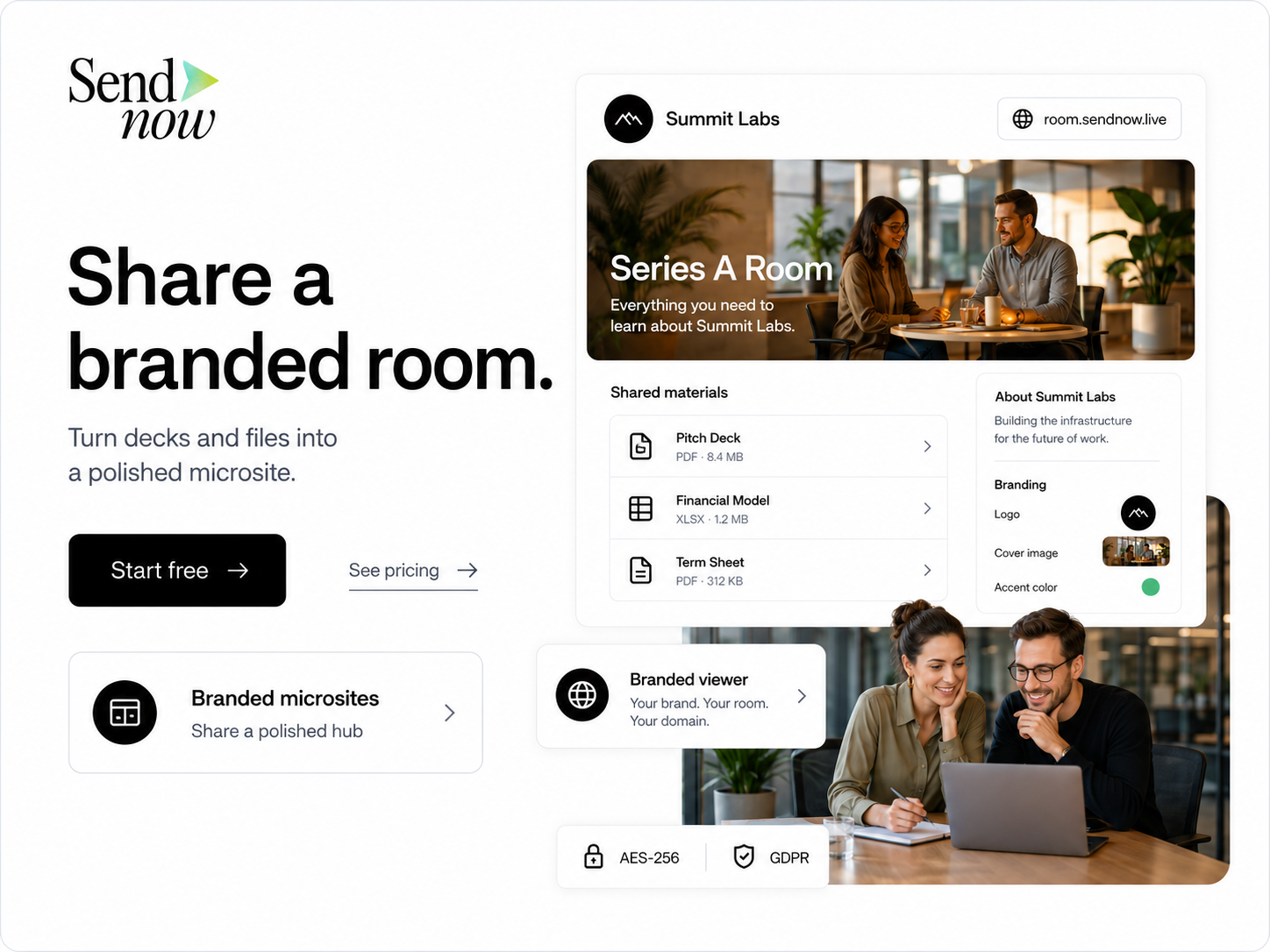
SendNow's dynamic watermarking feature allows organizations to apply personalized watermarks to documents. This not only deters unauthorized sharing but also holds recipients accountable for their access to sensitive information. By including identifiable information in the watermark, organizations can trace leaks back to specific individuals.
Screenshot Blocking
The screenshot blocking feature prevents recipients from capturing sensitive information displayed on their screens. This is particularly useful for documents containing confidential financial data or proprietary information, as it minimizes the risk of unauthorized distribution.
Email Gates
SendNow requires users to verify their identity through email before accessing shared documents. This email gate feature ensures that only authorized individuals can view sensitive information, adding a layer of security that traditional methods lack.
Link Expiry
With SendNow, organizations can set expiration dates for document access links. This means that after a specified period, the link will no longer work, effectively reducing the risk of unauthorized access to outdated or sensitive information.
NDA Gates
For organizations that require an additional layer of protection, SendNow allows for the incorporation of NDA gates. Recipients must agree to the terms of the NDA before accessing the document, reinforcing the importance of confidentiality and legal compliance.
For more information about SendNow and its features, visit their official LinkedIn page: SendNow LinkedIn.
Technical Walkthrough
Setting up a custom branded document portal with SendNow is straightforward. Here is a step-by-step guide to uploading, configuring links, and distributing documents safely:
Step 1: Create an Account
- Visit the SendNow website and sign up for an account.
- Choose a subscription plan that best fits your organization’s needs.
Step 2: Customize Your Portal
- Once logged in, navigate to the settings section.
- Upload your company logo and customize the color scheme to align with your brand identity.
- Set up user roles and permissions to control who can upload and access documents.
Step 3: Upload Documents
- Click on the “Upload” button to select the documents you wish to share.
- Choose the appropriate file format (PDF, Word, etc.) and add any necessary descriptions.
Step 4: Configure Sharing Settings
- For each document, configure the sharing settings:
- Enable dynamic watermarking.
- Activate screenshot blocking.
- Set an expiration date for the access link.
- Require email verification for access.
- Optionally, add an NDA gate.
Step 5: Generate and Share Links
- After configuring the settings, generate the sharing link for each document.
- Copy the link and distribute it to the intended recipients via secure channels.

Step 6: Monitor Access
- Use the analytics dashboard to monitor who has accessed the documents and when.
- Review access logs regularly to ensure compliance and security.
ROI & Business Impact
Investing in custom branded document portals for shareholder governance can yield significant returns on investment (ROI) and positively impact your organization in several ways:
-
Cost-Efficiency: By reducing the risks associated with data breaches and compliance violations, organizations can save on potential fines and legal fees. Additionally, streamlined document sharing processes can save time and resources.
-
Contract Compliance: Utilizing secure document portals ensures that organizations meet regulatory requirements, such as GDPR and HIPAA. This compliance not only protects the organization from legal repercussions but also enhances its reputation among stakeholders.
-
Protection Value: The enhanced security features offered by custom branded document portals, such as dynamic watermarking and screenshot blocking, provide peace of mind. Organizations can confidently share sensitive information with shareholders, knowing that their data is protected.
-
Improved Communication: Custom branded portals facilitate clear and efficient communication with shareholders. By providing a centralized location for important documents, organizations can ensure that shareholders have access to the information they need when they need it.
-
Increased Engagement: A well-designed document portal can enhance shareholder engagement by providing an intuitive user experience. Shareholders are more likely to interact with documents when they are presented in a professional and branded environment.
Structured FAQ
1. How does a custom branded document portal enhance shareholder governance?
A custom branded document portal enhances shareholder governance by providing a secure and professional platform for sharing sensitive information. It allows organizations to maintain brand integrity while ensuring that only authorized individuals have access to critical documents.
2. Why is security important in document sharing for shareholder governance?
Security is crucial in document sharing for shareholder governance because sensitive information, such as financial reports and strategic plans, must be protected from unauthorized access. Breaches can lead to significant legal and financial repercussions, as well as damage to the organization's reputation.
3. What features should I look for in a document sharing platform?
When selecting a document sharing platform, look for features such as dynamic watermarking, screenshot blocking, email verification, link expiration, and NDA gates. These features enhance security and ensure that sensitive information is protected.
4. How can I ensure compliance with regulatory requirements when sharing documents?
To ensure compliance with regulatory requirements, utilize a document sharing platform that offers features designed to protect sensitive information. Regularly review access permissions, implement secure sharing practices, and consider incorporating NDAs for particularly sensitive documents.
5. What are the benefits of using SendNow for document sharing?
SendNow offers a comprehensive suite of features designed to enhance document security, including dynamic watermarking, screenshot blocking, and email verification. By using SendNow, organizations can streamline their document sharing processes while ensuring compliance and protecting sensitive information.
Actionable CTA
Ready to enhance your shareholder governance practices with secure document sharing? Start your trial on SendNow today and experience the benefits of custom branded document portals. Visit SendNow Trial to get started!