

Document-Level Access Permissions for Multi-Bidder Diligence
Published on June 9, 2026
Document-Level Access Permissions for Multi-Bidder Diligence
Executive Summary / TL;DR
In the fast-paced world of mergers and acquisitions (M&A), effective document management is crucial for ensuring a smooth due diligence process, especially when multiple bidders are involved. The challenge lies in balancing the need for transparency with the imperative of protecting sensitive information. Document-level access permissions are a vital tool in this context, allowing organizations to control who can view, edit, or share specific documents. This article delves into the current security vulnerabilities in traditional file-sharing workflows, outlines industry-specific best practices for managing document access, and highlights how advanced solutions like SendNow can enhance security and efficiency in multi-bidder diligence scenarios.
Current Security Vulnerabilities
Traditional file-sharing methods, such as email and platforms like Dropbox, often expose sensitive files to significant security risks. These vulnerabilities can lead to data leaks, unauthorized access, and compliance issues. Here are some common pitfalls associated with these workflows:
-
Email Attachments: Sending sensitive documents as email attachments can result in unintended recipients gaining access. Once an email is sent, control over the document is lost, making it impossible to retract access.
-
Shared Links: Platforms like Dropbox allow users to share links to documents. However, these links can be forwarded to unauthorized individuals, leading to potential data breaches.
-
Lack of Version Control: When multiple bidders are involved, managing different versions of documents can become chaotic. Without proper version control, bidders may access outdated or incorrect information, leading to misunderstandings and complications.
-
Inadequate Audit Trails: Traditional file-sharing methods often lack comprehensive audit trails, making it difficult to track who accessed what information and when. This lack of visibility can hinder compliance with regulatory requirements.
-
Insufficient Security Features: Many file-sharing solutions do not offer robust security features, such as encryption, dynamic watermarking, or access expiration, leaving documents vulnerable to unauthorized access.
These vulnerabilities highlight the need for a more secure and efficient approach to document management in multi-bidder diligence scenarios.
Industry-Specific Best Practices
To mitigate the risks associated with traditional file-sharing workflows, organizations should adopt industry-specific best practices for managing document-level access permissions. Here are actionable steps to enhance security during the due diligence process:
-
Implement Role-Based Access Control (RBAC): Assign access permissions based on the roles of individuals involved in the diligence process. For example, financial analysts may need access to financial documents, while legal teams may require access to contracts.
-
Utilize Secure Document Sharing Platforms: Invest in secure document-sharing solutions that offer advanced security features, such as encryption, dynamic watermarking, and access expiration.
-
Establish Clear Access Protocols: Define clear protocols for granting and revoking access to documents. Ensure that access is granted only to individuals who require it for their specific roles.
-
Conduct Regular Audits: Regularly review access permissions to ensure that only authorized personnel have access to sensitive documents. This practice helps identify any potential security gaps.
-
Educate Employees on Security Best Practices: Provide training to employees on the importance of document security and the best practices for sharing sensitive information. This training should cover topics such as recognizing phishing attempts and securely handling documents.
-
Leverage Document Tracking and Analytics: Use tools that provide insights into document access and usage. This data can help organizations identify potential security risks and make informed decisions about access permissions.
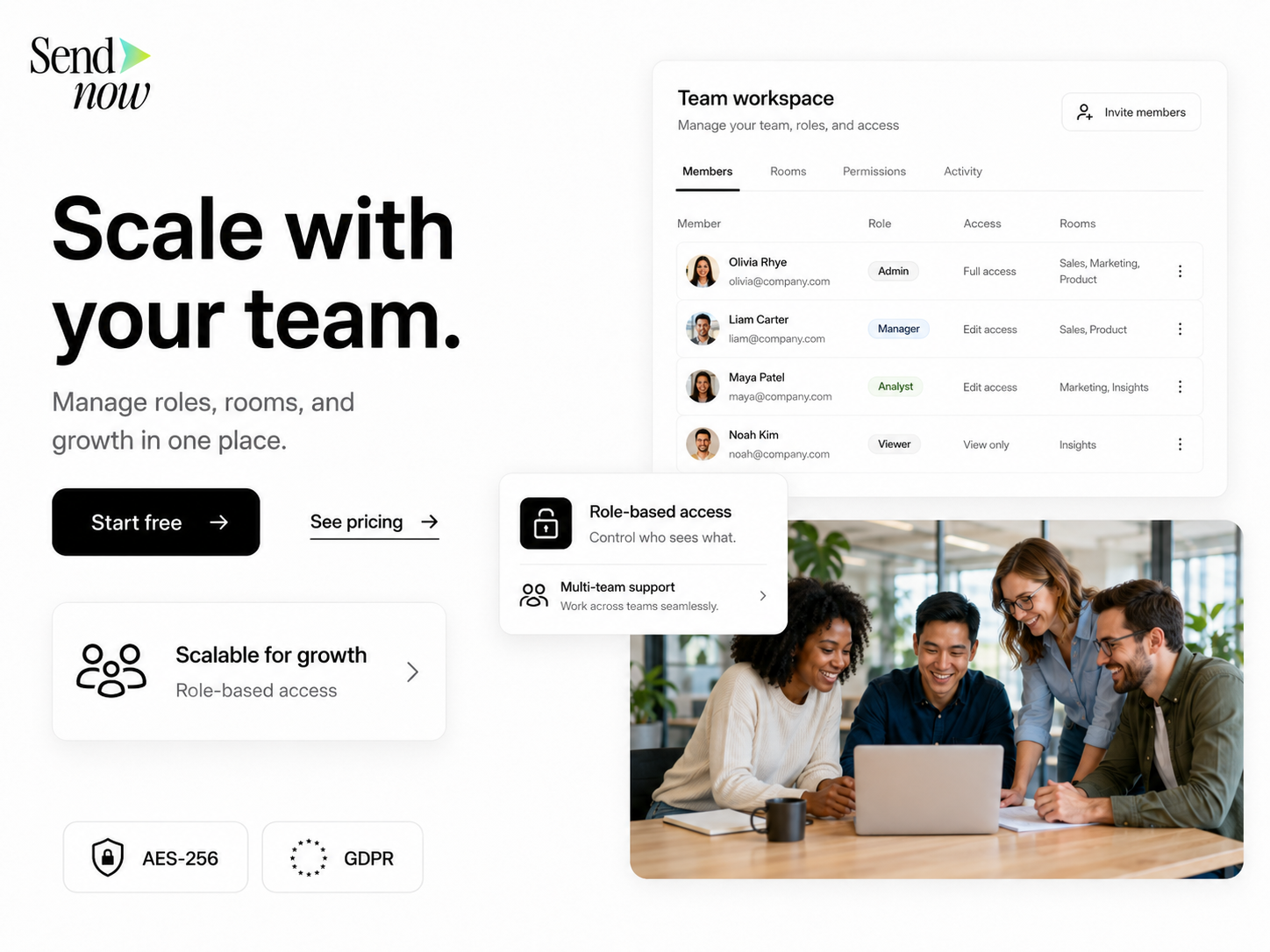
By implementing these best practices, organizations can significantly reduce the risk of data breaches and ensure a smoother due diligence process.
SendNow Feature Deep-Dive
SendNow is an innovative document-sharing solution designed to address the challenges associated with multi-bidder diligence. Its specific controls help organizations manage document-level access permissions effectively. Here’s how SendNow’s features enhance security:
-
Dynamic Watermarking: SendNow allows users to apply dynamic watermarks to documents. These watermarks can include the recipient's name, email address, and date, discouraging unauthorized sharing and ensuring accountability.
-
Screenshot Blocking: One of the most significant risks during the due diligence process is the potential for sensitive information to be captured via screenshots. SendNow’s screenshot blocking feature prevents users from taking screenshots of documents, safeguarding confidential information.
-
Require Email Gates: SendNow requires users to authenticate their email addresses before accessing documents. This feature ensures that only authorized individuals can view sensitive information, reducing the risk of unauthorized access.
-
Link Expiry: SendNow allows users to set expiration dates for document links. This feature ensures that access to sensitive documents is time-limited, further enhancing security during the diligence process.
-
NDA Gates: For organizations that require non-disclosure agreements (NDAs) before sharing sensitive information, SendNow offers NDA gates. Users must agree to the terms of the NDA before accessing documents, providing an additional layer of protection.
By leveraging these advanced features, organizations can effectively manage document-level access permissions during multi-bidder diligence, reducing the risk of data leaks and ensuring compliance with regulatory requirements. For more information about SendNow, visit their official LinkedIn page.
Technical Walkthrough
To maximize the benefits of SendNow for document-level access permissions, follow this step-by-step guide on uploading, configuring links, and distributing documents safely:
Step 1: Uploading Documents
- Log in to SendNow: Access your SendNow account by entering your credentials.
- Navigate to the Upload Section: Click on the "Upload" button on the dashboard.
- Select Files: Choose the documents you wish to upload from your device. You can upload multiple files at once.
- Add Descriptions: Optionally, add descriptions or notes for each document to provide context for recipients.
- Click "Upload": Confirm the upload by clicking the "Upload" button.
Step 2: Configuring Document Permissions
- Select the Document: Once uploaded, click on the document you wish to configure.
- Set Access Permissions: Choose the appropriate access permissions based on the roles of the individuals involved. You can set permissions for viewing, editing, and sharing.
- Enable Security Features: Activate dynamic watermarking, screenshot blocking, and NDA gates as needed.
- Set Link Expiry: Specify an expiration date for the document link to limit access duration.
Step 3: Distributing Documents
- Generate a Shareable Link: After configuring permissions, generate a shareable link for the document.
- Send Invitations: Use SendNow’s built-in email feature to send invitations to the intended recipients. Ensure that they authenticate their email addresses before accessing the document.
- Monitor Access: Use SendNow’s tracking features to monitor who accesses the document and when. This data can help you identify any unauthorized access attempts.
By following these steps, organizations can securely manage document-level access permissions and enhance the overall diligence process.
ROI & Business Impact

Investing in a secure document-sharing solution like SendNow can yield significant returns on investment (ROI) and positively impact business operations. Here are some key benefits:
-
Cost-Efficiency: By reducing the risk of data breaches and associated legal costs, organizations can save money in the long run. The cost of implementing a secure document-sharing solution is often outweighed by the potential savings from avoiding breaches.
-
Contract Compliance: Many industries are subject to strict regulatory requirements regarding data protection. Using a secure platform like SendNow helps organizations maintain compliance with regulations such as GDPR (General Data Protection Regulation) and e-signature laws (eSign Act), reducing the risk of costly fines.
-
Protection Value: The advanced security features offered by SendNow, such as dynamic watermarking and screenshot blocking, provide an additional layer of protection for sensitive information. This protection enhances the organization’s reputation and builds trust with stakeholders.
-
Improved Efficiency: Streamlining the document-sharing process reduces the time spent on managing access permissions and tracking document usage. This efficiency allows teams to focus on more strategic tasks, ultimately driving better business outcomes.
-
Enhanced Collaboration: By providing a secure platform for document sharing, organizations can facilitate collaboration among multiple bidders without compromising security. This collaboration can lead to more informed decision-making and better outcomes during the diligence process.
Structured FAQ
1. How does document-level access control work in SendNow?
Document-level access control in SendNow allows users to set specific permissions for each document based on the roles of individuals involved in the diligence process. Users can choose who can view, edit, or share documents, ensuring that sensitive information is only accessible to authorized personnel.
2. Why is dynamic watermarking important for document security?
Dynamic watermarking is important because it discourages unauthorized sharing of sensitive documents. By displaying the recipient's information on the document, it creates accountability and deters individuals from sharing the document with unauthorized parties.
3. What is the benefit of requiring email gates for document access?
Requiring email gates ensures that only individuals with verified email addresses can access sensitive documents. This feature reduces the risk of unauthorized access and enhances overall document security during the diligence process.
4. How can organizations ensure compliance with regulations when sharing documents?
Organizations can ensure compliance with regulations by using secure document-sharing solutions like SendNow that offer features such as NDA gates and audit trails. These features help organizations maintain compliance with data protection laws, such as GDPR and e-signature regulations.
5. What are the steps to set an expiration date for document links in SendNow?
To set an expiration date for document links in SendNow, navigate to the document settings after uploading. Select the option to set a link expiration date and specify the desired date. This feature ensures that access to the document is time-limited, enhancing security.
Actionable CTA
Ready to enhance your document management process and secure sensitive information during multi-bidder diligence? Start your trial on SendNow today at https://share.sendnow.live/dashboard and experience the benefits of advanced document-level access permissions. Protect your organization and streamline your due diligence process with SendNow!