
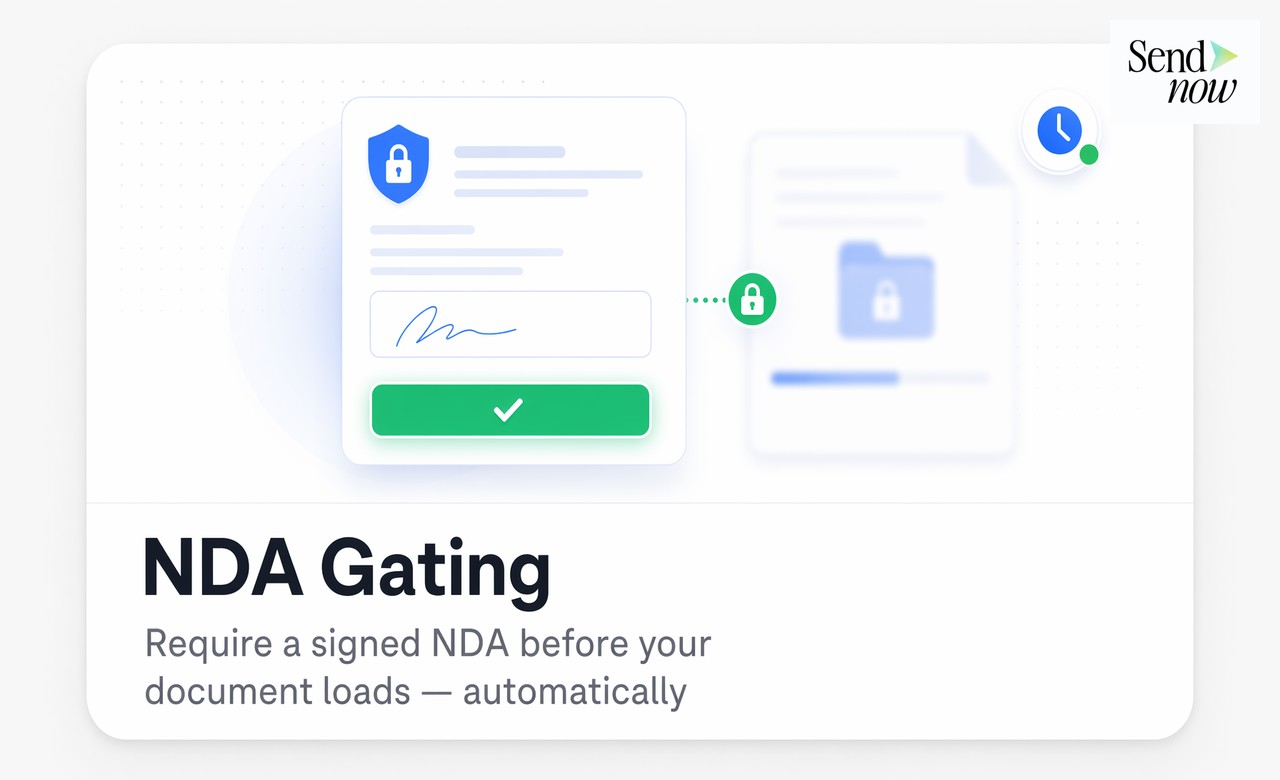
NDA Gating for Documents: Require a Signature Before Page One
Published on April 24, 2026
TLDR
NDA gating requires every viewer to sign a non-disclosure agreement before they can access a single page of your document. Unlike manual NDA workflows that depend on email coordination, built-in NDA gating is automatic, timestamped, and creates a legally useful access record. For term sheets, CIMs, pitch decks, and any deal-sensitive materials, this is the cleanest way to enforce confidentiality at scale.
Table of Contents
- What NDA Gating Is
- Why Separate NDA Emails Fail
- How Automatic NDA Gating Works
- Customizing Your NDA Text
- What Viewers Experience
- Which Deals Need NDA Gating
- FAQs
What NDA Gating Is {#what-nda-gating-is}
NDA gating is a document access control that presents a non-disclosure agreement to the viewer before the document loads. The viewer must actively accept or sign the NDA to proceed. Until they do, no document content is accessible.
This is distinct from simply attaching an NDA to an email alongside a document. With email-based NDA workflows, there is no technical enforcement mechanism: a viewer can read the NDA, ignore it, and open the document regardless. NDA gating removes that gap by making signature a prerequisite for access at the system level.
The gating can be applied to individual documents or as a default rule for all documents in a given portal. It works for PDFs, pitch decks, financial models, and any other document format your team shares with external parties.
Why Separate NDA Emails Fail {#why-separate-nda-emails-fail}
The traditional approach to pre-sharing NDAs involves sending a separate email with the NDA attached, waiting for a signed return, and then sending the document as a second email. This process breaks in practice for three reasons.
Coordination overhead. Every NDA exchange requires multiple round-trips: send NDA, wait for return, confirm the correct version was signed, send the document. For time-sensitive deals or high-volume outreach, this friction slows the process and creates delays that can cost opportunities.
No enforcement link. The signed NDA and the document exist in separate email threads. There is no technical link between the NDA signature and document access. If your email archive is ever audited or a dispute arises, proving that this specific viewer signed an NDA before viewing this specific document version requires manually cross-referencing email threads.
Signature gaps. Prospects sometimes open the document before the NDA exchange completes. They respond to the document link before responding to the NDA email. Without a gating mechanism, the document is accessible regardless.
How Automatic NDA Gating Works {#how-automatic-nda-gating-works}

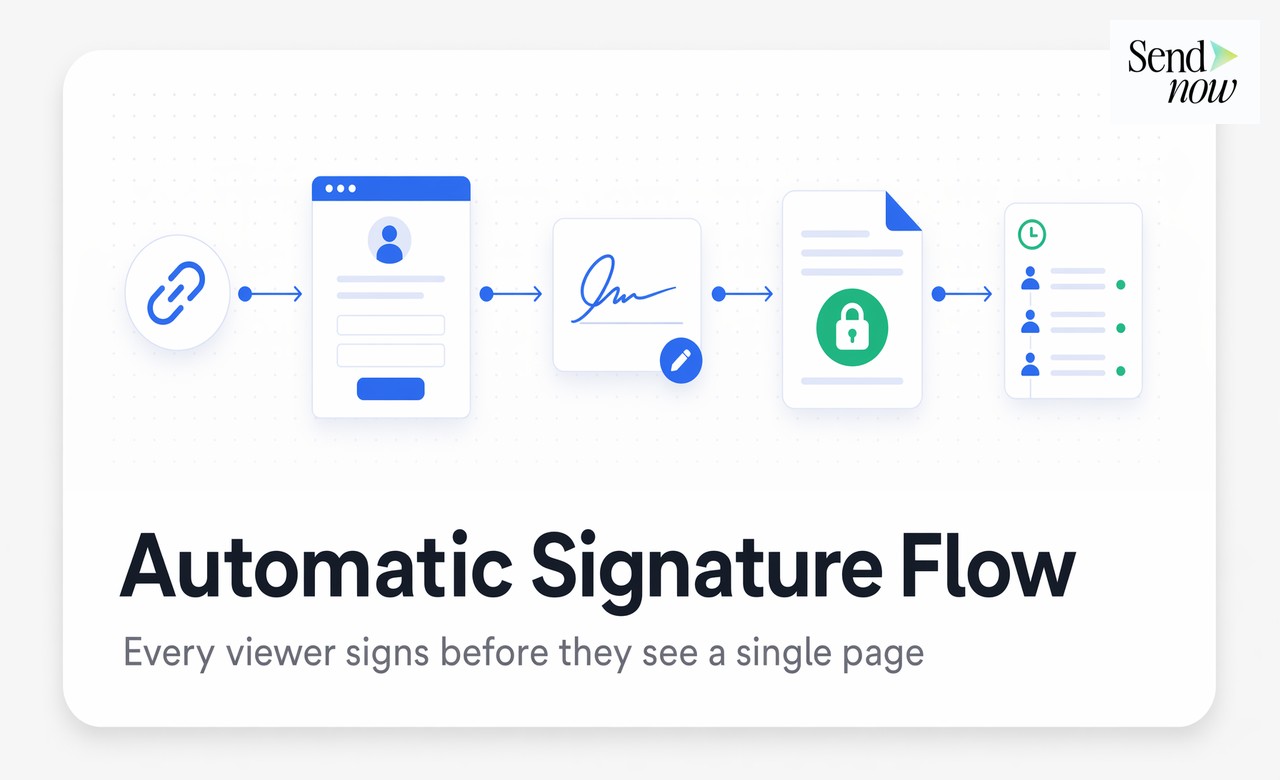
With built-in NDA gating, the signature and access are a single event. Here is the flow:
- You share a document link from SendNow with NDA gating enabled
- The viewer clicks the link and lands on the NDA page rather than the document
- The viewer reads and signs the NDA using their name, email, and timestamp
- The document unlocks and loads immediately after signature confirmation
- The signature is logged in your audit trail with the viewer's identity, IP address, and exact timestamp
The entire sequence happens in a single browser session without email back-and-forth. The viewer signs and reads in one flow. Your record is created automatically.
This structure also handles the GDPR requirement for documented consent. The access log ties the NDA acceptance to a specific viewer identity, a specific document version, and an exact timestamp. That is a defensible record.
Customizing Your NDA Text {#customizing-your-nda-text}
Not all NDA gating implementations use the same NDA text. Effective tools let you edit the NDA content to match your firm's legal requirements.
Key elements to customize:
- Effective period — the duration for which the confidentiality obligation applies (typically one to three years)
- Permitted use statement — what the viewer is allowed to do with the information (evaluation only, no redistribution)
- Party names — your firm name and a placeholder for the viewer's name and entity
- Governing law — the jurisdiction whose law governs the agreement (important for EU-based firms using GDPR-friendly jurisdictions)
- Scope of confidential information — what counts as confidential under the agreement
Your legal team should approve the NDA template once, and it applies to every subsequent share automatically. You do not need to regenerate or re-approve the NDA text for each new recipient.
What Viewers Experience {#what-viewers-experience}
From the viewer's side, the NDA gating experience is designed to be frictionless while remaining legally clear. When a viewer clicks your shared link, they arrive at a clean, branded page that presents the NDA text in a readable format.
A single action, typically checking a box and clicking "Sign and Access," completes the signature. No download, no print, no scan. The document opens immediately after.
The branding on the NDA page matches your firm's portal settings: your logo, your domain, your color scheme. The viewer never sees a third-party tool interface. This presentation reinforces the seriousness of the confidentiality request.
Which Deals Need NDA Gating {#which-deals-need-nda-gating}
NDA gating is appropriate wherever confidential information moves to parties who do not yet have a formal relationship with your firm. Specific use cases include:
| Document Type | Why NDA Gating Applies |
|---|---|
| Confidential Information Memoranda (CIMs) | Shared with potential buyers before deal signing |
| Investor pitch decks | Sent to external investors before any agreement exists |
| Term sheets | Contain deal economics that must not be shared publicly |
| Financial models | Proprietary assumptions that carry competitive sensitivity |
| Product roadmaps | Shared with partners or prospects before execution |
| Due diligence packages | Contain company-level data across multiple sensitive categories |
The rule of thumb: if a leak would damage your negotiating position, trigger a compliance issue, or harm a client relationship, NDA gating belongs on that document.
SendNow applies NDA gating at the document level, so you control it for each share individually. Some documents go out with gating. Others go out with standard access controls. The decision sits with the sender, not a system-wide policy.
Try it at sendnow.live and apply your first NDA gate in under two minutes.
FAQs {#faqs}
What is NDA gating for documents? NDA gating is a document access control that requires a viewer to sign a non-disclosure agreement before any document content loads. The signature is a prerequisite for access at the system level, not a separate manual step.
How is NDA gating different from sending an NDA by email? Email-based NDA workflows have no technical enforcement: a viewer can ignore the NDA and still open the document. NDA gating prevents document access until the signature is complete, and automatically links the signature to the specific document and viewer.
Is an electronically signed NDA legally valid in the EU? Yes. Electronic signatures are legally recognized under the eIDAS regulation in the EU. A timestamped NDA acceptance with a recorded email address and IP address is legally valid for most commercial confidentiality purposes. Consult your legal team for high-stakes transactions.
Can I customize the NDA text in a document sharing tool? Yes. Tools like SendNow let you edit the NDA template to include your firm name, the applicable governing law, the confidentiality period, and the permitted use statement. Customize it once and it applies to every subsequent share.
What information is captured when a viewer signs an NDA gate? The system captures the viewer's name, email address, IP address, and an exact timestamp at the moment of signature. This creates an audit record that ties the NDA acceptance to the specific document version shared.
Which types of documents should use NDA gating? CIMs, investor pitch decks, term sheets, financial models, due diligence packages, and product roadmaps all benefit from NDA gating. Apply it whenever a document contains information that would damage your position if shared without a confidentiality obligation.
Does NDA gating slow down the viewer experience? No. The viewer signs the NDA in a single step, checking a box and clicking accept. The document loads immediately after. The entire sequence takes under 30 seconds and happens inside one browser session.
Can NDA gating work alongside other access controls? Yes. NDA gating stacks with email verification, password protection, link expiry, download blocking, and dynamic watermarks. You can apply all of these controls simultaneously for maximum protection on sensitive deal documents.
<script type="application/ld+json"> }, { "@type": "Question", "name": "How is NDA gating different from sending an NDA by email?", "acceptedAnswer": { "@type": "Answer", "text": "Email-based NDA workflows have no technical enforcement: a viewer can ignore the NDA and still open the document. NDA gating prevents document access until the signature is complete, and automatically links the signature to the specific document and viewer." } }, { "@type": "Question", "name": "Is an electronically signed NDA legally valid in the EU?", "acceptedAnswer": { "@type": "Answer", "text": "Yes. Electronic signatures are legally recognized under the eIDAS regulation in the EU. A timestamped NDA acceptance with a recorded email address and IP address is legally valid for most commercial confidentiality purposes." } }, { "@type": "Question", "name": "Can I customize the NDA text in a document sharing tool?", "acceptedAnswer": { "@type": "Answer", "text": "Yes. Tools like SendNow let you edit the NDA template to include your firm name, the applicable governing law, the confidentiality period, and the permitted use statement." } }, { "@type": "Question", "name": "What information is captured when a viewer signs an NDA gate?", "acceptedAnswer": { "@type": "Answer", "text": "The system captures the viewer's name, email address, IP address, and an exact timestamp at the moment of signature, creating an audit record tied to the specific document version shared." } }, { "@type": "Question", "name": "Which types of documents should use NDA gating?", "acceptedAnswer": { "@type": "Answer", "text": "CIMs, investor pitch decks, term sheets, financial models, due diligence packages, and product roadmaps all benefit from NDA gating. Apply it whenever a document contains information that would damage your position if shared without a confidentiality obligation." } }, { "@type": "Question", "name": "Does NDA gating slow down the viewer experience?", "acceptedAnswer": { "@type": "Answer", "text": "No. The viewer signs the NDA in a single step, checking a box and clicking accept. The document loads immediately after. The entire sequence takes under 30 seconds inside one browser session." } }, { "@type": "Question", "name": "Can NDA gating work alongside other access controls?", "acceptedAnswer": { "@type": "Answer", "text": "Yes. NDA gating stacks with email verification, password protection, link expiry, download blocking, and dynamic watermarks. You can apply all of these controls simultaneously for maximum protection on sensitive deal documents." } } ] } </script>