Best Practices for Watermarking Floor Plans and Brochures

Best Practices for Watermarking Floor Plans and Brochures
Executive Summary / TL;DR
In the competitive landscape of real estate marketing, protecting your intellectual property is paramount. Floor plans and brochures are essential tools for showcasing properties, but they are also vulnerable to unauthorized use and distribution. Watermarking is an effective method for safeguarding these materials while maintaining brand visibility. This article outlines best practices for watermarking floor plans and brochures, ensuring that your marketing assets remain secure and effective.
Current Security Vulnerabilities
In the digital age, the ease of sharing documents through email, cloud storage services like Dropbox, and social media platforms has led to significant security vulnerabilities. Real estate professionals often share floor plans and brochures with potential buyers, agents, and partners, but this practice can expose sensitive information to unauthorized access and misuse.
-
Email Risks: Sending documents via email can lead to unintended forwarding, where confidential materials are shared with individuals outside the intended recipient list. Once a file is in someone else's inbox, control over its distribution is lost.
-
Cloud Storage Vulnerabilities: While services like Dropbox offer convenience, they also present risks. Shared links can be accessed by anyone with the link, and if not properly managed, these links can be distributed widely without the creator's knowledge.
-
Social Media Exposure: Sharing marketing materials on social media can increase visibility, but it also raises the risk of unauthorized downloads and use. Once a document is posted online, it can be difficult to track or control its distribution.
-
Lack of Watermarking: Many real estate professionals neglect to watermark their documents, leaving them vulnerable to unauthorized use. Without a watermark, it is easy for others to claim ownership of your designs and materials.
Industry-Specific Best Practices
To mitigate the risks associated with sharing floor plans and brochures, real estate professionals should adopt the following best practices for watermarking:
1. Choose the Right Watermark
- Visibility: Your watermark should be clearly visible but not overly distracting. It should complement the design of the floor plan or brochure without overshadowing the content.
- Branding: Incorporate your logo or brand name into the watermark to reinforce brand recognition. Ensure that the watermark is consistent with your overall branding strategy.
2. Positioning the Watermark
- Strategic Placement: Place the watermark in a way that it covers critical areas of the document without obstructing important information. A diagonal placement across the page is often effective.
- Opacity Levels: Adjust the opacity of the watermark to ensure it is visible but does not detract from the readability of the content. A common practice is to set the opacity between 30% to 50%.
3. Use Dynamic Watermarking
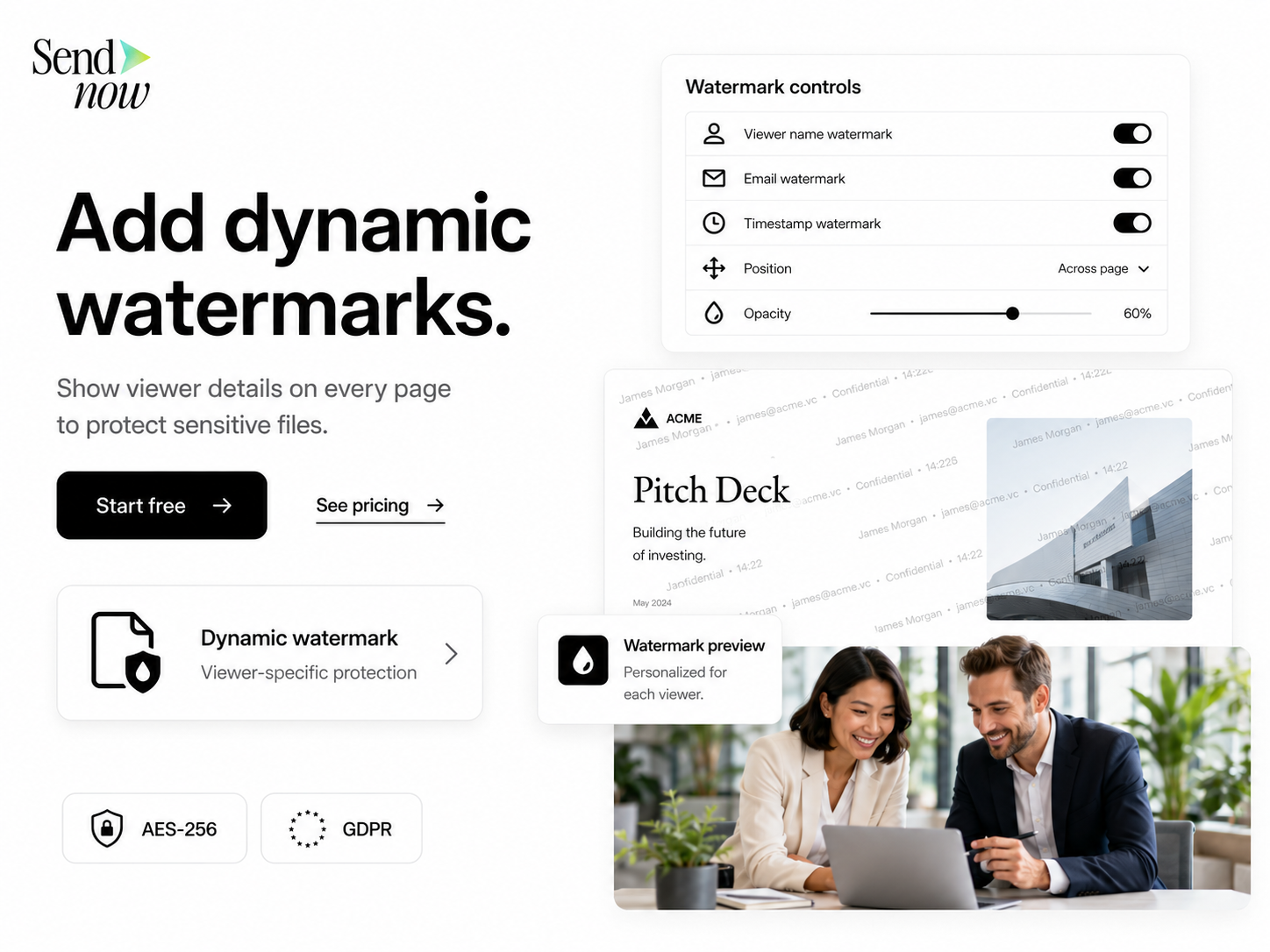
- Personalization: Consider using dynamic watermarks that include the recipient's name or email address. This adds a layer of personalization and discourages unauthorized sharing, as the document is linked to a specific individual.
- Tracking: Dynamic watermarks can also help track who has accessed your documents, providing valuable insights into your audience and their engagement.
4. Implement Security Features
- Password Protection: Always password-protect your documents before sharing them. This adds an extra layer of security and ensures that only authorized individuals can access the files.
- Expiration Dates: Set expiration dates for shared links to limit access over time. This ensures that even if a link is shared, it will become inactive after a certain period.
5. Educate Your Team
- Training: Provide training for your team on the importance of watermarking and document security. Ensure that everyone understands how to properly watermark and share documents.
- Policies: Establish clear policies regarding the sharing of sensitive documents. Make sure all team members are aware of the protocols to follow when distributing floor plans and brochures.
SendNow Feature Deep-Dive
SendNow offers a suite of features designed to enhance document security and protect your marketing materials. Here’s how SendNow’s specific controls can help safeguard your floor plans and brochures:
Dynamic Watermarking
SendNow allows users to create dynamic watermarks that can include recipient-specific information. This feature not only deters unauthorized sharing but also provides a way to track document access and engagement.
Screenshot Blocking
One of the most significant risks when sharing digital documents is the ability for recipients to take screenshots. SendNow’s screenshot blocking feature prevents users from capturing images of your documents, ensuring that your materials remain secure.
Email Gates
SendNow requires recipients to enter their email addresses before accessing documents. This feature adds an extra layer of security and allows you to track who has accessed your materials.
Link Expiry
With SendNow, you can set expiration dates for shared links. This ensures that even if a link is shared outside of the intended audience, it will become inactive after a specified period, reducing the risk of unauthorized access.
NDA Gates
For highly sensitive documents, SendNow offers NDA gates, requiring recipients to agree to a non-disclosure agreement before accessing the materials. This feature provides an additional layer of legal protection for your intellectual property.
For more information on how SendNow can help protect your real estate brochures and floor plans, visit their LinkedIn page.
Technical Walkthrough
To effectively watermark and share your floor plans and brochures using SendNow, follow these step-by-step instructions:
Step 1: Upload Your Document
- Log in to your SendNow account.
- Click on the “Upload” button on the dashboard.
- Select the floor plan or brochure file you wish to upload from your computer.
- Wait for the upload to complete.
Step 2: Configure Watermarking Settings
- After uploading, navigate to the “Watermark” section.
- Choose the type of watermark you want to apply (static or dynamic).
- If using dynamic watermarking, enter the placeholder for the recipient’s name or email.
- Adjust the opacity and positioning of the watermark as desired.
Step 3: Set Security Features
- Go to the “Security” settings.
- Enable password protection and set a strong password.
- Specify an expiration date for the link if desired.
- If applicable, enable NDA gates to require recipients to agree to terms before accessing the document.
Step 4: Distribute the Document

- Click on the “Share” button to generate a shareable link.
- Copy the link and send it to your intended recipients via email or other communication channels.
- Monitor access to the document through the SendNow dashboard to track engagement and ensure security.
ROI & Business Impact
Investing in watermarking and secure document sharing solutions like SendNow can yield significant returns for real estate professionals:
1. Cost-Efficiency
By protecting your marketing materials, you reduce the risk of unauthorized use and potential legal disputes. This can save your business substantial costs associated with litigation and brand damage.
2. Contract Compliance
Using secure document sharing methods ensures compliance with industry regulations and contractual obligations. This is particularly important in real estate, where sensitive information is often shared.
3. Protection Value
The value of protecting your intellectual property cannot be overstated. Watermarked materials not only deter unauthorized use but also enhance your brand’s credibility and professionalism in the eyes of potential clients.
Structured FAQ
Q1: How does watermarking protect my floor plans and brochures?
A1: Watermarking adds a layer of identification to your documents, making it clear who the owner is. It deters unauthorized use and sharing by making it more difficult for others to claim your work as their own.
Q2: Why should I use dynamic watermarks instead of static ones?
A2: Dynamic watermarks personalize the document for each recipient, including their name or email address. This discourages sharing, as recipients are less likely to forward documents that are linked to their identity.
Q3: What are the risks of not watermarking my marketing materials?
A3: Without watermarking, your floor plans and brochures are vulnerable to unauthorized use. Competitors can easily claim your designs, and potential clients may misuse your materials, leading to potential revenue loss.
Q4: Can I track who has accessed my documents with SendNow?
A4: Yes, SendNow provides tracking features that allow you to see who has accessed your documents. This information can help you understand your audience and improve your marketing strategies.
Q5: How do I get started with SendNow?
A5: To start using SendNow, visit their website and sign up for a trial. You can explore their features and see how they can enhance your document security and marketing efforts.
Actionable CTA
Protect your real estate brochures and floor plans today by starting a trial on SendNow. Experience the benefits of secure document sharing and watermarking firsthand by visiting SendNow. Don’t leave your marketing materials vulnerable—take action now to safeguard your intellectual property!
About the Author: Rifana Hameem
Rifana is the founder of SendNow. She leads the team in building secure, compliant, and analytics-rich document sharing tools for finance and professional teams worldwide.
Connect on LinkedIn