
Pro & Business
Require an NDA before viewing
Paste your own agreement text. Recipients have to read it, check a box, and agree before the document opens — no signup, no e-signature software.
1
Open your link's settings
Go to your document, then click Create Link (or edit an existing link).
2
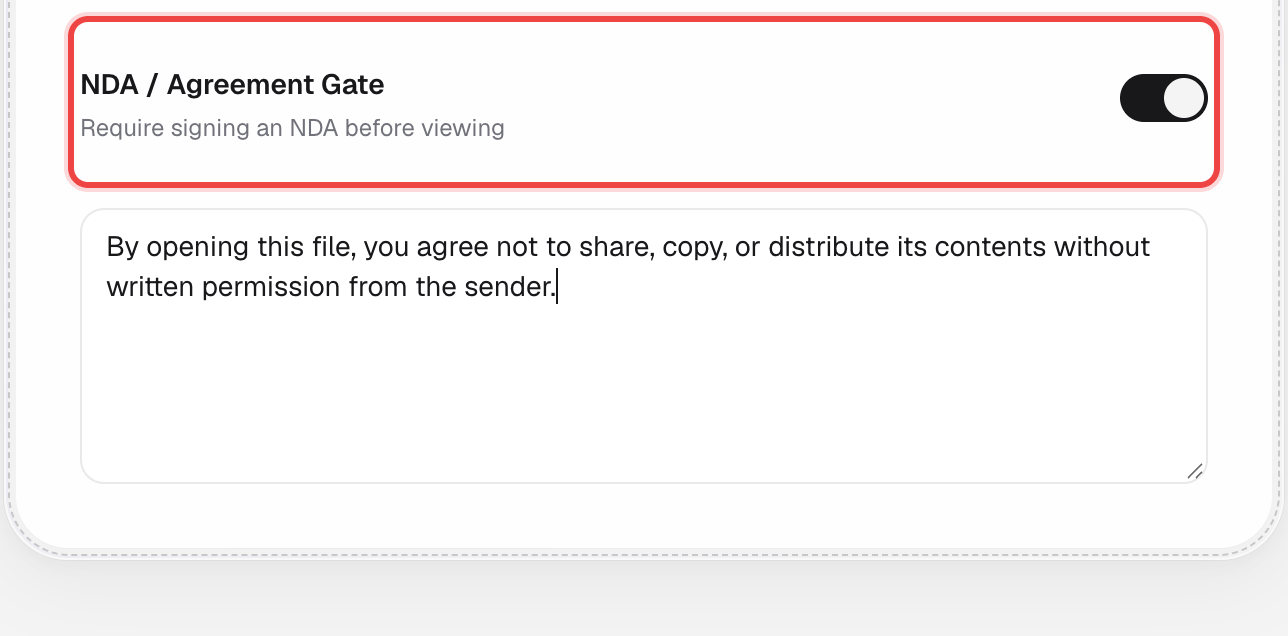
Turn on "NDA / Agreement Gate"
In the Access Control section, flip the switch.

3
Paste your agreement text
A text box appears below the toggle. Paste the full NDA or agreement wording your recipients need to accept.
4
Save your link
Click Create Link (or Save) at the bottom of the page like normal.
What happens next
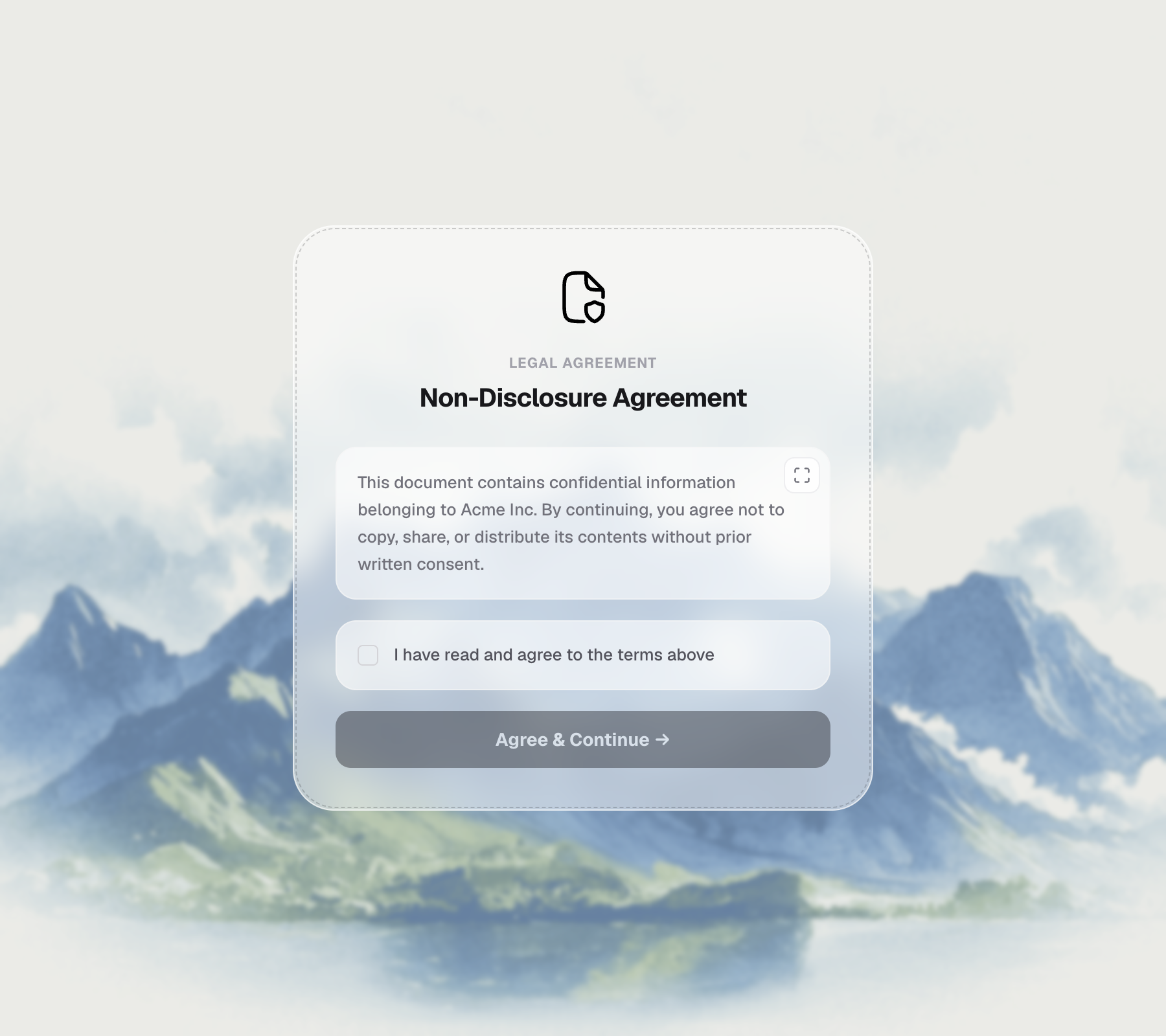
Before the document opens, the recipient sees your agreement text with a checkbox underneath.
They check the box and continue
We record their name, email, and the exact time they agreed, alongside the document's analytics.
Good to know
- This records click-through acceptance with a name, email, and timestamp — it isn't a qualified e-signature.
- Recipients can expand the agreement to full screen to read it more comfortably.
- Combine this with Allowed Emails so only invited people can even reach the NDA screen.