Document Analytics: How to Use Engagement Data to Close More Deals

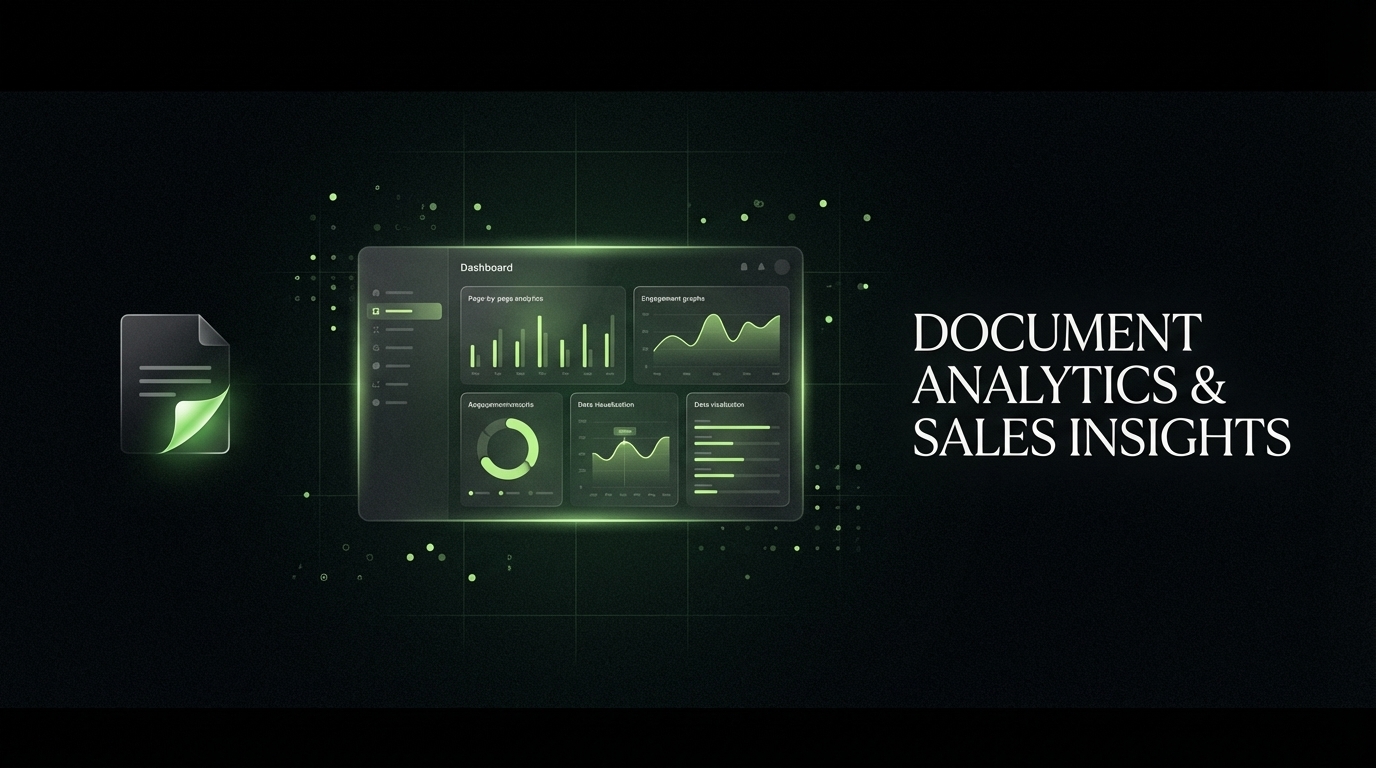
Document analytics tracks how prospects engage with files after you send them — which pages they read, how long they spend on each section, whether they forwarded the document, and how many times they returned. Sales teams that act on this data follow up at the right moment with the right message, and they close deals faster for it.
Document Analytics: How to Use Engagement Data to Close More Deals
Document analytics gives sales teams page-level visibility into how prospects interact with proposals, pitch decks, and financial documents. This guide covers what to track, how to read the signals, and how to act on them to close more deals.
Introduction
You sent the proposal. Three days later: silence.
Most sales reps know this feeling. The discovery call went well. The demo landed. You crafted a compelling deck and hit send. Then the deal went dark.
The problem is not your proposal. It is that you had no visibility into what happened next. Did the prospect open it? Did they share it with the CFO? Did they spend six minutes on the pricing page and then close the tab?
Without answers, every follow-up is a guess.
Document analytics changes this. It transforms every document you send into a live data source — giving you page-by-page visibility into prospect behavior, real-time alerts when a document is opened, and AI-driven scores that tell you which deals deserve your attention right now.
This guide answers the seven questions sales teams ask most about document analytics, backed by current research and practical guidance on turning engagement data into closed revenue.
What Is Document Analytics in Sales?
Document analytics is the practice of tracking and measuring how recipients interact with a document after it is sent. In a sales context, this means capturing:
- Whether a document was opened, and when
- How much time a viewer spent on each page
- Which sections received the most attention
- Whether the document was forwarded to other stakeholders
- How many times a recipient returned to the document
- From what device or location it was accessed
Unlike web analytics, which tracks page visits on a public website, document analytics focuses on specific files sent directly to individual prospects — proposals, pitch decks, one-pagers, financial models, term sheets, and contracts.
According to Qwilr, most sales teams track conversion rates and sales cycle length but miss the granular page-level data that explains why those metrics are what they are. Document analytics fills that gap.
Platforms like SendNow go further by combining engagement tracking with AI-powered scoring, so you get not just raw data but a ranked priority list of which deals are hottest at any given moment.
How Does Document Analytics Help Close Deals?
Sales teams using analytics tools close 28% more deals than those relying on intuition alone, according to SyncGTM. The mechanism is direct.
When you know a prospect spent nine minutes on your pricing page and then forwarded the document to their CFO, you call them within the hour. When you see a prospect opened a deck for eleven seconds on page one and never went further, you know the deck needs a stronger hook — or the prospect needs a different approach entirely.
Document analytics converts the black box between send and response into a transparent window. The specific ways it accelerates deals:
Precise follow-up timing. Real-time open notifications let reps follow up while the document is top of mind, not three days later when the prospect has already moved on to other priorities.
Stakeholder mapping. When a document is forwarded, analytics reveals new contacts inside the buying committee. You can reach out to those stakeholders directly before a competitor does.
Content optimization. Aggregate analytics across all your deals reveal which pages lose viewers' attention, which sections drive the most questions, and which slides tend to precede a win. Teams improve documents continuously based on this evidence.
Deal prioritization. Not every open is equal. A prospect who returns to a document four times and spends time on the legal terms section signals different intent than someone who glanced at the cover page. AI engagement scoring — a feature central to platforms like SendNow — translates these signals into a single numeric priority score for each prospect.
What Metrics Should You Track with Document Analytics?
Not all document metrics carry the same weight. Digify and Flipbooker both identify a core set of signals that actually drive deal decisions:
Whatagraph (Marketing Reporting and Unified Dashboards)

Document engagement data is most useful next to everything else the account touched. Read on its own, in a separate tool, it becomes another tab nobody opens during the weekly review. Whatagraph exists to solve that consolidation problem.
The platform pulls data from marketing, advertising and analytics sources into unified dashboards and automated reports, aimed at agencies and in-house teams that otherwise rebuild the same spreadsheet every month. For revenue teams, the practical value is putting campaign performance and post-click engagement in one view, so the question of which activity produced genuinely engaged buyers can be answered without exporting three tools into a fourth.
- Multi-source connectors: Advertising, analytics and marketing platforms consolidated into a single reporting layer.
- Automated report delivery: Scheduled reports sent to clients or stakeholders without manual assembly each cycle.
- Customisable dashboards: Views built around the metrics a specific account cares about rather than a fixed template.
Teams rebuilding the same report every month can see the consolidated version at whatagraph.com.
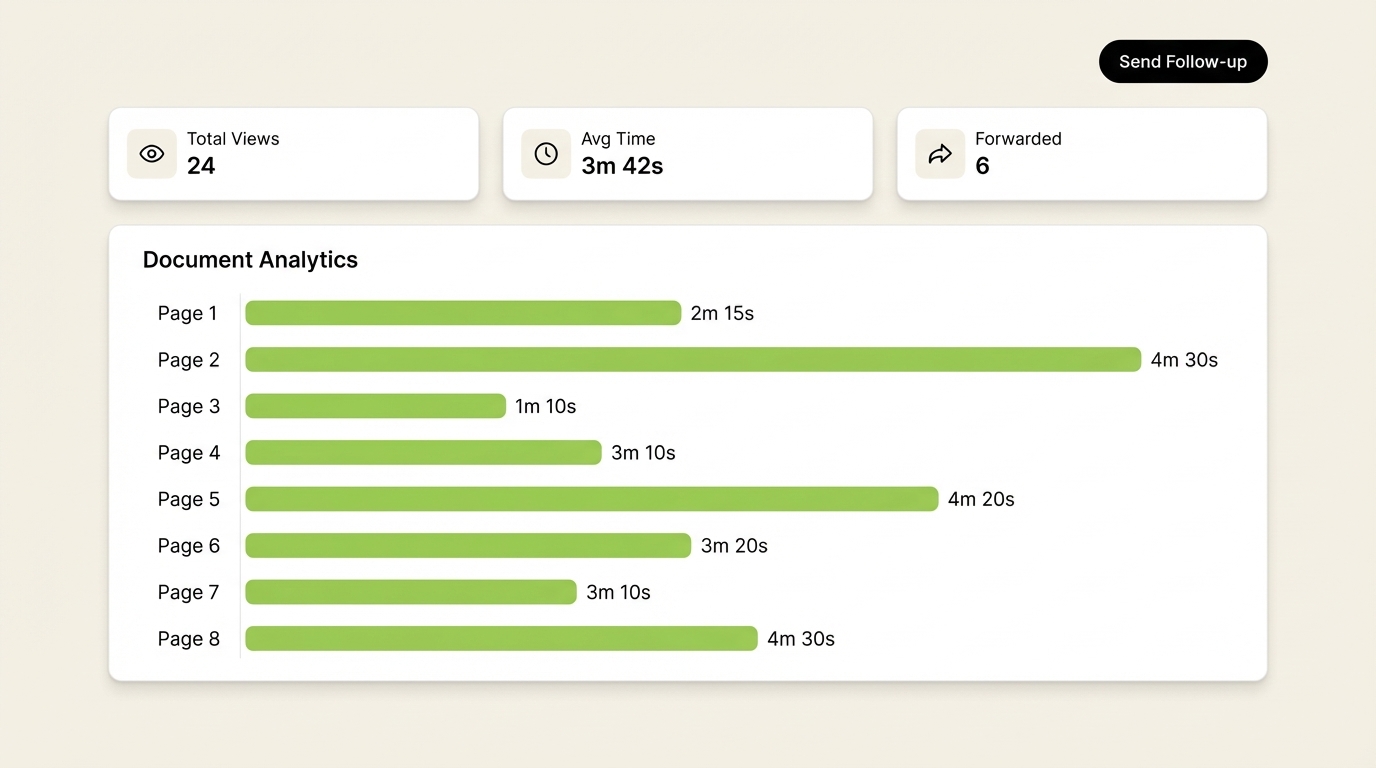
Time per page. The most important metric. Pages where viewers linger indicate high interest. Pages where time drops sharply signal a disconnect — content that is unclear, irrelevant, or poorly positioned in the document narrative.
Total time in document. A short total read time on a long proposal typically means the prospect skimmed. A long read time, especially combined with a return visit, signals serious consideration.
Page exit rate. The page where most readers stop reading tells you exactly where your proposal loses momentum.
Forward and share events. When a document reaches new contacts inside the same company, a buying committee is usually forming. This is one of the strongest buying signals in B2B sales.
Return visits. A prospect who comes back to a document two or three times without responding is almost certainly building an internal business case. This is the right moment to offer help — a follow-up call, a supporting case study, or a tailored pricing option.
Device and location data. Viewing a proposal on mobile at 9 PM from a city different from the prospect's registered office often means travel, and sometimes means they are reviewing the document before a board meeting.
NDA and lead capture completion. For gated documents, tracking whether a prospect completed the NDA gate or submitted their contact information adds another qualifying signal to the engagement picture.
How Do You Follow Up After a Prospect Views a Document?
The right follow-up depends entirely on what the analytics show. Proposify and Outreach both recommend timing follow-up based on engagement signals rather than fixed schedules. A practical framework by engagement level:
High engagement (5+ minutes total, return visit, or share event): Follow up within 60 minutes. Acknowledge they had a chance to review the document. Ask if they have questions about the sections they spent the most time on. Keep the conversation short and consultative — the goal is to move it forward, not to pitch again.
Medium engagement (opened, partial read): Follow up within 24 hours. Ask an open question about what they found most relevant. Offer to walk through any section in more detail on a short call.
Low engagement (brief open, no real read): Wait 48 to 72 hours, then try a different approach. Send a shorter version of the document, a video walkthrough, or a different format that might resonate better with this prospect.
No open after 5+ days: Confirm the email was received, re-send with a different subject line, or re-engage through a different channel such as LinkedIn.
The key principle: every follow-up should reference what you actually know from the analytics. "I saw you were reviewing the financial projections section — happy to walk through the model assumptions on a quick call" outperforms a generic "just following up" every single time.
With SendNow's real-time Slack integration, open notifications fire the moment a prospect views a document, so your team can act before the moment passes.
What Is AI Engagement Scoring for Documents?
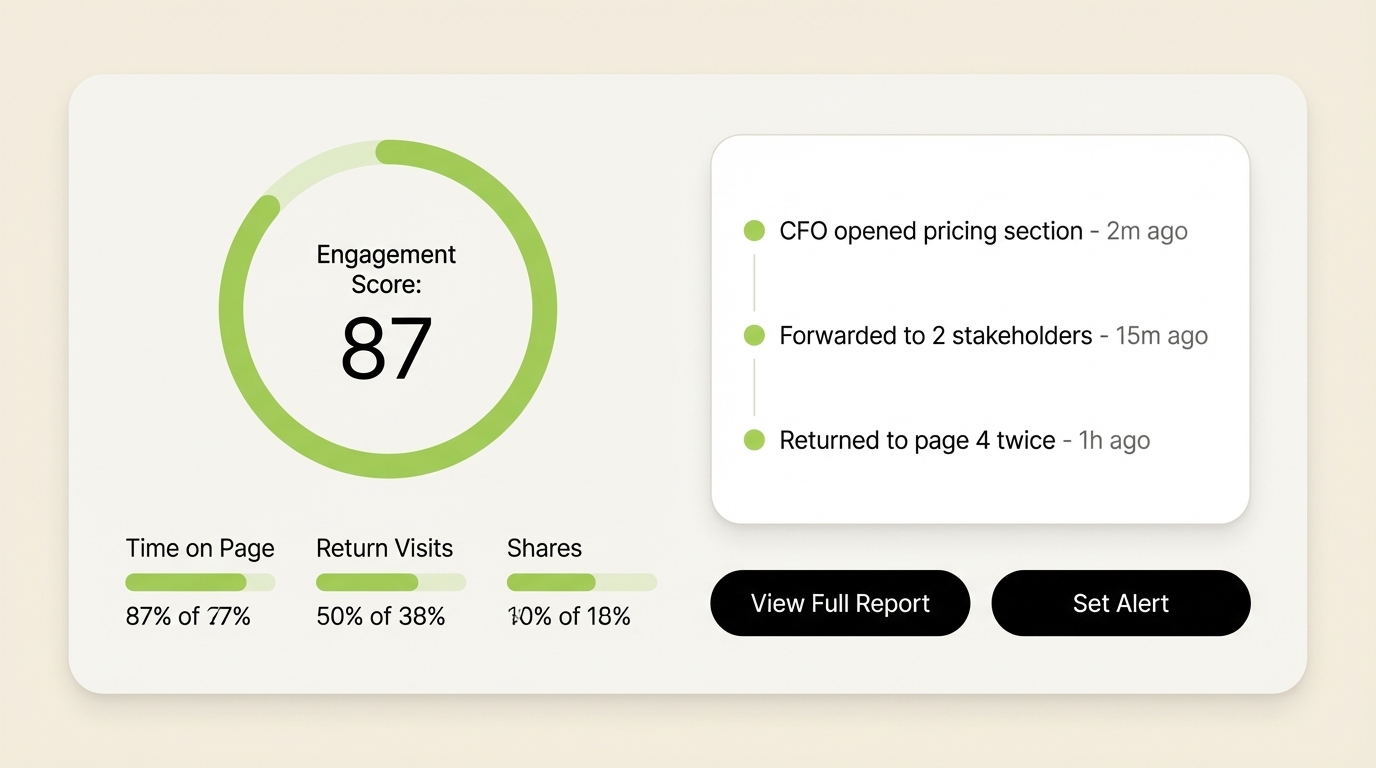
AI engagement scoring converts all the raw behavioral signals from a document view into a single ranked score that tells you how interested a prospect actually is.
Manual tracking works for a handful of active deals. For a revenue team managing dozens of open proposals simultaneously, it becomes impractical to review full analytics for every document every day. AI scoring solves this by applying a weighted model across all engagement signals — time on page, return visits, share events, depth of read, NDA completion, and more — and then ranking your active deals from highest to lowest buyer intent.
According to Demandbase, AI-powered scoring systems consistently outperform manual qualification because they remove the natural bias reps apply when favoring deals with friendly prospects over deals with genuinely high behavioral intent. The model focuses on actual behavior, not rapport.
SendNow's AI engagement scoring builds this model on top of document-level behavioral data specifically, making it more relevant for deal-stage interactions than CRM-based lead scoring systems, which typically capture only surface-level website visits and email opens.
What Is the Difference Between Document Tracking and Document Analytics?
These terms are often used interchangeably, but they describe meaningfully different levels of capability.
Document tracking typically refers to basic delivery and open confirmation. You know whether a document was opened, by whom, and when. Most email clients and basic file-sharing tools offer some version of this.
Document analytics goes deeper. It captures behavior inside the document: page-level engagement data, time distribution across sections, forward events, return visits, and device context. Analytics transforms a single binary signal (opened / not opened) into a multi-dimensional behavioral profile of the prospect's interest.
The practical difference: document tracking tells you the prospect saw the proposal. Document analytics tells you they spent four times longer on the pricing page than any other section, came back twice on the same day, and forwarded it to someone with a different email domain — likely a decision maker you have not yet spoken to.
DocSend, which defined this category for years under Dropbox, removed its free plan in March 2025, according to Peony. That change pushed many smaller revenue teams and financial services firms to seek alternatives that offer robust analytics without the enterprise price point.
Can Document Analytics Replace CRM Activity Tracking?
Document analytics and CRM activity tracking serve complementary but distinct purposes — and the answer is no. They work best together.
CRM activity tracking captures the history of your team's actions: calls logged, emails sent, meetings held, deal stages updated. It records what your team did. Document analytics captures what the prospect did. Both are necessary for a complete picture of any deal.
That said, document analytics surfaces buying signals that CRM data misses entirely. A prospect who has not responded to three follow-up emails but has opened the same proposal four times is clearly still interested. CRM data shows three unanswered emails. Document analytics shows four meaningful review sessions — a very different story.
According to Salesforce, sales reps spend only 30% of their time actually selling. The rest goes into administrative tasks and manual data entry. Tools that push engagement events directly into CRM workflows, or that fire alerts through Slack in real time, reduce that administrative drain significantly.
The best setup pairs document analytics with CRM or workflow integration, so open events and engagement scores flow into the deal record without manual input from the rep.

How Do Teams Use Document Analytics Across the Full Sales Cycle?
Document analytics has applications beyond the proposal stage. Here is how high-performing revenue teams apply it at each phase:
Prospecting. Share a short thought leadership piece or case study with warm leads. Analytics tells you which prospects engage meaningfully, helping you separate serious interest from polite acknowledgment.
Discovery and qualification. Send a tailored one-pager after a first call. Who reads the pricing section carefully? That prospect is further along the buying journey than they appeared during the conversation.
Proposal stage. The richest use case. Page-level analytics on your proposal reveals objections before they surface in conversation. A prospect spending ten minutes on the legal terms section is thinking about risk — address it proactively in your next outreach.
Procurement and legal review. Multi-stakeholder environments, common in financial services and enterprise sales, often involve several reviewers accessing the same document at different times. Tracking who accessed what, in what order, gives you a map of the internal buying process.
Renewal and expansion. Share renewal terms or upsell proposals the same way you share initial deals. Analytics on return visits and section-level engagement tells you whether a client is genuinely evaluating or simply going through the motions.
Conclusion
Document analytics turns your most important sales asset — the document itself — into a source of continuous intelligence about buyer intent. The teams that close more deals do not rely on instinct or fixed follow-up schedules. They read the behavioral data, act fast when engagement is high, and use AI scoring to focus attention where it matters most.
If your team still sends proposals into the void and waits for a response, the next step is to try a platform built specifically around document intelligence.
SendNow gives sales and finance teams page-by-page document analytics, real-time open notifications, AI engagement scoring, branded deal rooms, NDA gating, and screenshot protection — starting at $9/month. Yearly billing saves 53%. No credit card required to start.
Try SendNow free and close your next deal with the data to back every move you make.
Keep Reading
About the Author: Rifana Hameem
Rifana is the founder of SendNow. She leads the team in building secure, compliant, and analytics-rich document sharing tools for finance and professional teams worldwide.
Connect on LinkedIn