How to Follow Up on a Sales Proposal at Exactly the Right Time

- 80% of B2B deals close after five or more follow-ups, yet most reps quit after one or two attempts.
- Arbitrary "wait 2-3 days" timing advice misses the point: the right time to follow up is when your prospect is actively reading your proposal.
- Proposal tracking software gives you real-time open notifications, page-by-page engagement data, and AI-scored interest signals so you reach out at the exact moment attention is highest.
- A structured cadence of three to five touchpoints, triggered by document behavior rather than the calendar, consistently outperforms a generic drip schedule.
- Tools like SendNow combine document analytics, branded deal rooms, and AI engagement scoring into a single platform built for finance and sales teams.
How to Follow Up on a Sales Proposal at Exactly the Right Time
Keyword: proposal tracking software
Introduction
You sent the proposal three days ago. Silence. Is the prospect still interested? Did they even open it? Should you follow up now and risk looking desperate, or wait longer and lose momentum to a competitor?
This is the most common timing dilemma in B2B sales, and most teams solve it the wrong way: they guess.
The data tells a clear story. According to Martal Group, 80% of B2B deals require five or more follow-ups to close, yet 92% of reps quit after four attempts or fewer. The majority of deals die not because the prospect said no, but because the salesperson stopped showing up at the right moment.
The fix is not more persistence. It is smarter timing, powered by proposal tracking software that shows you exactly when a prospect opens your document, which pages they spend the most time on, and when interest peaks so you can act on a real buying signal rather than an arbitrary schedule.
This guide answers the seven questions sales professionals ask most about proposal follow-up timing, with actionable answers backed by research and practical examples.
Table of Contents
- What is proposal tracking software?
- When should you follow up after sending a proposal?
- Why do prospects go silent after receiving a proposal?
- How do you know when a prospect has opened your proposal?
- How many follow-up emails should you send?
- What should you say in a follow-up email after a proposal?
- How does page-by-page analytics change the follow-up game?
What is Proposal Tracking Software? {#what-is-proposal-tracking-software}
Proposal tracking software is a category of sales enablement tools that lets you share documents as trackable links rather than static file attachments, then records everything that happens after the send: who opened the file, when, for how long, and which pages captured the most attention.
At its core, the technology replaces the "attach PDF and hope" model with a live data feed on buyer behavior. PandaDoc describes proposal software as a platform that helps teams create, send, and track proposals with measurable results rather than manual follow-ups. GetAccept reports that two-thirds of sales reps now use proposal software to increase win rates, and teams using it have seen win rate improvements of nearly 59%.
Modern proposal tracking tools typically include:
- Document open alerts that fire the moment a recipient views the link
- Per-page time data showing which sections held attention and which were skipped
- Viewer identification so you know which stakeholder at a company is engaging
- Engagement scoring that ranks how "warm" a prospect is based on reading behavior
- Access controls including NDA gating, password protection, and link expiry
Some platforms, such as SendNow, go further with AI-powered engagement scoring that synthesizes page-level behavior into a single lead temperature score, giving sales reps a clear signal of when to call and what to address in the conversation.
When Should You Follow Up After Sending a Proposal? {#when-should-you-follow-up}
The conventional advice says to wait two to five business days before following up. This advice is based on social norms, not data, and it will cost you deals.
The right time to follow up is immediately after your prospect opens and reads your proposal. Not two days later. Not the next morning. Right after.
Offorte confirms that timing the follow-up to the moment of reading changes the entire dynamic of the conversation: the prospect's attention is at its peak, the document is fresh in their mind, and any questions or objections surface naturally.
BetterProposals puts it plainly: if you are not using proposal analytics, you are guessing. Their research shows that teams with access to real-time open data consistently time their outreach better and achieve more meaningful conversations because they reach out when the buyer is actively engaged rather than days after interest may have faded.
For scenarios where a prospect has not opened the proposal at all after five to seven business days, the right approach is a simple, direct check-in: confirm the document reached them and ask if they need a different format or a scheduled walkthrough. Do not apologize for following up. Frame it as service, not pressure.
Practical timing framework:
| Trigger | Action | Channel |
|---|---|---|
| Proposal opened (day 0) | Follow up within 15-30 minutes | Phone or email |
| Proposal read 50%+ (day 0-1) | Personalized email referencing specific pages read | |
| No open after 4 business days | Confirm delivery and offer a live walkthrough | |
| Second open event | Brief, casual check-in call | Phone |
| No response after 10 days | Final value-add follow-up with case study |

Why Do Prospects Go Silent After Receiving a Proposal? {#why-do-prospects-go-silent}
A prospect going quiet after receiving a proposal is one of the most common and most preventable situations in B2B sales. Understanding the real reasons behind it changes how you structure both the proposal and the follow-up.
IanGenius identifies the primary causes as: doubt that crept in after the meeting, buyer confusion about what the next step should be, and unclear value communication in the proposal itself. Importantly, the research shows that most prospects do not go quiet because they are rude or disinterested. They go quiet because the proposal created more questions than it answered, and they do not know how to move forward.
James Muir at PureMuir identifies a second major cause: the prospect concluded that the salesperson has nothing new to offer after sending the document. The follow-up becomes noise rather than value because it lacks relevance to what the buyer actually read.
Additional contributing factors from sales research:
- Internal decision complexity. Large purchases typically require sign-off from multiple stakeholders. The main contact may be supportive but waiting for budget approval, legal review, or a competing priority to clear.
- Comparison shopping. The prospect is evaluating competitors and the silence is active deliberation, not disengagement.
- The proposal itself was unclear. Pricing pages with multiple options without clear guidance create decision paralysis.
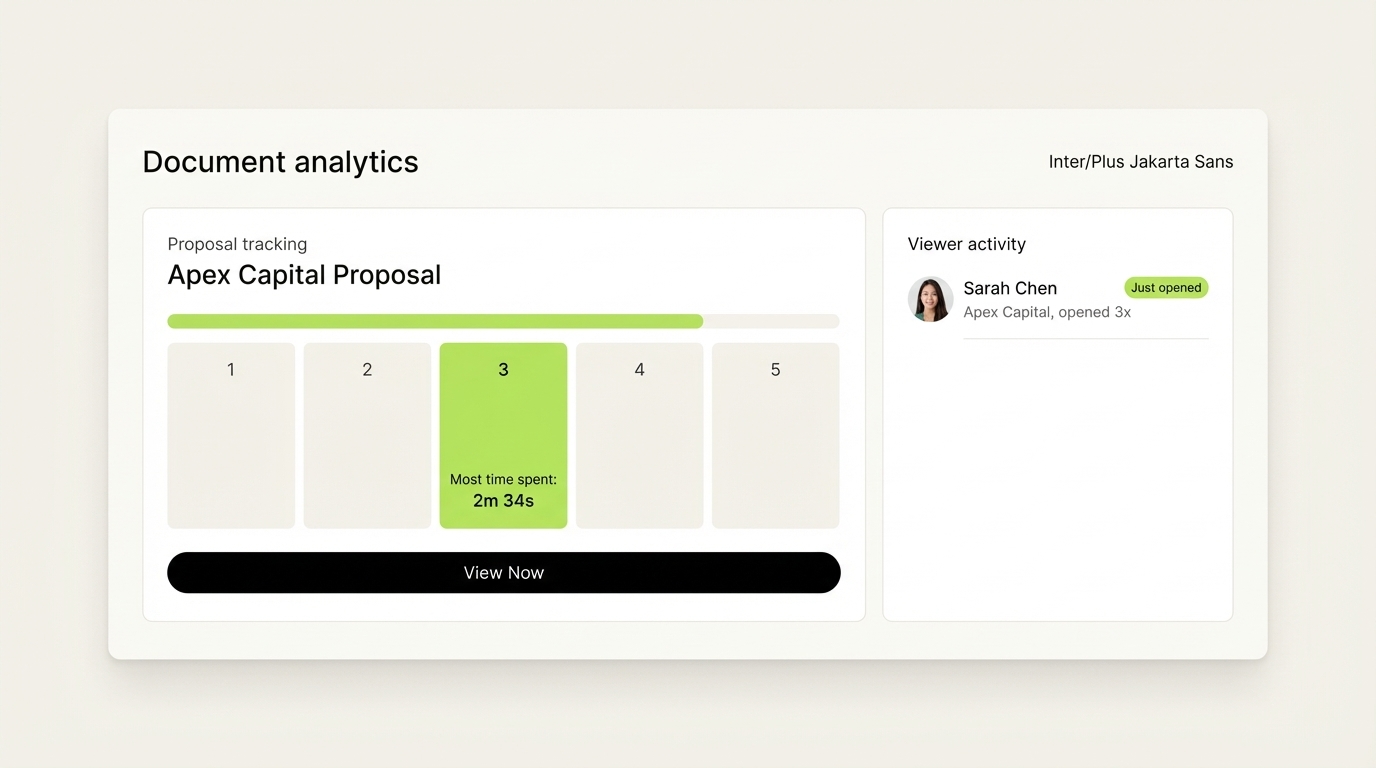
The antidote to all of these is behavioral data. When you know a prospect spent four minutes on page 5 (pricing) and skipped the case study section, your follow-up addresses the pricing question directly. That kind of precision transforms a generic "just checking in" email into a genuinely useful response that re-engages buyers who would otherwise have gone cold.
How Do You Know When a Prospect Has Opened Your Proposal? {#how-do-you-know-when-opened}
Without tracking software, you cannot know for certain whether a prospect has opened your proposal. Email delivery confirmation tells you the message reached the inbox. Read receipts, when supported, confirm it was opened in the email client, but not whether the attachment inside was actually viewed.
Document tracking tools solve this precisely. When you share a proposal through a tracked link rather than a direct attachment, the system records:
- The exact timestamp when the link was clicked
- The device and location of the viewer
- How long each page was open
- Whether the document was forwarded to another viewer
Sizle describes this as real-time buyer signals that show "who's serious" versus who is stalling, and this data flows directly into follow-up decisions.
TeamlyApp frames it clearly: when follow-up timing matters, guessing hurts. Seeing proposal opens in a clear timeline, per viewer, gives sales reps the confidence to act decisively rather than waiting passively.
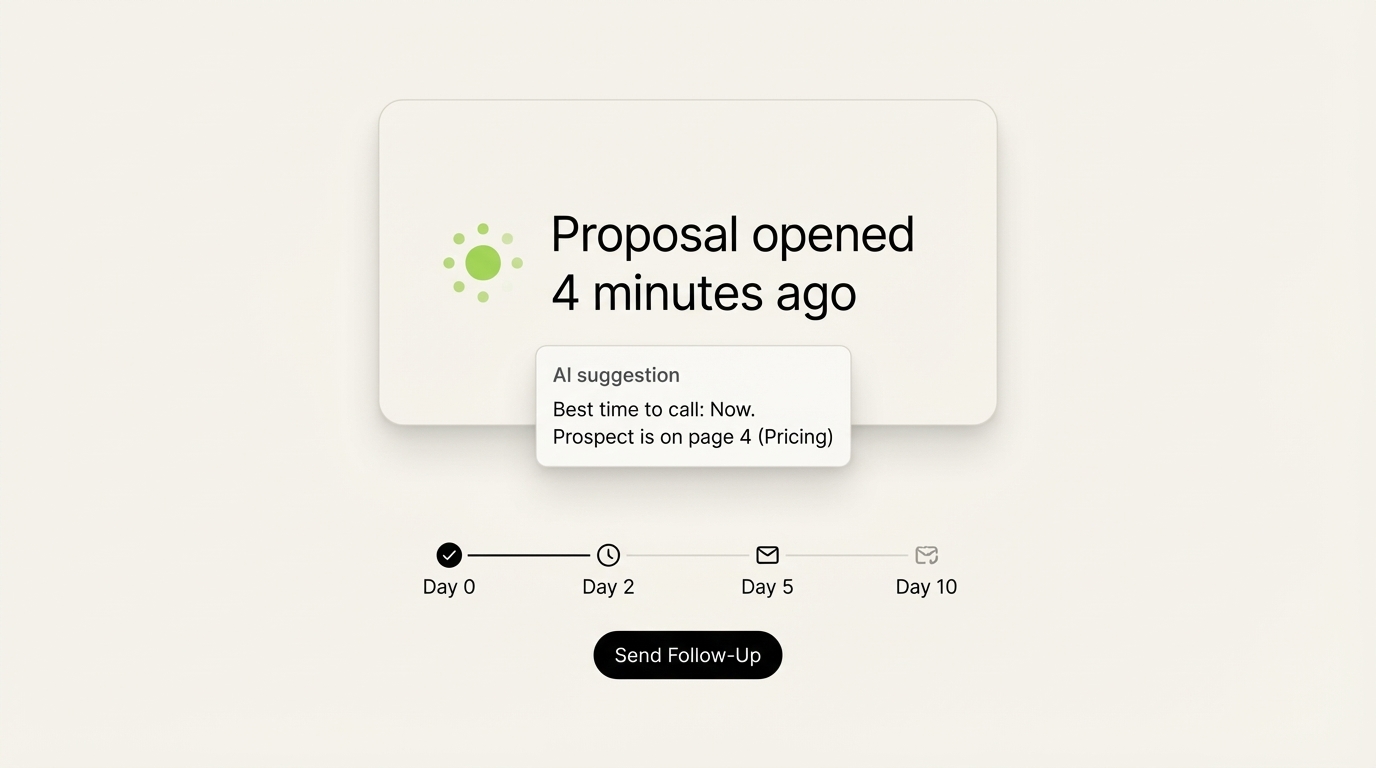
SendNow takes this a step further by firing real-time Slack and webhook notifications the moment a recipient opens a document. Your sales team gets an instant ping with the viewer's identity, the time, and which pages they are currently reading so the follow-up call can start with: "I see you just had a chance to look through the proposal. What questions do you have about the pricing structure on page four?"
That one data point is the difference between a cold call and a perfectly timed, highly relevant conversation.
How Many Follow-Up Emails Should You Send After a Proposal? {#how-many-follow-up-emails}
The research is consistent across multiple sources: most deals require more follow-ups than most reps deliver, and most reps quit far too early.
Instantly.ai reports that 44% of salespeople give up after just one follow-up, despite the data showing 80% of sales require at least five touches. B2B Rocket confirms the same: approximately 80% of B2B deals need five or more follow-up interactions, yet over 40% of sales professionals stop after the first attempt.
The answer to "how many" is therefore: at least three to five targeted follow-ups over a 10-to-14 day period, with each message tied to a specific buying signal or a new piece of value.
A data-driven follow-up sequence looks like this:
- Follow-up 1 (same day as open event): Short, direct email or call referencing the specific section the prospect spent the most time on. Ask one open-ended question.
- Follow-up 2 (day 3, if no response): Provide a relevant case study or short testimonial that addresses the page they lingered on (e.g., pricing, ROI, security).
- Follow-up 3 (day 7): Ask a yes/no question that makes it easy to respond. "Is this still on your radar, or has the timeline shifted?" lowers the response barrier.
- Follow-up 4 (day 10): Offer a 15-minute live walkthrough to answer outstanding questions in real time.
- Follow-up 5 (day 14): Send a "breakup" email that closes the loop, removes pressure, and often generates a reply by giving the prospect an easy way to re-engage or decline.
The critical variable is not the number but the quality and relevance of each message. Every touchpoint should give the prospect new information or a new reason to respond. Generic "just checking in" messages produce near-zero reply rates and train prospects to ignore your name in their inbox.

What Should You Say in a Follow-Up Email After a Proposal? {#what-to-say-in-follow-up}
The best follow-up emails share four characteristics: they are short, they are specific, they provide value, and they ask one clear question.
HubSpot and Zendesk both emphasize that generic "just checking in" emails consistently underperform because they place the burden of re-engagement entirely on the prospect without offering anything new.
Email structure for a behavior-triggered follow-up:
Subject line: Reference the proposal, not a status check. Examples:
- "Quick question on the pricing section"
- "One thing I wanted to clarify from the proposal"
- "Had a thought on your Q3 deal timeline"
Body (keep it under 100 words):
Hi [Name],
I noticed you had a chance to look through the proposal today, specifically the section on [page they spent the most time on]. Most clients in your position have a question or two about [the specific topic]. Happy to clear that up in a 10-minute call this week.
Does Thursday at 2pm work, or is there a better time?
This works because it demonstrates you have information about their reading behavior (which signals you are professional and attentive), anticipates their likely question, and proposes a clear next step.
Salesloft notes that proposal follow-ups with a specific call to action receive significantly higher reply rates than those ending with open-ended "let me know if you have questions" sign-offs.
The follow-up email after no open is structurally different. Its purpose is to confirm delivery and offer a new access path:
Hi [Name], wanted to make sure the proposal came through clearly. Some clients prefer a live walkthrough rather than reading through a full document cold. Are you open to 15 minutes this week to walk through the key points together?
How Does Page-By-Page Analytics Change the Follow-Up Game? {#page-by-page-analytics}
Page-by-page document analytics is the single most important feature to look for in proposal tracking software, and it is what separates modern tools from basic link-click trackers.
Standard email read receipts confirm that someone opened a message. Basic link tracking confirms they clicked. Page-by-page analytics tells you what they actually read, for how long, and in what order. That is a fundamentally different level of buyer intelligence.
DocSend describes this as the ability to "uncover stakeholders" and see engagement at a document level, including top-performing pages, average completion percentage, and version performance comparisons. When a prospect skips your executive summary, spends four minutes on pricing, and barely touches the timeline section, you know exactly what objection to address and what to skip in your follow-up.
Digify frames the core problem clearly: once you send a file, control is lost without tracking. Page-level data restores that control by giving you visibility into the document's life after delivery.
The practical applications of page-by-page data in follow-up strategy:
- Prospect spends 80% of time on the pricing page: Address ROI, payment terms, or a competitive comparison in your follow-up.
- Prospect skips the case study: Your value proposition may not yet resonate. Send a more relevant reference story.
- Prospect reads the full document three times: This is a strong buying signal. Prioritize this lead and escalate the follow-up to a phone call immediately.
- Prospect opens on a second device from a different city: Another stakeholder is reviewing the proposal. Send a version tailored to a broader audience.

SendNow combines page-by-page analytics with an AI engagement scoring layer that synthesizes all reading behavior into a single prioritization signal. Instead of manually interpreting which leads are warm and which are cooling, the platform scores them automatically so your team focuses its follow-up time where it produces the highest return.
Conclusion: Stop Guessing, Start Tracking
The window between sending a proposal and closing the deal is where most B2B revenue is won or lost. Reps who follow up too early seem pushy. Reps who wait too long lose to faster competitors. The teams that close at the highest rates do not have better intuition. They have better data.
Proposal tracking software eliminates the guesswork from follow-up timing by replacing arbitrary calendar rules with real buying signals. When you know a prospect opened your proposal 12 minutes ago and spent three minutes on the pricing page, your follow-up email is not a cold reach-out. It is a perfectly timed, highly relevant conversation starter.
If your current document sharing workflow involves emailing PDF attachments and hoping for the best, it is time for an upgrade. SendNow gives sales and finance teams page-by-page analytics, real-time Slack notifications, AI engagement scoring, and branded deal rooms in one platform, starting from $9 per month with no credit card required for the free trial.
The right time to follow up is now. And with the right tools, you will always know exactly when "now" is.
Sources: Martal Group | Instantly.ai | BetterProposals | Offorte | IanGenius | GetAccept | Nimble | DocSend | Sizle | HubSpot | Zendesk | Salesloft | B2B Rocket | Digify | Notta.ai
Keep Reading
About the Author: Rifana Hameem
Rifana is the founder of SendNow. She leads the team in building secure, compliant, and analytics-rich document sharing tools for finance and professional teams worldwide.
Connect on LinkedIn