
See who viewed your document
Every open of every link is logged as a visit. The Visitors page lists all of them across your whole account — click any row for the full detail on that one visit.
Open Visitors
Click Visitors in the navigation. It lists every visit to every document you or your team own, newest first — not scoped to one link.
Read the table
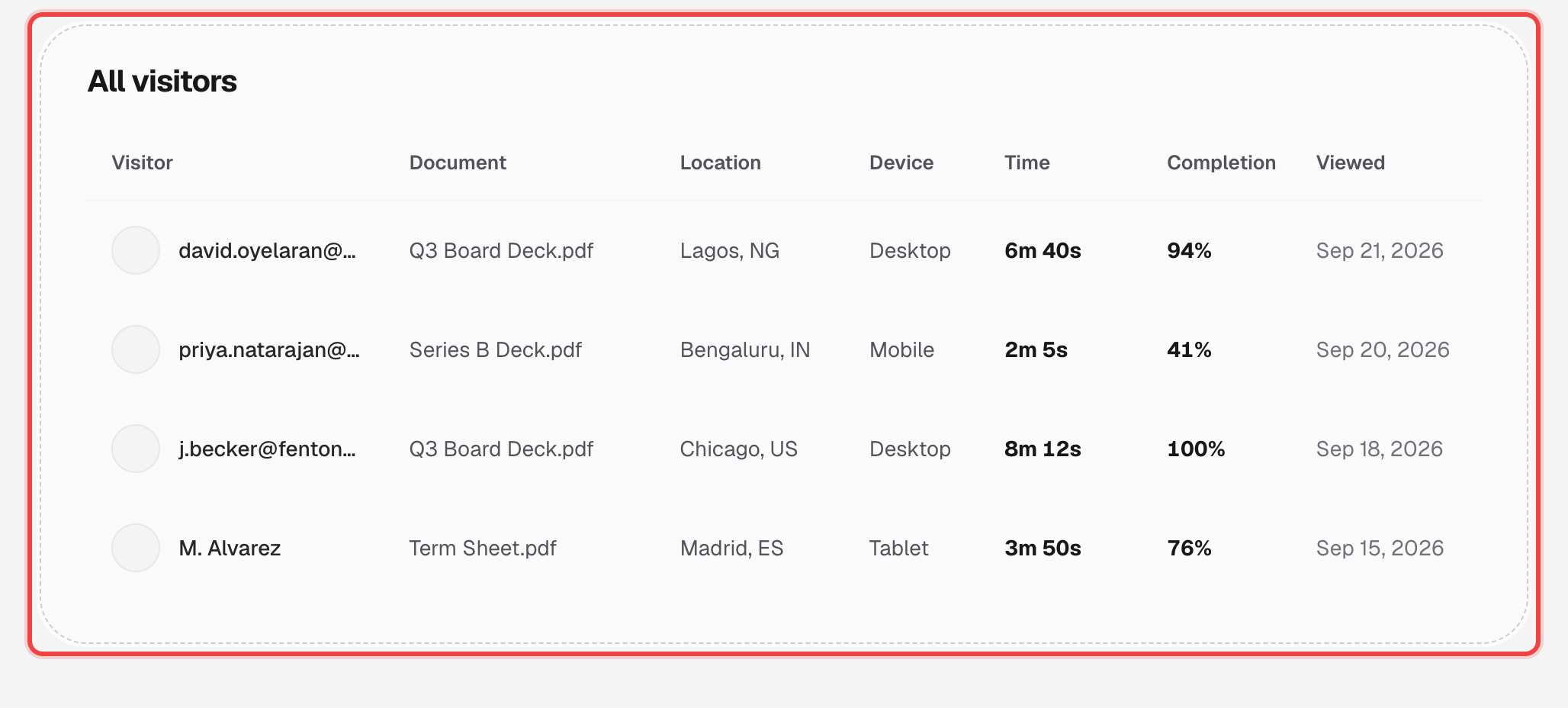
Visitor shows an email when one was captured — via Require Email, the whitelist, or an NDA signature — otherwise the row reads "Anonymous". Document, Location, Device, Time, and Completion follow for each visit.
Click a row for the full drilldown
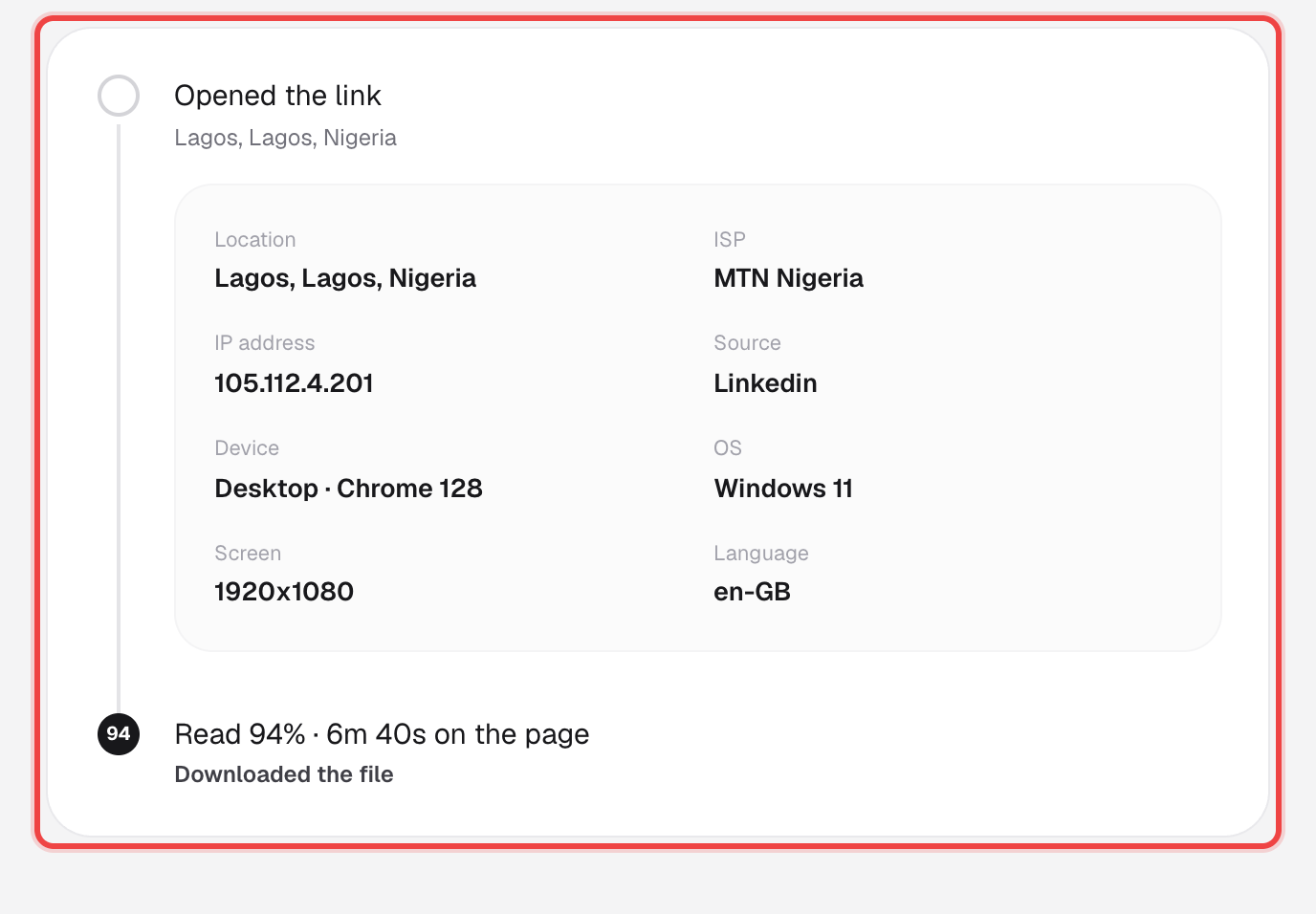
Opens a panel that tells the visit as a timeline: where and how they opened the link, how much they read, whether they downloaded it or signed an NDA, and time spent on each individual page.
Export to CSV, if your plan includes it
The Export CSV button above the table downloads every visible row. On the Lite plan this is replaced with an upgrade prompt instead.
Good to know
- This same table and drilldown also sit at the bottom of a single link's own Analytics page, already filtered to that one link — see page-by-page engagement.
- CSV export requires the Pro or Business plan.
- An NDA signer's drilldown adds an Export PDF button that generates a signed certificate — name, email, IP address, location, and the exact agreement text they agreed to.