
Cancel your subscription
Cancelling stops your next renewal. You keep full access to your plan until the current billing period ends — nothing is switched off right away.
Open Billing in Settings
Go to Settings, then the Billing tab. Find the plan you want to cancel — Document Plan and MicroSite Plan are listed, and cancelled, separately.
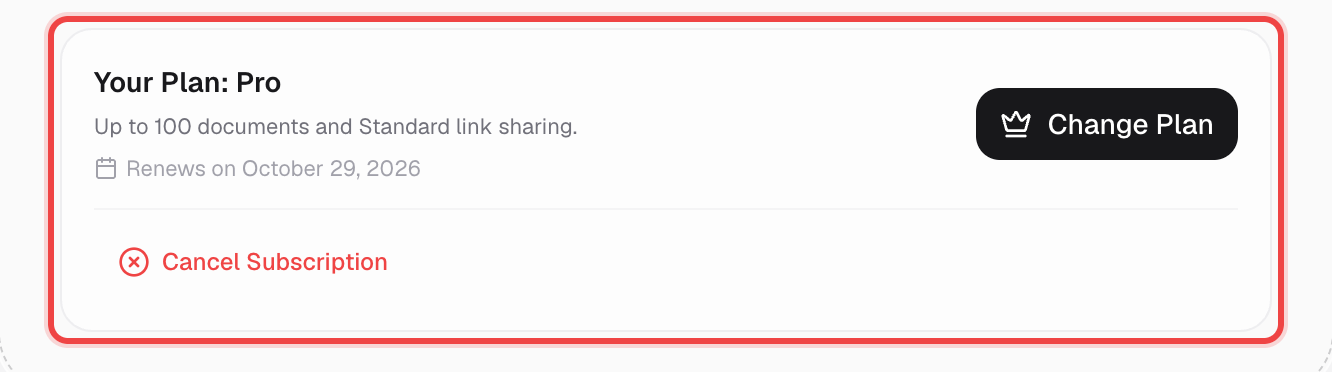
Click Cancel Subscription
This appears under the plan details once you have an active paid subscription that isn't already cancelled.

Confirm in the dialog
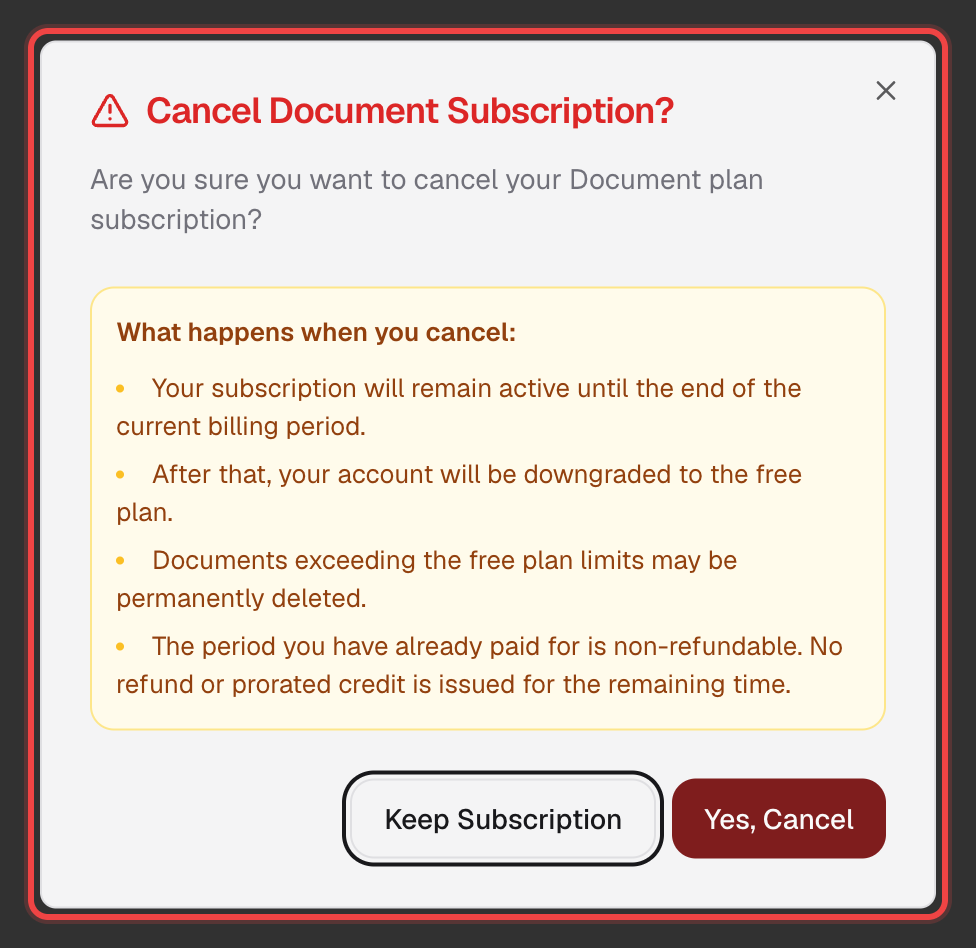
Read what happens, then click Yes, Cancel. Changed your mind? Click Keep Subscription instead.
What happens next
You keep full access to everything on your plan — nothing changes immediately.
Your account drops to the free plan. Documents over the free plan's limits may be permanently deleted, and this can't be undone.
Good to know
- Cancelling only stops the next renewal — the period you've already paid for is non-refundable, including unused months on an annual plan.
- Document Plan and MicroSite Plan are billed and cancelled separately, so cancelling one leaves the other untouched.
- If your subscription has no billing record on file, the button opens an email to contact@sendnow.live instead, so support can cancel it manually.
- Changed your mind after cancelling? You can resubscribe any time from Settings → Billing, right up until the current period actually ends.