
Compare what each plan unlocks
Lite, Pro, and Business unlock different limits and features on your account. Here's exactly what changes between them.
See live plan details
Open Pricing from your account, or go to /pricing directly. Every current limit and feature is listed there, split into a Documents tab and a MicroSite tab (these are separate subscriptions).
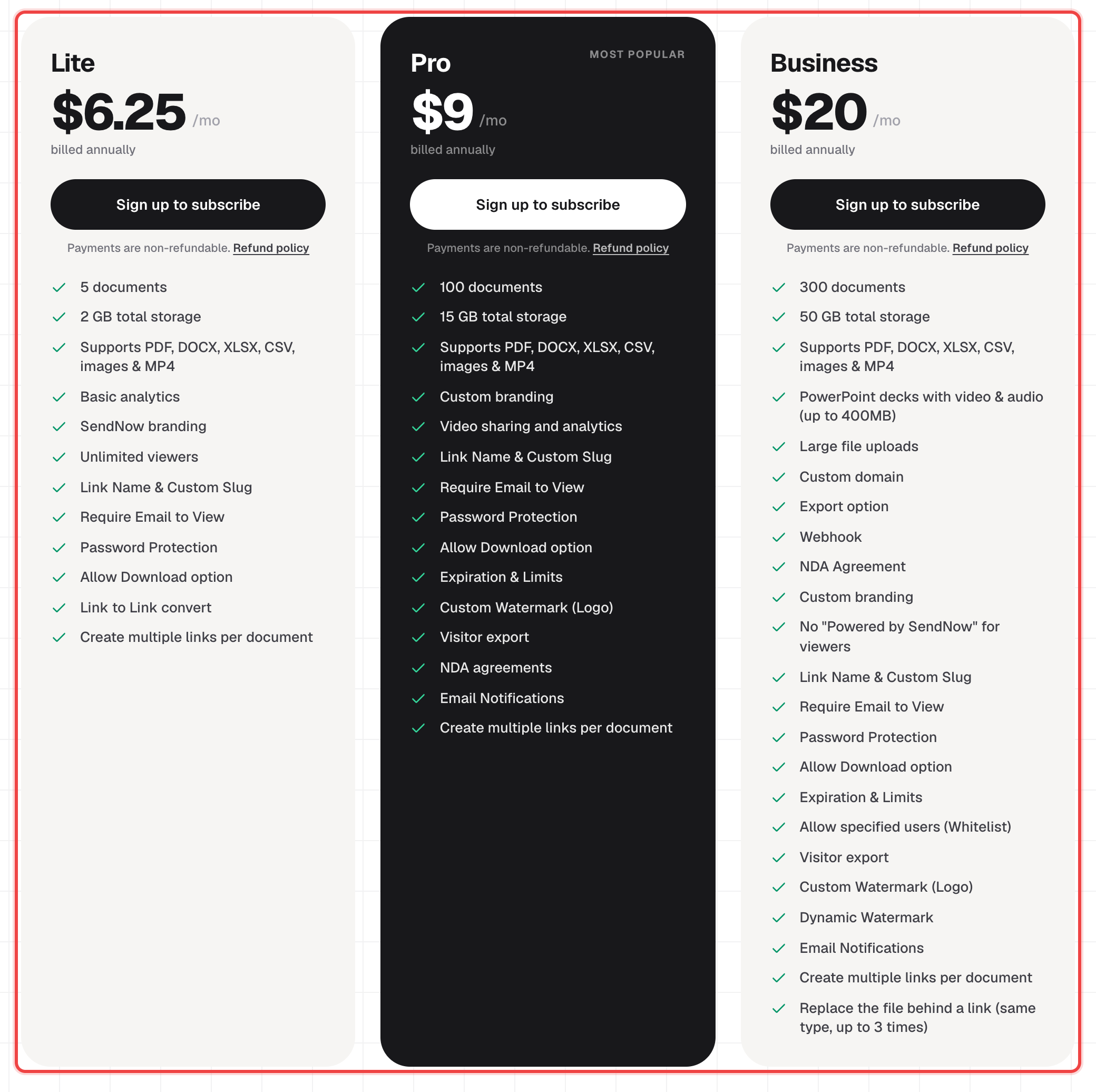
Document limits scale with your plan
Lite gives you 5 documents and 2 GB of storage. Pro raises that to 100 documents and 15 GB, with a single-file ceiling of 2 GB instead of Lite's 500 MB. Business goes to 300 documents, 50 GB, and a 10 GB single-file ceiling — plus support for PowerPoint decks with embedded video and audio, up to 400 MB.
Security and sharing features
Password Protection, Require Email to View, Allow Download, and Expiration & Limits work on every plan, including Lite. NDA agreements, the Screenshot Blocker, a static watermark logo, visitor export, video analytics, link preview styling, and email notifications open up on Pro. Business adds Allowed Emails (the whitelist), a dynamic per-viewer watermark, a custom domain, and webhook integration.
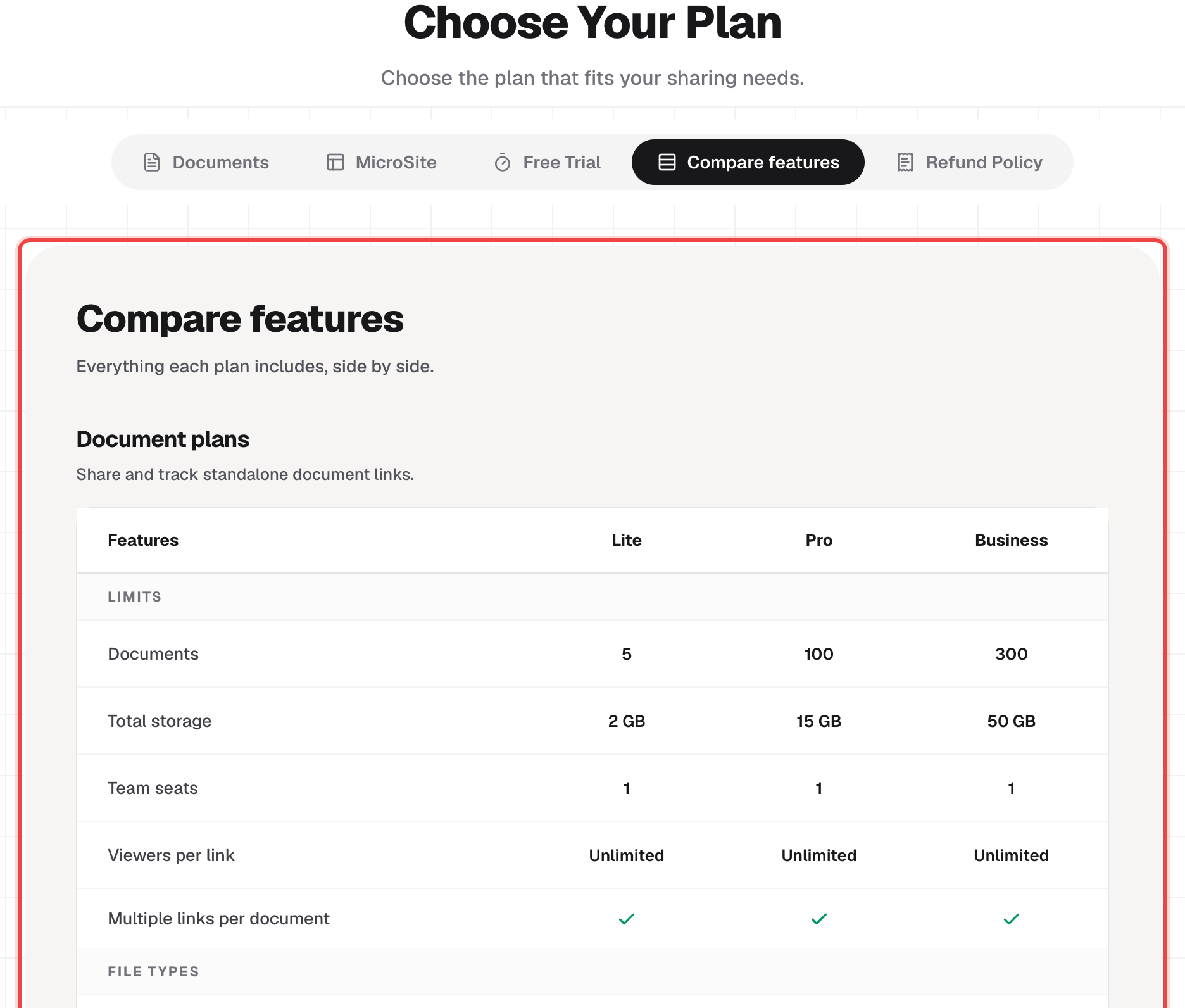
See it side by side
Switch to the Compare features tab on the pricing page for a full row-by-row breakdown of every plan at once.
Good to know
- Document plans and MicroSite plans are billed separately — you can hold either one on its own, or both at once.
- A 24-hour free trial gives you 2 document uploads and 1 MicroSite to test both before choosing a plan.
- Downgrading to a smaller plan can permanently delete documents that exceed the new plan's limits, so check what you'd lose before switching down.
- Current prices and any active discount are shown live on the pricing page — they can change, so that's the page to trust rather than a screenshot.