
Upgrade your plan
Move from Lite to Pro, or Pro to Business, in a couple of clicks. The new plan applies right away — no waiting for your next billing date.
Open Billing in Settings
Go to Settings, then the Billing tab in the sidebar. Your current Document Plan (and MicroSite Plan, if you have one) is shown there.
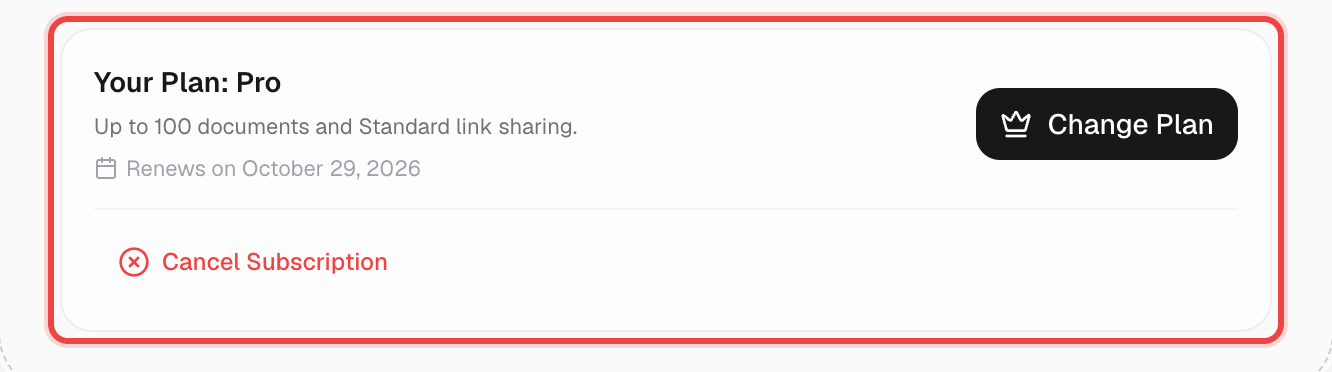
Click Upgrade Plan (or Change Plan)
On Lite this button reads Upgrade Plan; on Pro or Business it reads Change Plan. Either one takes you to the pricing page.
Choose monthly or annual billing
Use the switch at the top of the pricing page to compare monthly and annual pricing before you pick a plan.

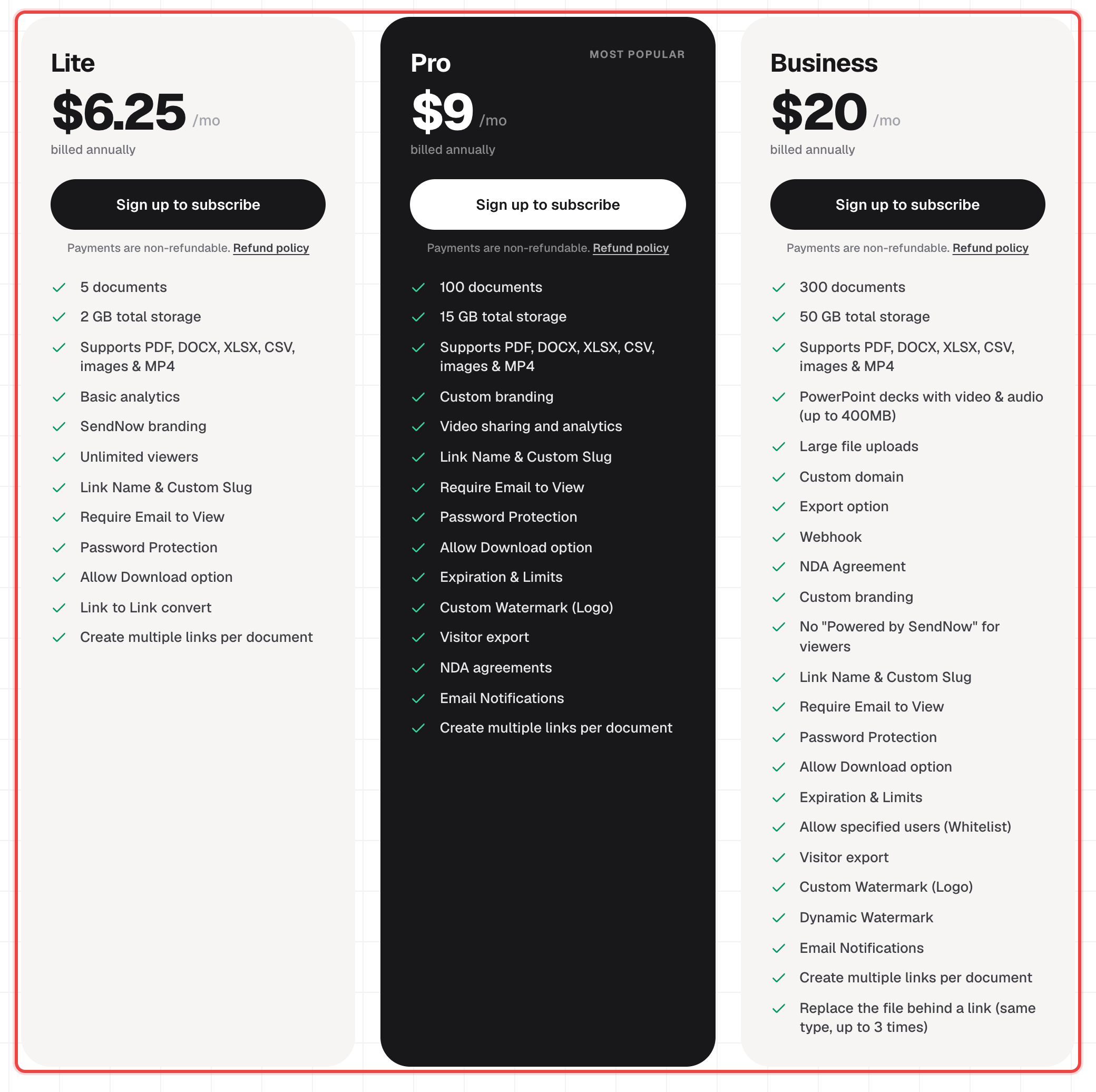
Pick your new plan and subscribe
Click the button on the plan you want. If you're already signed in it starts checkout right away; if not, you'll be asked to sign in first.
Complete checkout
You're sent to a secure Dodo Payments checkout page to pay. Once it confirms, you're redirected straight back to your dashboard on the new plan.
Good to know
- Upgrades apply immediately — your new limits and features are available as soon as checkout completes.
- Downgrading to a smaller plan uses this same flow; just pick a lower tier. Documents over the new plan's limits may be permanently deleted, so review your files first.
- Document plans and MicroSite plans upgrade independently — the Documents and MicroSite tabs on the pricing page are separate purchases.
- All payments are final and non-refundable, including the unused part of a plan you switch away from. See the Refund Policy in Settings → Billing for the full policy.