
Generate, share, and embed your MicroSite link
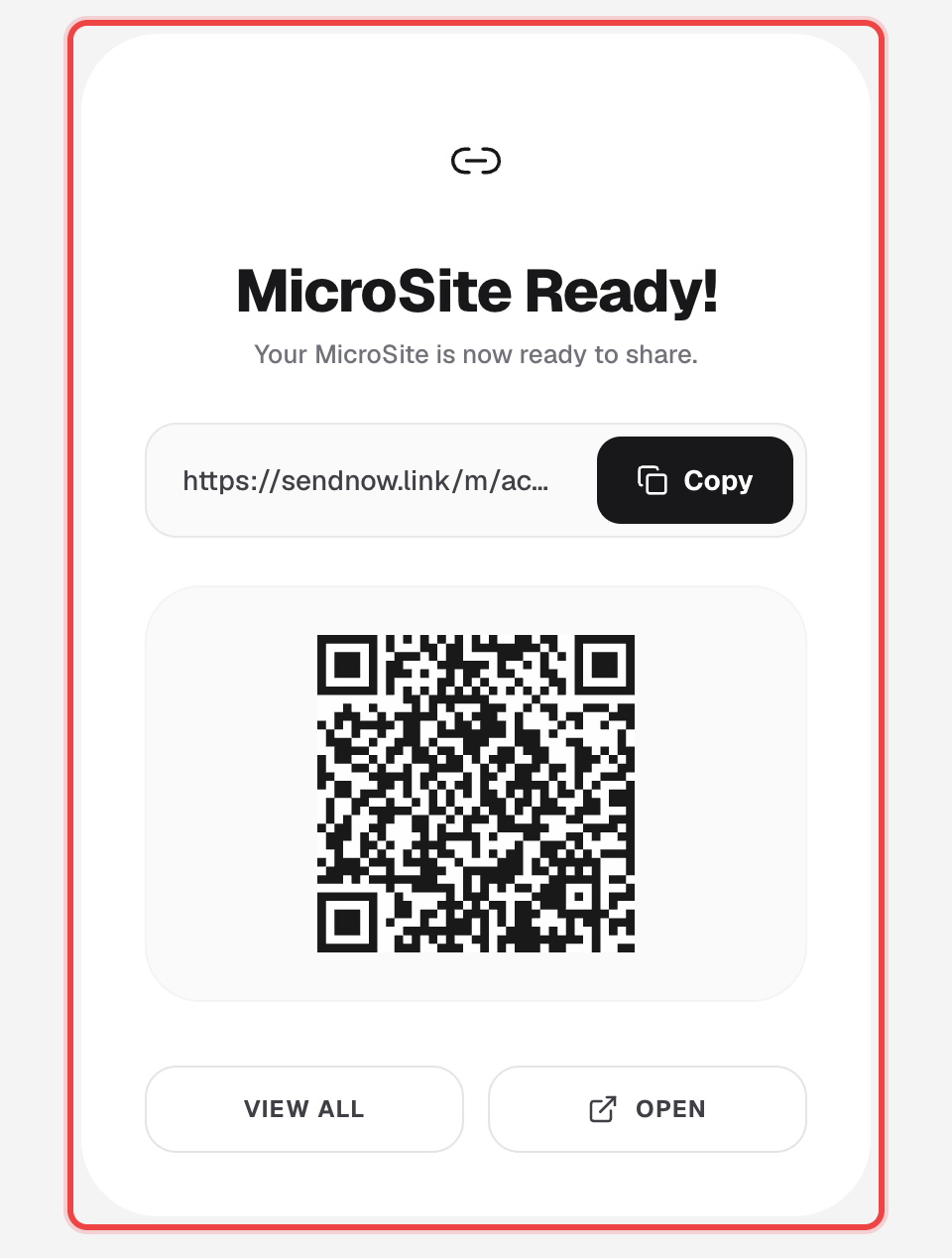
Once your settings are how you want them, generate the link — you get a copyable URL, a QR code, and ready-to-paste embed code in the same dialog.
Click Save & Generate Link
At the bottom of MicroSite Config, click Save & Generate Link. On a paid MicroSite plan, this opens the MicroSite Ready dialog immediately.
Copy the link or scan the QR code
Copy the URL with one click, or point a phone camera at the QR code — both open the same live MicroSite.
Grab the embed code
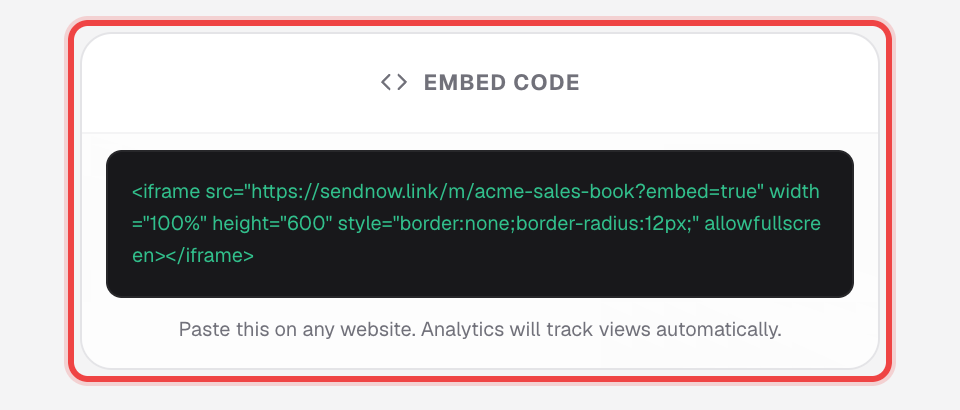
Open Embed Code and copy the iframe snippet to paste into any website. Views through the embed are tracked in analytics the same as a direct visit.
Keep both versions with Save as a New MicroSite
Click Save as a New MicroSite instead of Save to duplicate everything into a brand-new MicroSite with its own address, rather than overwriting the one you're editing.
Good to know
- Changing the Custom Slug on an already-shared MicroSite and clicking regular Save breaks the old address — anyone holding the old link gets nothing.
- On a free MicroSite plan, Save & Generate Link shows an upgrade prompt instead of a link. Your design and settings are saved either way — nothing is lost while you decide.
- The embed iframe carries an ?embed=true parameter; MicroSite Analytics doesn't separate embedded views from direct link views.