DocSend Pricing in 2026: Is It Worth It? (Full Breakdown + Cheaper

DocSend's pricing starts at $45/month for the Standard plan (no meaningful free tier). Their Advanced plan is $150/month. For most startups and small businesses, this is expensive given what competitors now offer at $9–$17/month. This post gives you the full DocSend pricing breakdown and tells you exactly when it's worth paying — and when you should switch.
DocSend Pricing Plans (2026)
DocSend currently offers three paid tiers:
Personal — $15/month
- 5 documents
- Basic analytics
- 5 envelopes/month for NDA signing
- No custom branding
Reality check: 5 documents and 5 NDA envelopes is extremely limiting. This plan is borderline unusable for active fundraising.
Standard — $45/month
- Unlimited documents
- Full slide analytics
- NDA signing (unlimited)
- Email verification (require email to view)
- No custom domain
Reality check: This is the minimum viable plan for a founder actively fundraising. At $45/month ($540/year), it's a significant expense for early-stage companies.
Advanced — $150/month
- Everything in Standard
- Custom domain
- Data room features
- Bulk link management
- Advanced audit logs
- Integrations (Salesforce, HubSpot)
Reality check: This is an enterprise product aimed at M&A advisors, investment banks, and late-stage companies doing formal due diligence.
What You're Actually Paying For
DocSend's core value proposition is:
- Secure PDF/document viewer — viewers can't download unless you allow it
- Slide-by-slide analytics — see time spent per slide, per viewer
- Viewer identity — know who opened your deck via email verification
- NDA gate — require signature before access
That's it. Everything else is variations around these four features.
The question is: are these features worth $45–$150/month in 2026 when competitors offer the same (and more) for $9–$17/month?
DocSend's Hidden Limitations

Before you sign up, be aware of these:
1. No true free plan DocSend's "free" is a trial that expires. There's no meaningful free tier for ongoing use.
2. 5-document limit on Personal The cheapest paid plan is severely limited. You'll hit the cap immediately if you're managing multiple decks (main deck, shorter deck, one-pager, data room docs).
3. Custom domain requires $150/month plan
If you want docs.yourstartup.com instead of a DocSend URL, you're forced into the Advanced plan.
4. No microsite / multi-document room on Standard Bundling multiple documents into one organized data room isn't available until Advanced.
5. Per-seat pricing on team plans Team features scale per user, which adds up quickly for growing teams.
Cost Comparison
SendNow Business: $20/mo billed yearly ($240/yr). DocSend Advanced with Data Rooms: $180/mo billed yearly ($2,160/yr). Prices checked October 2026, see docsend.com/pricing.
Is DocSend Free? The Truth About DocSend's Free Plan
Many founders ask whether DocSend offers a free tier for ongoing sharing.
Short answer: No.
DocSend offers a 14-day trial when you first register, but it is time-limited. Once the trial ends:
- There is no permanent free tier on DocSend.
- Analytics and tracking stop updating.
- Sharing controls become inaccessible unless you upgrade to a paid subscription.
Dropbox previously offered a built-in Send & Track feature, but officially discontinued it on March 31, 2025, directing all users to DocSend's paid plans.
What to Look for When Evaluating Document Sharing Costs
When evaluating alternatives, founders and deal teams should look at workflow features rather than entry pricing:
- In-document link click tracking: Does the tool report when a recipient clicks a Calendly booking link, product demo, or video inside your deck? SendNow tracks in-document link clicks; DocSend does not track clicks within the file.
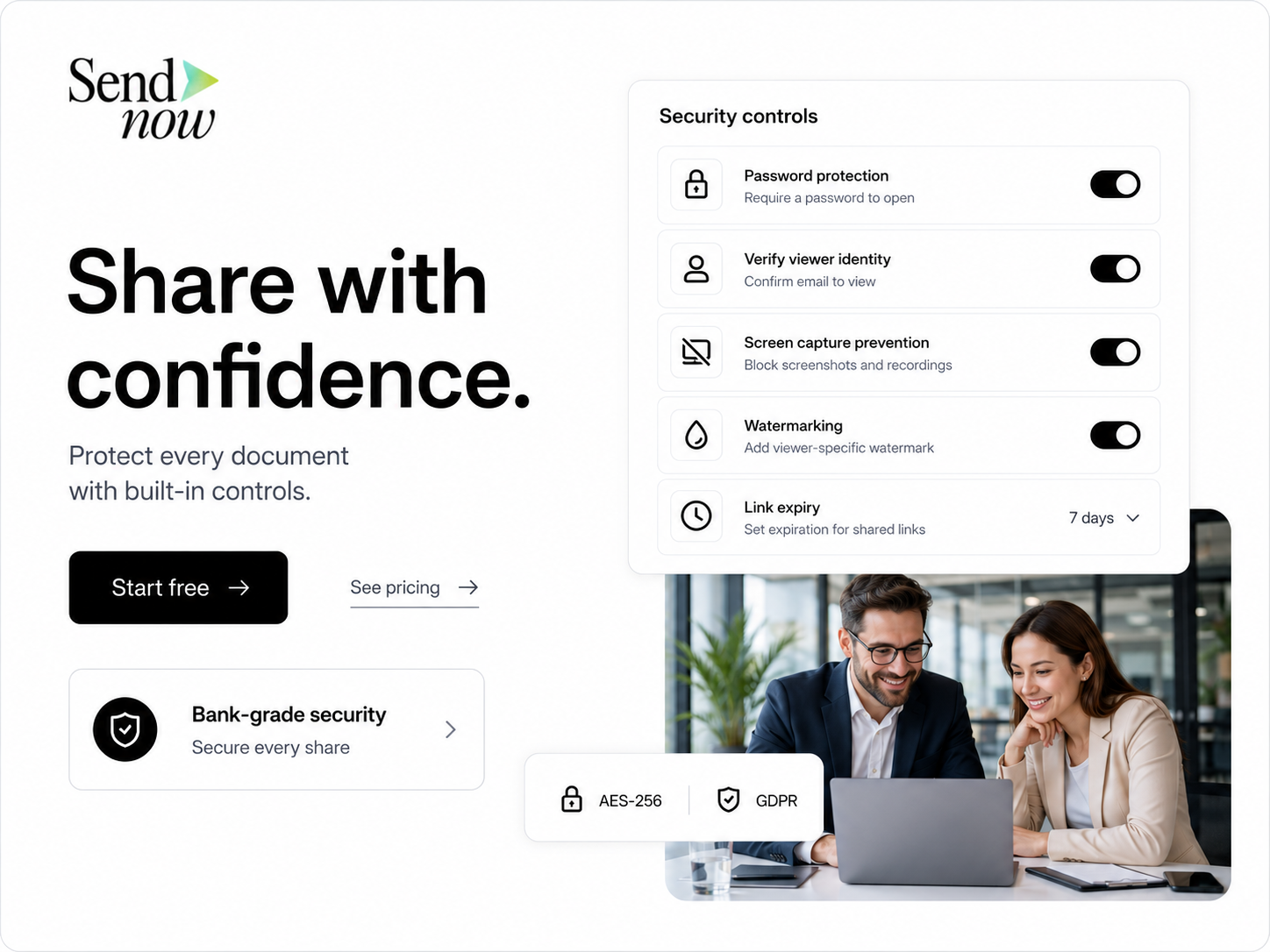
- Security layers without enterprise pricing: Features like dynamic watermarks and NDA gating should not be locked behind high tiers.
- Browser-level screenshot protection: SendNow provides browser-level screenshot protection to deter unauthorized copying.
- Simple migration: You can upload your existing PDFs or presentations, configure access rules, and generate new secure links immediately.
Frequently Asked Questions
Does DocSend have a permanent free plan?
No. DocSend does not offer a permanent free tier. They offer a time-limited 14-day trial. After the trial period ends, you must subscribe to a paid plan to keep tracking and sharing documents.
What happens to my links and analytics when the DocSend trial expires?
When the DocSend trial expires, analytics dashboards lock and active tracking features stop functioning unless the account is upgraded to a paid plan.
What is the price difference between SendNow and DocSend?
SendNow Business: $20/mo billed yearly ($240/yr). DocSend Advanced with Data Rooms: $180/mo billed yearly ($2,160/yr). Prices checked October 2026, see docsend.com/pricing.
Does SendNow track clicks on links inside pitch decks?
Yes. SendNow records discrete in-document link-click events, so document owners can see if a recipient clicked an embedded calendar, website, or video demo link.
Can document sharing tools prevent every screenshot?
Browser controls provide screenshot blocking on desktop viewers to deter casual capture. However, no web platform can prevent external hardware cameras or physical recordings. Dynamic watermarks with viewer email and IP provide an extra layer of deterrence.
How do I migrate from DocSend to SendNow?
Upload your PDF or PPTX files into SendNow, set your access preferences (email gate, password, NDA, or watermark), and generate new shareable links immediately.
Keep Reading
About the Author: Rifana Hameem
Rifana is the founder of SendNow. She leads the team in building secure, compliant, and analytics-rich document sharing tools for finance and professional teams worldwide.
Connect on LinkedIn