Papermark MCP vs SendNow MCP: Which Data Room Server Fits (2026)

Papermark's MCP server has 43 tools and runs locally: you paste a JSON snippet and an API token into Claude Desktop's config file, and it needs a Business plan or above [Source: Papermark]. SendNow's has 24 tools and is remote: one URL, an OAuth sign-in, no token and no config file, and you can connect on any plan. Pick Papermark if you want the widest tool surface and a CLI for scripting. Pick SendNow if you want the shortest path from zero to a gated data room, on a plan from $19/month for data rooms.
Papermark MCP vs SendNow MCP: Which Data Room Server Fits (2026)
What is the difference between a local and a remote MCP server?
A local MCP server runs on your own computer. You start it from a config file and give it an API token, and only apps on that machine, such as Claude Desktop or Cursor, can use it. A remote MCP server runs on the vendor's infrastructure. You add its URL and approve access with OAuth, the same sign-in pattern as "Continue with Google".
This one difference drives most of the comparison below:
- Setup: local means editing a JSON file, installing a runtime and restarting the app. Remote means pasting a URL.
- Secrets: local keeps an API token in a file on your machine. Remote uses a revocable OAuth grant.
- Reach: local works where the config lives. Remote works in any client that supports remote servers, including Claude's custom connectors and ChatGPT.
If you want the background, read how to connect Claude and ChatGPT to a data room with MCP.
How does Papermark's MCP server work?
Papermark published its server on July 3, 2026 and updated the article on September 19. Per Papermark's own write-up [Source: Papermark]:
- 43 typed tools across six areas: data rooms, documents, folders, links, visitors and analytics.
- Setup: add a JSON snippet to Claude Desktop's config, paste an API token, restart. It needs Node 24 or newer.
- Plan: "The developer surface (API, CLI, MCP) comes with Business plans and above". Papermark's Data Rooms plan is listed at €99/month with a 7-day trial and five included seats [Source: Papermark, create a data room with Claude].
- Positioning: Papermark calls itself the first virtual data room provider with a real MCP server.
Its guide to building a room with Claude runs about 3,500 words and walks through eight prompts, from creating a room to generating per-investor links and reading analytics. It is a strong, detailed resource, and honest comparison starts by saying so.
How does SendNow's MCP server work?
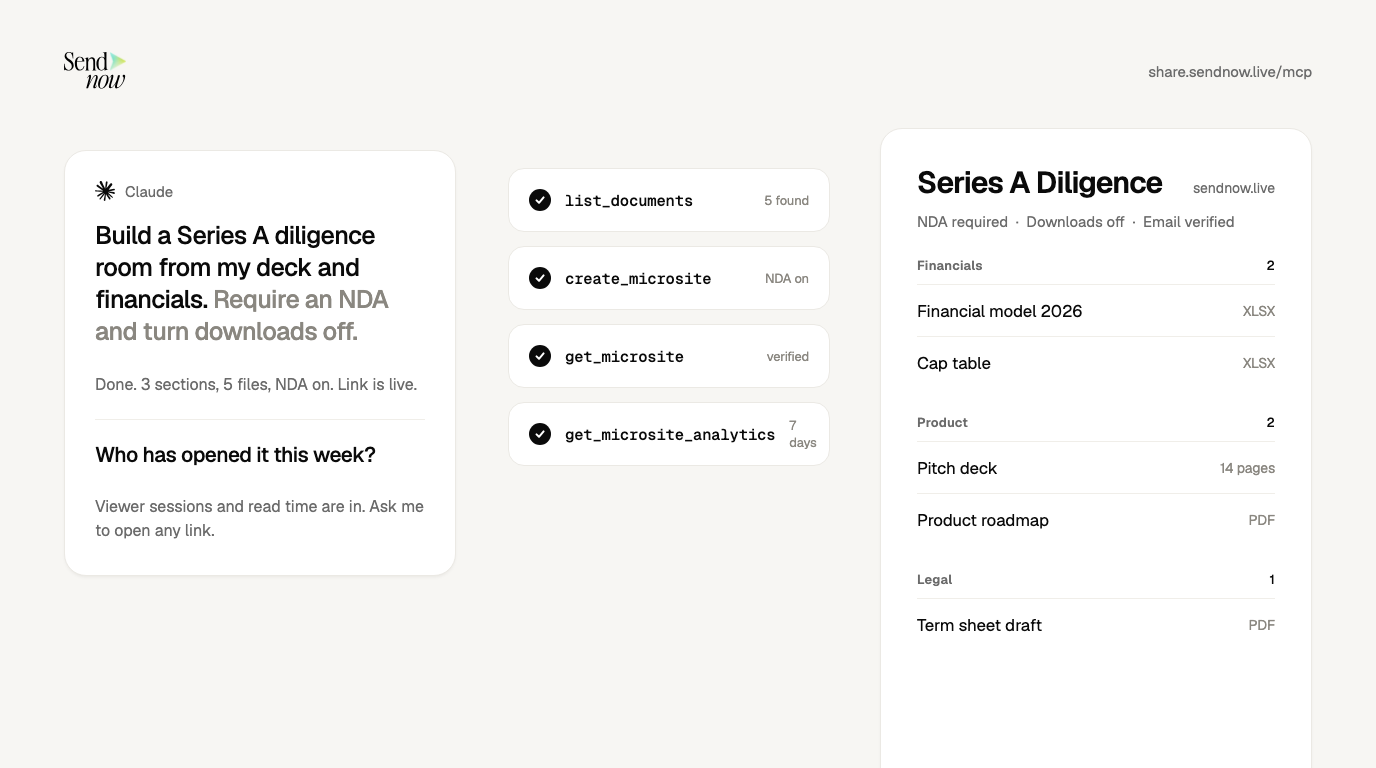
SendNow's server is remote and lives at https://share.sendnow.live/mcp. You add it as a custom connector in Claude (or the matching setting in ChatGPT), sign in with OAuth 2.1, and allow access. There is no API key and nothing to install. The setup guide has video walkthroughs.
It exposes 24 tools in five groups:
| Group | Tools |
|---|---|
| Documents (9) | list_documents, get_document, upload_document_direct, request_document_upload, check_document_upload, start_document_upload, finish_document_upload, update_document, delete_document |
| Sharing links (5) | create_secure_link, list_links, update_link_security, revoke_link, delete_link |
| Data rooms (5) | create_microsite, list_microsites, get_microsite, update_microsite, delete_microsite |
| Analytics (3) | get_document_analytics, list_link_viewers, get_microsite_analytics |
| Account (2) | get_account_profile, get_account_usage |
You can connect on any plan. Creating data rooms needs a plan that includes them, which start at $19/month on the Microsite plans. NDA gates and screenshot blocking need Pro, and allowed-viewer lists and dynamic watermarks need Business.
Papermark MCP vs SendNow MCP: side by side
| SendNow MCP | Papermark MCP | |
|---|---|---|
| Server type | Remote | Local (stdio) |
| Connect with | One URL + OAuth 2.1 | JSON config + API token |
| Install needed | None | Node 24+ and a config edit |
| Tools | 24 | 43 |
| Works in | Claude, ChatGPT, any remote MCP client | Claude Desktop, Cursor and other local clients |
| Plan to use MCP | Any plan to connect | Business plan and above |
| Data rooms | From $19/mo (Microsite Pro) | €99/mo Data Rooms plan |
| CLI / REST API | Webhooks push events to your systems (Business) | Yes, alongside the MCP server |
| Revoke access | Remove the connector in your assistant; access tokens are deleted | Not covered in the sources reviewed |
| Reads document text | No tool returns it | Deal-level chat across contracts is described in the sources reviewed |
Checked October 5, 2026. Sources: Papermark MCP server, Papermark: data room with Claude, SendNow AI page. Prices are in the currency each vendor lists. Confirm before buying.
Where does Papermark win?
Be fair about it. Papermark's server has nearly twice as many tools and ships alongside a public API and a CLI, per its own article. If you script bulk work, such as creating dozens of rooms, uploading hundreds of files or minting per-investor links in a loop, a CLI and a deeper tool set is a real advantage. It also describes deal-level chat across documents, which is a capability SendNow's connector deliberately does not offer.
Where does SendNow win?
Three places.
1. Time to first room. A URL and a sign-in versus a config file, a runtime and a token. For a founder with a raise in flight, that is the difference between connecting this afternoon and putting it off.
2. Price of the room. Data rooms from $19/month versus a €99/month Data Rooms plan, with Papermark's MCP also needing a Business plan or above. See the plan details on pricing.
3. A smaller attack surface for the assistant. None of SendNow's 24 tools returns document body text. The assistant can create, secure and measure a room, but it cannot read what is inside your files. That also means it cannot summarize them, which is a real limit for some teams. Our MCP security checklist explains why this design choice matters for confidential deals.
Which one should you choose?

| Your situation | Recommendation |
|---|---|
| Founder who wants a gated room in minutes, on a startup budget | SendNow |
| Team that wants AI to chat across the contracts in the room | Papermark, with the security caveats in the checklist |
| Developer scripting bulk room creation | Papermark (43 tools, CLI, API) |
| You use ChatGPT or Claude on the web, not just Claude Desktop | SendNow (remote, works in any remote MCP client) |
| You need to lock the room down by prompt: NDA, downloads off, expiry, revoke | Either; SendNow's controls are covered on the NDA gate and security pages |
For a wider look at the category, read Papermark alternatives, SendNow vs Papermark and best virtual data room providers.
Does Papermark have an MCP server?
Yes. It has 43 tools, runs locally, and needs a Business plan or above.
Does SendNow have an MCP server?
Yes. It is a remote server at https://share.sendnow.live/mcp with 24 tools, OAuth 2.1 sign-in and no API key.
Which data room MCP server has more tools?
Papermark, with 43 against SendNow's 24. More tools is not automatically better: pick for the workflows you actually run.
Can I use Papermark MCP in ChatGPT?
Papermark's setup described in the sources we reviewed targets Claude Desktop and similar local clients. SendNow's remote server works in ChatGPT through a custom connector, subject to your plan and workspace settings.
Is SendNow cheaper than Papermark for a data room?
On listed plans, yes: data rooms start at $19/month on SendNow versus a €99/month Data Rooms plan on Papermark. Plans change often, so confirm current pricing on each site.
Sources
- Papermark, The Papermark MCP Server
- Papermark, How to Create a Data Room with Claude in 2026
- SendNow, AI integrations and MCP
About the Author: Rifana Hameem
Rifana is the founder of SendNow. She leads the team in building secure, compliant, and analytics-rich document sharing tools for finance and professional teams worldwide.
Connect on LinkedIn