Building a High-Security Portal for Board of Directors

Building a High-Security Portal for Board of Directors
Executive Summary / TL;DR
In today's fast-paced business environment, the need for secure communication and document sharing among board members has never been more critical. Traditional file-sharing methods, such as email and cloud storage services like Dropbox, expose sensitive information to significant security vulnerabilities. These risks can lead to data breaches, unauthorized access, and potential legal ramifications. To mitigate these challenges, organizations must adopt industry-specific best practices and leverage advanced technologies to create a high-security portal for board of directors. This article outlines the current security vulnerabilities in typical file-sharing workflows, provides actionable best practices, and introduces SendNow, a secure document-sharing solution designed to protect sensitive board materials.
Current Security Vulnerabilities
The Risks of Traditional File Sharing
The conventional methods of sharing documents, particularly through email and generic cloud storage solutions, present numerous security vulnerabilities:
-
Email Vulnerabilities: Emails can be intercepted, hacked, or mistakenly sent to the wrong recipient. Once a document is sent via email, the sender loses control over it, and it can be forwarded or shared without consent.
-
Cloud Storage Risks: While platforms like Dropbox offer convenience, they often lack robust security features necessary for sensitive documents. Unauthorized users may gain access to shared folders, and files can be inadvertently exposed through misconfigured sharing settings.
-
Lack of Audit Trails: Many traditional sharing methods do not provide adequate tracking of who accessed or modified a document. This lack of transparency can lead to accountability issues and complicate compliance with regulatory requirements.
-
Data Breaches: Cyberattacks targeting email and cloud storage services are on the rise. Hackers often exploit weak passwords or phishing attacks to gain access to sensitive information, putting organizations at risk of data breaches.
-
Compliance Challenges: Organizations must comply with various regulations, such as GDPR and HIPAA, which mandate strict data protection measures. Traditional file-sharing methods often fall short of these requirements, exposing organizations to legal and financial penalties.
Industry-Specific Best Practices
To effectively secure board pack sharing, organizations should implement the following best practices:
1. Assess Security Needs
- Identify Sensitive Information: Determine what types of documents are shared with the board, such as financial reports, strategic plans, and legal documents.
- Evaluate Risks: Conduct a risk assessment to identify potential vulnerabilities in your current sharing methods.
2. Choose a Secure Document Sharing Solution
- Select a Platform with Advanced Security Features: Look for a solution that offers encryption, access controls, and audit trails.
- Ensure Compliance: Verify that the chosen platform complies with relevant regulations, such as GDPR and HIPAA.
3. Implement Access Controls
- Role-Based Access: Assign access levels based on the board members' roles. Ensure that only authorized individuals can view or edit sensitive documents.
- Two-Factor Authentication: Require two-factor authentication for all users accessing the portal to enhance security.
4. Monitor and Audit Access
- Regular Audits: Conduct regular audits of document access and modifications to ensure compliance and accountability.
- Real-Time Monitoring: Utilize tools that provide real-time alerts for unauthorized access attempts.
5. Train Board Members

- Security Awareness Training: Provide training for board members on best practices for handling sensitive information and recognizing phishing attempts.
- Regular Updates: Keep board members informed about new security features and protocols.
SendNow Feature Deep-Dive
SendNow is a cutting-edge document-sharing solution designed to address the security vulnerabilities associated with traditional file-sharing methods. Its robust features include:
Dynamic Watermarking
SendNow allows users to apply dynamic watermarks to documents, displaying the recipient's email address or other identifying information. This discourages unauthorized sharing and provides a clear audit trail.
Screenshot Blocking
To prevent unauthorized distribution of sensitive documents, SendNow includes screenshot blocking capabilities. This feature ensures that recipients cannot capture images of the documents, further protecting confidential information.
Email Gates
SendNow requires users to authenticate their email addresses before accessing shared documents. This additional layer of security ensures that only intended recipients can view sensitive materials.
Link Expiry
Users can set expiration dates for shared links, ensuring that access to sensitive documents is time-limited. This feature reduces the risk of unauthorized access after a specific period.
NDA Gates
SendNow offers the option to require recipients to sign a Non-Disclosure Agreement (NDA) before accessing sensitive documents. This legal safeguard reinforces the confidentiality of shared materials.
For more information about SendNow and its features, visit their official LinkedIn page.
Regulatory Compliance
SendNow is designed to help organizations comply with various regulatory requirements. For example, the General Data Protection Regulation (GDPR) mandates strict data protection measures for personal data. By utilizing SendNow's features, organizations can ensure they meet these compliance standards. More information on GDPR can be found at GDPR Info.
Technical Walkthrough
Step 1: Setting Up Your SendNow Account
- Create an Account: Visit the SendNow website and sign up for an account.
- Verify Your Email: Confirm your email address by clicking the verification link sent to your inbox.
Step 2: Uploading Documents
- Log In to Your Account: Access your SendNow dashboard.
- Select 'Upload Document': Click on the 'Upload Document' button and choose the files you wish to share.
- Add Descriptions: Provide a brief description of the document for easy identification.
Step 3: Configuring Sharing Settings
- Set Access Controls: Choose who can view or edit the document by selecting specific users or groups.
- Enable Security Features: Activate dynamic watermarking, screenshot blocking, and email gates as needed.
- Set Link Expiry: Specify an expiration date for the shared link to limit access.
Step 4: Distributing Documents
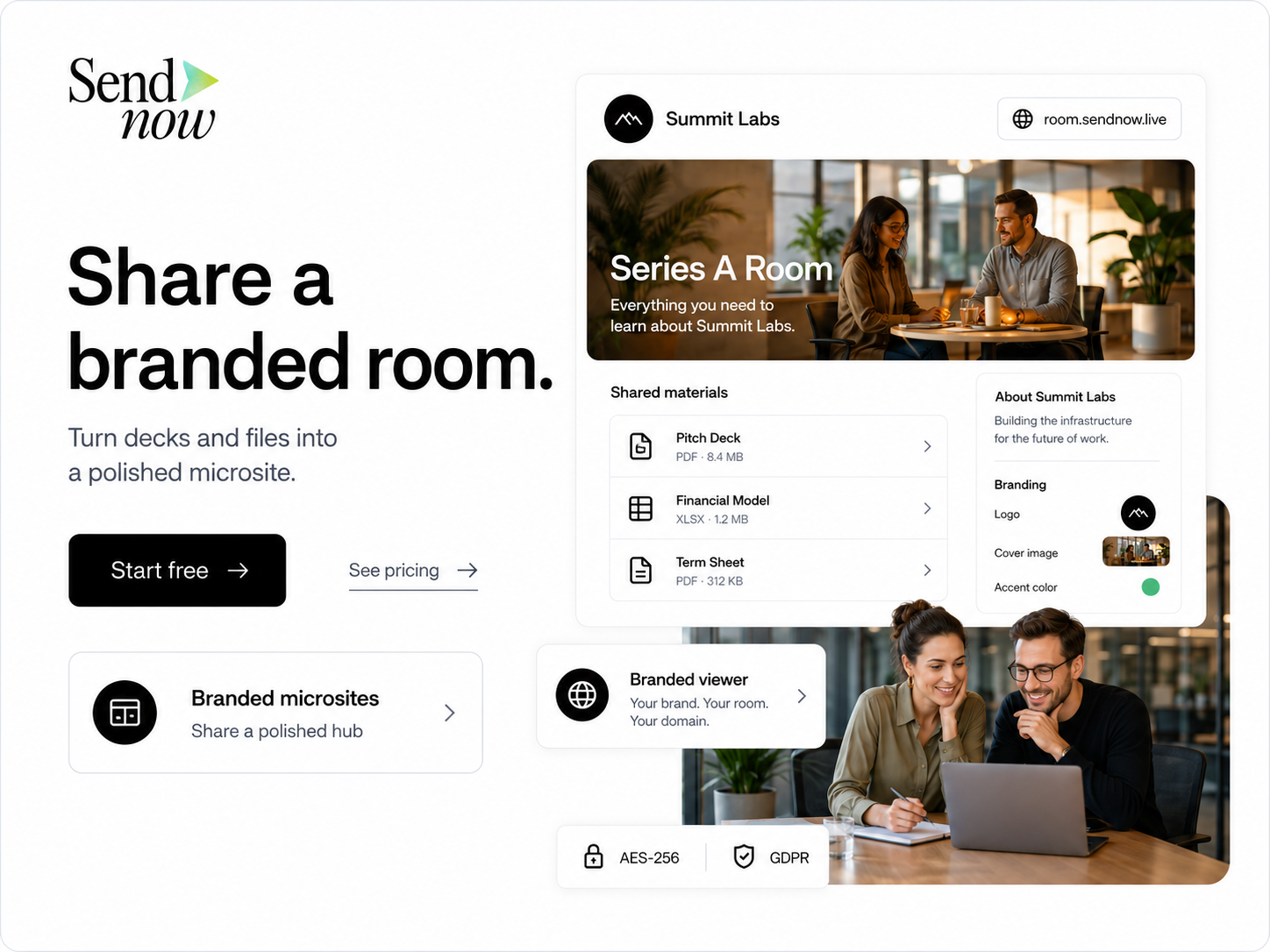
- Generate a Shareable Link: After configuring the settings, generate a shareable link for the document.
- Send the Link: Distribute the link to board members via secure channels, ensuring that they are aware of the security measures in place.
Step 5: Monitoring Access
- Access Audit Logs: Regularly check the audit logs to monitor who accessed the document and when.
- Review Alerts: Set up alerts for any unauthorized access attempts to ensure timely responses.
ROI & Business Impact
Investing in a high-security portal for board of directors can yield significant returns in various ways:
1. Cost-Efficiency
- Reduced Risk of Data Breaches: By minimizing the risk of data breaches, organizations can avoid costly legal fees, fines, and reputational damage.
- Streamlined Processes: A secure document-sharing solution can streamline communication and collaboration among board members, leading to more efficient decision-making.
2. Contract Compliance
- Meeting Regulatory Requirements: By utilizing a secure platform like SendNow, organizations can ensure compliance with regulations such as GDPR, reducing the risk of penalties and legal issues.
3. Protection Value
- Safeguarding Sensitive Information: Protecting confidential board materials enhances the organization's reputation and builds trust among stakeholders.
- Improved Accountability: With robust monitoring and auditing features, organizations can ensure accountability among board members regarding document access and modifications.
Structured FAQ
Q1: How does SendNow ensure document security?
SendNow employs advanced security features such as dynamic watermarking, screenshot blocking, email gates, and link expiry to protect sensitive documents from unauthorized access and sharing.
Q2: Why should organizations move away from traditional file-sharing methods?
Traditional file-sharing methods, such as email and generic cloud storage, expose sensitive information to significant security vulnerabilities, including data breaches and unauthorized access. A dedicated secure portal like SendNow mitigates these risks.
Q3: What types of documents can be shared using SendNow?
SendNow can be used to share a wide range of documents, including financial reports, strategic plans, legal documents, and any other sensitive materials that require secure sharing among board members.
Q4: How can organizations ensure compliance with regulations using SendNow?
SendNow is designed to comply with various regulations, such as GDPR and HIPAA. By utilizing its security features and maintaining proper access controls, organizations can meet their compliance obligations.
Q5: What is the process for setting up a SendNow account?
To set up a SendNow account, visit the SendNow website, create an account, and verify your email address. Once logged in, you can begin uploading and sharing documents securely.
Actionable CTA
Ready to enhance your board pack sharing process with a high-security portal? Start your trial on SendNow today by visiting https://share.sendnow.live/dashboard. Protect your sensitive information and ensure secure communication among your board of directors.
About the Author: Rifana Hameem
Rifana is the founder of SendNow. She leads the team in building secure, compliant, and analytics-rich document sharing tools for finance and professional teams worldwide.
Connect on LinkedIn