How to See Which Pages of Your PDF Someone Actually Read

How to See Which Pages of Your PDF Someone Actually Read
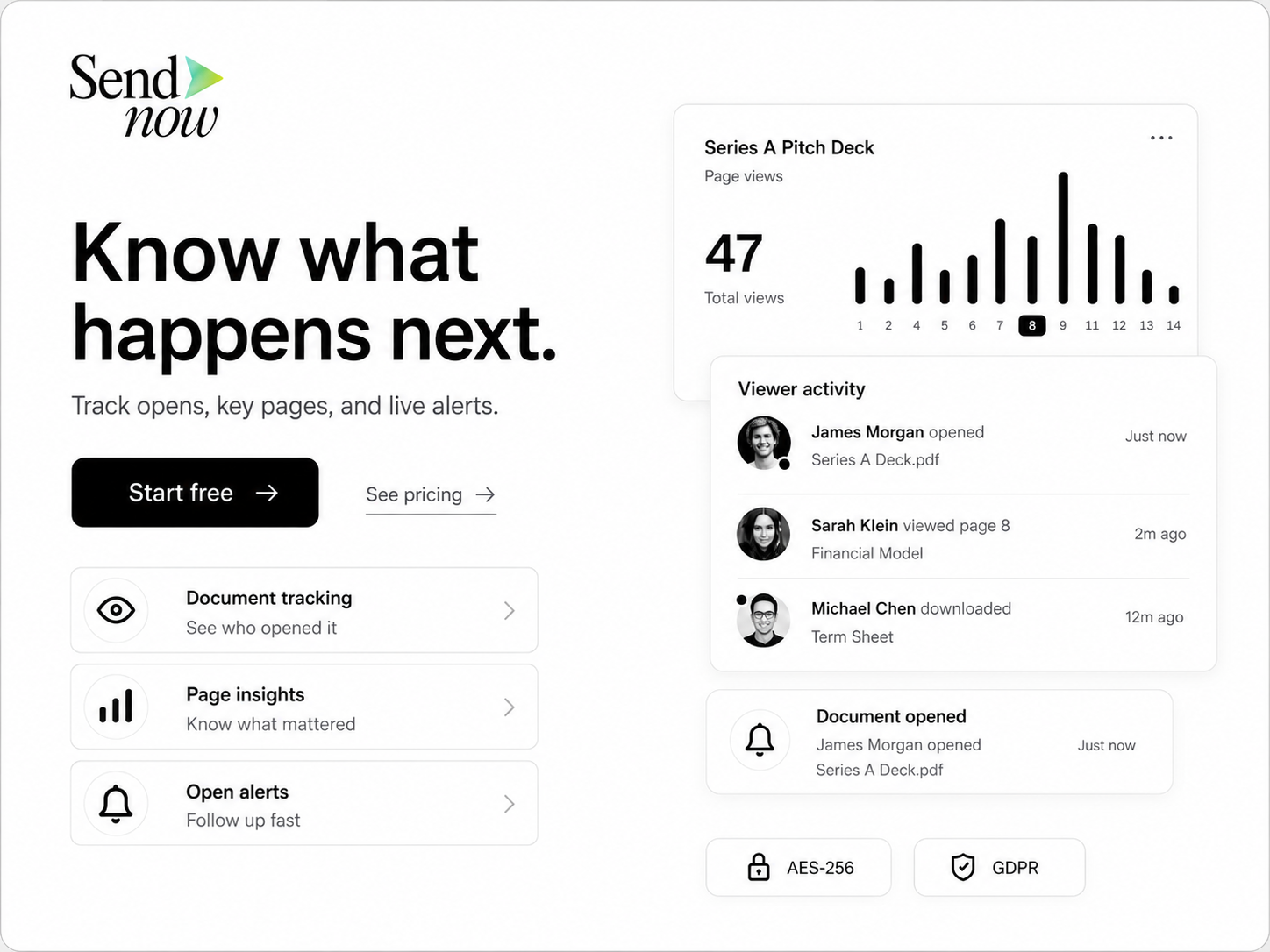
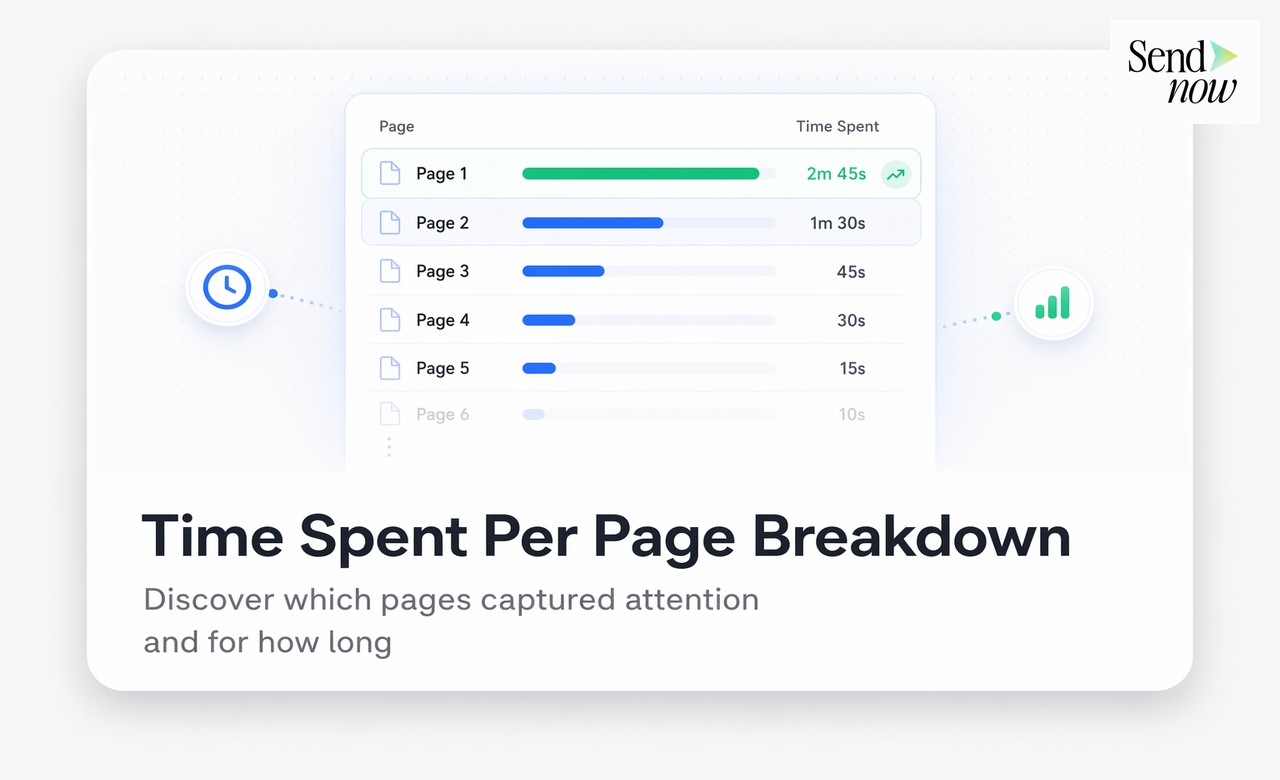
You can see which pages of your PDF someone read by sharing the document through a PDF tracking platform that records time per page. Instead of a simple open notification, you get a bar chart showing how many seconds or minutes the reader spent on each page — making it immediately clear which sections they engaged with and which they skipped.
Why Page-Level Tracking Matters More Than Open Tracking
Knowing that a document was opened is useful. Knowing which pages were read is transformative.
A finance professional who sends a twenty-page investment proposal and receives an open notification knows one thing: the email was clicked. They do not know whether the recipient read the executive summary and closed it, or spent forty minutes working through every slide.
Page-level tracking answers the question that actually drives follow-up decisions. When you can see that a prospect lingered on your team page, skipped the market analysis, and spent six minutes on the investment terms, you have a precise picture of their priorities. That knowledge shapes every subsequent conversation.
How Page-Level Tracking Works
When you share a PDF via a tracking platform like SendNow, the document is served through a browser-based viewer. As the reader navigates through pages, the viewer records:
- Time spent on each page — measured in seconds or minutes
- Pages skipped entirely — pages with zero or near-zero dwell time
- Scroll depth — on long pages, how far down they scrolled
- Page return events — if they jumped back to re-read a page
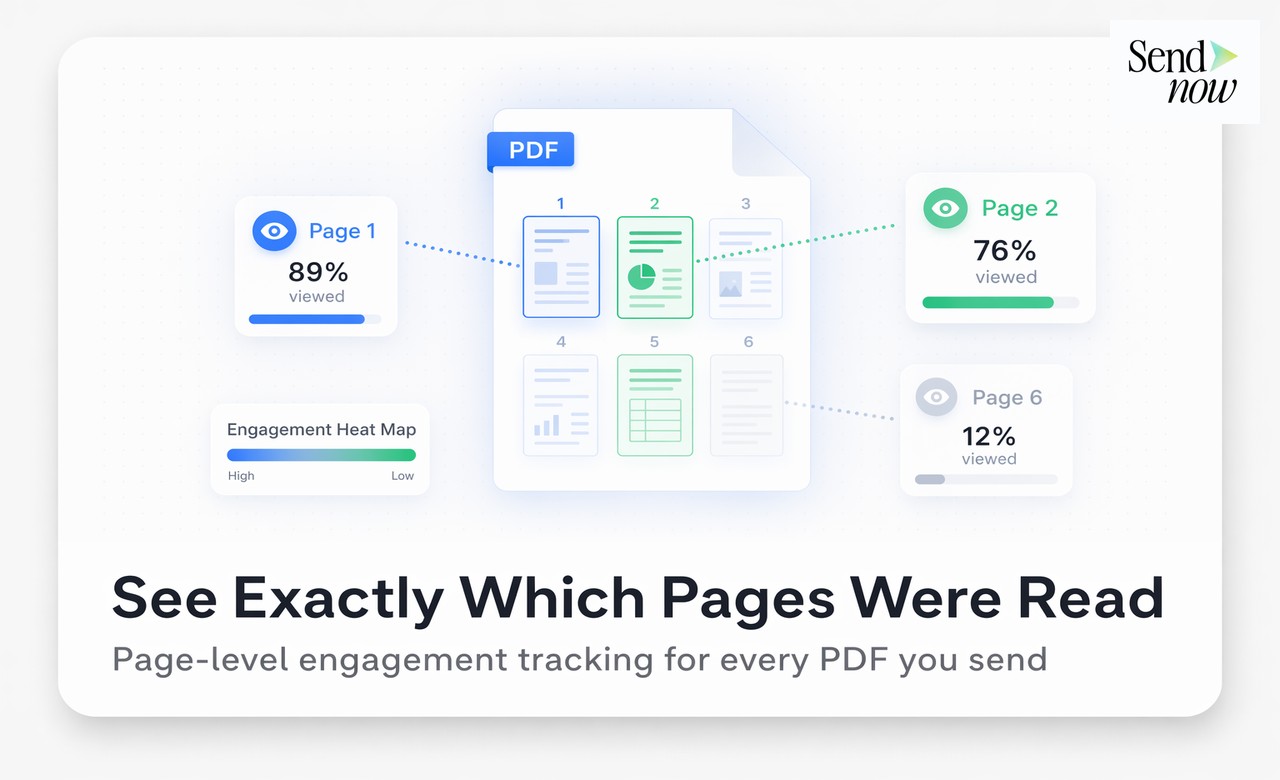
This data is aggregated into a per-page breakdown visible in your analytics dashboard. The most common visualisation is a horizontal bar chart, with each bar representing one page and its length proportional to dwell time.
Reading the Page Heatmap
The page analytics chart typically tells one of a few stories:
Consistent engagement — bars of roughly equal length across all pages. The reader worked through the document methodically.
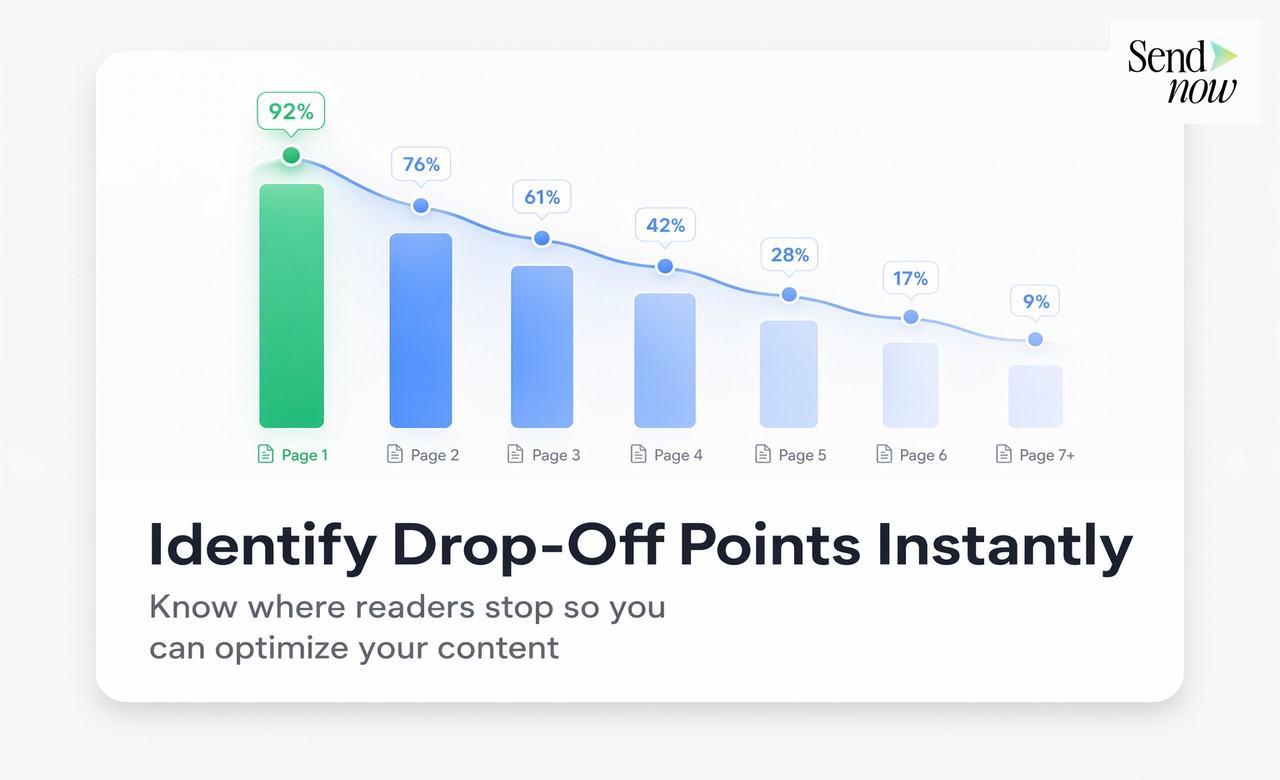
Front-heavy engagement — long bars for pages one through three, then rapid dropoff. Common with busy executives who read introductions and delegate the rest.
Selective focus — one or two pages with significantly longer bars than the rest. The reader navigated to specific sections — often pricing, terms, or team pages — and spent most of their time there.
Near-zero throughout — short bars across all pages, often combined with a low completion rate. The document was opened but not meaningfully read.
Each pattern suggests a different follow-up approach.
Step-by-Step: Setting Up Page Tracking in SendNow
- Sign in to sendnow.live and click New Link
- Upload your PDF document
- Configure access settings (email verification is recommended for named viewer attribution)
- Share the generated link with your recipient
- When the document is opened, navigate to the analytics view
- Select the visitor to see their page-by-page breakdown
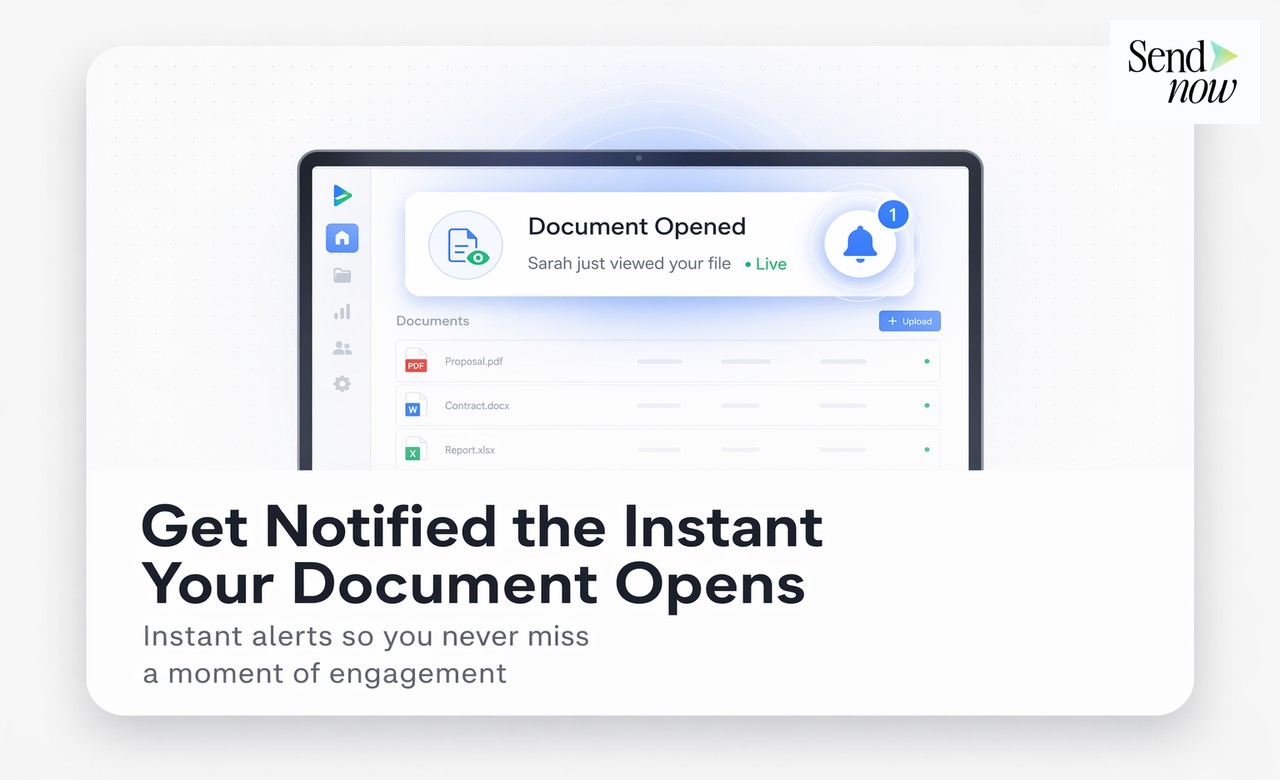
The page analytics view updates in real time as the recipient reads. You can watch engagement unfold live.
Practical Applications for Finance Teams
Proposals and pitch decks — Identify which slides the prospect found most compelling. If they spent five minutes on your fee structure, price sensitivity may be a concern to address directly.
Due diligence packs — In an M&A context, knowing which sections of a data room pack were read most thoroughly tells you where the buyer's team is focused.
Client reports — Determine whether performance commentary on page four was read or whether clients typically close after the summary page.
Compliance documents — Confirm that recipients reached and spent meaningful time on your terms, disclaimers, or regulatory disclosures.
Onboarding packs — For GDPR-regulated finance firms, verifying that new clients read compliance materials is both a practical and a regulatory concern. Page tracking creates an evidence trail.
The Difference Between Pages Viewed and Pages Read
A common misconception is that a "page view" in a document context is equivalent to reading. It is not.
Someone who flips through a thirty-page document in fifteen seconds has technically "viewed" all thirty pages. Page dwell time is the correct metric — it distinguishes between pages that were scrolled past and pages that were genuinely read.
SendNow's per-page time tracking uses active engagement measurement to avoid inflating numbers. If a reader opens the viewer and walks away from their screen, idle time is handled appropriately so that analytics reflect genuine attention.
Page Tracking Alongside Completion Rate
Page-level analytics pair naturally with the document completion rate — the percentage of the document that the reader reached before closing. A 90% completion rate with even dwell time across pages suggests a genuinely engaged reader. A 90% completion rate with near-zero time on pages five through twenty suggests rapid scrolling to reach the end.
See our guide on what is document completion rate and why it matters for a full explanation of how to interpret this metric.

For a broader introduction to all PDF tracking metrics, visit the PDF tracking complete guide.
Comparison: Page Tracking Depth by Tool
| Tool | Page Time Tracking | Skip Detection | Real-Time | Free Tier |
|---|---|---|---|---|
| SendNow | Yes (per-second) | Yes | Yes | Yes |
| DocSend | Yes | Yes | Yes | Trial only |
| Google Drive | No | No | No | Yes |
| Email attachment | No | No | No | Yes |
| HubSpot Documents | Basic | No | Yes | Paid only |
GDPR and Page-Level Data
Collecting per-page engagement data from named individuals is personal data processing under GDPR. Finance teams operating in the EU should ensure their tracking platform:
- Has a lawful basis for processing (legitimate interest is typically sufficient for B2B document analytics)
- Discloses tracking to viewers (the email verification step serves this function)
- Stores data within the EU
- Allows data deletion on request
SendNow's platform meets these requirements as part of its core compliance architecture.
FAQs
Q: Can you see which pages of a PDF someone read? A: Yes, if you share the PDF through a tracking platform like SendNow. You receive a page-by-page breakdown showing how many seconds the reader spent on each page.
Q: What is the best way to track PDF page reads? A: Upload your PDF to a tracking platform and share a trackable link. The viewer records time spent on each page and presents it as a bar chart in your analytics dashboard.
Q: Does page tracking work if the recipient downloads the PDF? A: Tracking only covers engagement within the hosted viewer. Disabling the download option keeps all reading within the tracked environment.
Q: How accurate is time-per-page tracking? A: Modern platforms use active engagement signals rather than simple timer intervals, making the data a reliable reflection of genuine reading rather than idle screen time.
Q: Can I track page reads across multiple viewers? A: Yes. Each viewer's page analytics are stored separately and can be compared in the analytics dashboard.
Q: What does it mean if a reader has zero seconds on several pages? A: Those pages were skipped. The reader either navigated directly to later sections or did not scroll to those pages at all.
Q: Is page tracking available on free plans? A: Yes. SendNow includes page-level analytics on its 24-hour free trial.
Q: Can I use page tracking to improve my documents? A: Absolutely. Aggregating page engagement data across multiple recipients shows which sections consistently lose readers — an actionable signal for content improvement.
SendNow offers a free trial — no credit card required. Start at sendnow.live.
About the Author: Rifana Hameem
Rifana is the founder of SendNow. She leads the team in building secure, compliant, and analytics-rich document sharing tools for finance and professional teams worldwide.
Connect on LinkedIn