How to Gate Any Document Behind an NDA (Free Template Included)

How to Gate Any Document Behind an NDA (Free Template Included)
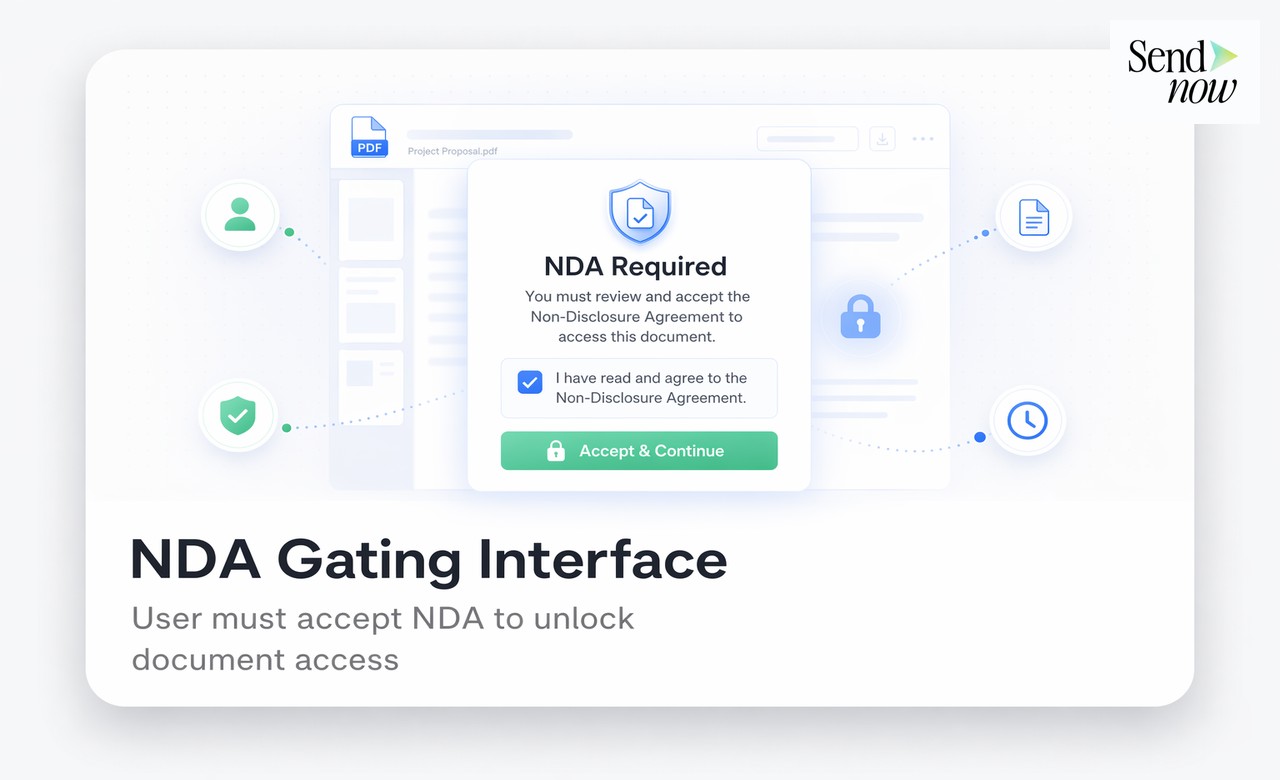
Gating a document behind an NDA means requiring the viewer to read and agree to a non-disclosure agreement before they can access the file. With SendNow, you can add an NDA gate to any shared document link in under two minutes, capturing a timestamped click-through agreement that satisfies EU legal standards and GDPR record-keeping requirements.
What Is an NDA Gate?
An NDA gate is a security layer placed in front of a shared document. Instead of delivering the file directly, the sharing platform presents the viewer with your NDA text, requires them to click "Agree" or "Accept", and only then reveals the document. The agreement is recorded automatically with a timestamp, IP address, and viewer email.
This differs from the traditional approach of emailing an NDA separately, waiting for a signed copy to return, and then sending the file. An NDA gate compresses what used to be a multi-day process into a single, frictionless interaction.
Why Finance Professionals Use NDA Gates
Finance teams handle documents that carry real legal and commercial risk if disclosed incorrectly: investment memoranda, management accounts, valuation models, restructuring plans. The standard approach of attaching a PDF to an email and hoping the recipient handles it carefully offers no enforceable protection and no audit trail.
An NDA gate solves three problems at once:
- Enforceability. The viewer cannot claim they did not read the NDA. The agreement is captured before first access.
- Evidence. A timestamped log of who agreed, when, and from which IP address is stored automatically.
- Control. You can revoke access to the underlying document at any time, even after the NDA has been accepted.
How to Set Up an NDA Gate on SendNow
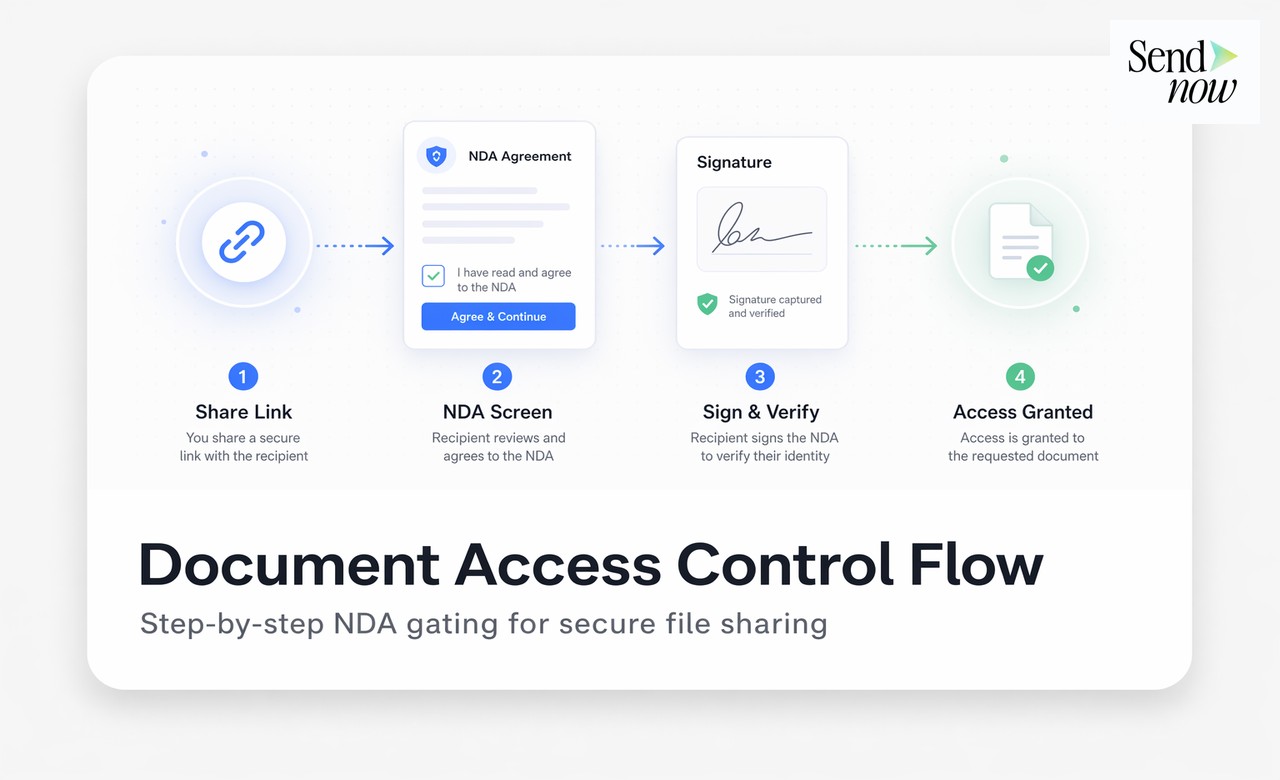
Setting up an NDA gate requires no legal training and no technical integration. The process takes under two minutes.
Step 1: Upload your document. Log in to SendNow and upload the PDF, pitch deck, or financial model you need to protect.
Step 2: Create a share link. Click "Share" to generate a secure link.
Step 3: Enable the NDA Gate. In the link settings panel, toggle on "Require NDA Agreement". A text area appears where you paste your NDA text.
Step 4: Paste your NDA. Use the free template below or your existing legal language.
Step 5: Save and share the link. The recipient receives a standard-looking link. When they open it, they see your NDA before anything else.

Free NDA Template for Document Sharing
Copy the template below directly into the SendNow NDA gate text field:
Non-Disclosure Agreement
By clicking "Accept and Continue", you ("Recipient") agree to the following:
- The document made available via this link contains confidential and proprietary information belonging to [Your Company Name] ("Disclosing Party").
- Recipient agrees not to disclose, copy, reproduce, or distribute this information to any third party without prior written consent from the Disclosing Party.
- This agreement is governed by the laws of [Jurisdiction].
- This agreement comes into force at the moment of electronic acceptance as recorded by SendNow.
Date and time of acceptance are recorded automatically.
Feel free to add jurisdiction-specific clauses or to have your legal counsel review and adapt the language. The template above functions as a click-through NDA suitable for most commercial document-sharing scenarios.
Comparison: NDA Gate vs Email NDA vs No Protection
| Method | Agreement captured | Timestamp | Revoke access | GDPR-ready | Setup time |
|---|---|---|---|---|---|
| NDA Gate (SendNow) | Yes (click-through) | Yes | Yes | Yes | Under 2 minutes |
| Email NDA (signed) | Yes (wet/e-signature) | Partial | No | Partial | 1-3 days |
| Email attachment only | No | No | No | No | Immediate |
| Password-protected file | No | No | No | No | Minutes |
The NDA gate approach is the only method that combines instant delivery, captured agreement, timestamped evidence, post-share revocation, and GDPR-compliant data handling in a single workflow.
GDPR and EU Compliance
Under the EU's GDPR framework, any processing of personal data associated with an NDA agreement (email address, IP address, timestamp) must be handled lawfully, transparently, and with appropriate documentation. SendNow stores NDA acceptance records in compliance with GDPR Article 7, which requires that organisations be able to demonstrate that consent or agreement was obtained.
When you use a SendNow NDA gate, every acceptance event is logged in your account's audit trail. This log is exportable and can be presented as evidence in any dispute, regulatory enquiry, or due diligence process.
Best Practices for NDA Gates in Finance

Use specific language. Generic NDA templates are fine for most cases, but if you are sharing M&A documents, fund materials, or board-level information, have your legal team add deal-specific clauses.
Enable download restrictions alongside the NDA gate. An NDA only restricts further sharing if you also prevent the recipient from downloading and redistributing the file. SendNow allows you to disable downloads at the link level.
Set an expiry date. For time-sensitive deals, add a link expiry so the document becomes inaccessible after a defined date regardless of NDA status.
Review the audit log before key meetings. Knowing exactly who has viewed your document, for how long, and how many times gives you negotiating context that a simple email attachment never provides.
Revoke immediately if a deal falls through. SendNow allows one-click access revocation. The moment you know a deal is dead, cut off access before any further distribution can occur.
Related Resources
- Free NDA Template for Sharing Confidential Business Documents
- How to Require a Signed NDA Before Anyone Views Your File
Start Gating Your Documents Today
SendNow's NDA gate is available on Pro and Business plans, and can be evaluated during the 24-hour free trial. Upload a document, paste your NDA, and share a protected link in under two minutes.
Start your free trial at sendnow.live
Frequently Asked Questions
What is an NDA gate on a document? An NDA gate is a layer added to a shared document link that requires the viewer to read and accept a non-disclosure agreement before accessing the file. The acceptance is recorded with a timestamp and IP address.
Is a click-through NDA legally enforceable? Yes, in most jurisdictions including EU member states, a click-through agreement where the user affirmatively selects "I Agree" constitutes a binding contract, provided the agreement terms are clearly presented before the click.
How do I add an NDA to a PDF I want to share? Upload the PDF to SendNow, create a share link, enable the NDA Gate in link settings, paste your NDA text, and share the link. The viewer must accept the NDA before the PDF opens.
Can I use my own NDA text? Yes. SendNow accepts any plain-text NDA. You can paste your own legal language directly into the NDA gate text field.
Does SendNow store NDA acceptance records? Yes. Every acceptance is logged with the viewer's email (if provided), timestamp, IP address, and user agent. These records are available in your account audit trail and are exportable.
What happens if the viewer refuses the NDA? If the viewer declines or closes the NDA screen without accepting, the document is not accessible. Access is blocked until the NDA is accepted.
Is the NDA gate GDPR compliant? Yes. SendNow processes and stores acceptance data in accordance with GDPR, including data minimisation principles and the requirement to demonstrate agreement has been obtained under Article 7.
Can I revoke access after the NDA has been accepted? Yes. You can revoke the share link at any time, regardless of NDA status. Revocation is immediate and prevents any further access to the document.
About the Author: Rifana Hameem
Rifana is the founder of SendNow. She leads the team in building secure, compliant, and analytics-rich document sharing tools for finance and professional teams worldwide.
Connect on LinkedIn