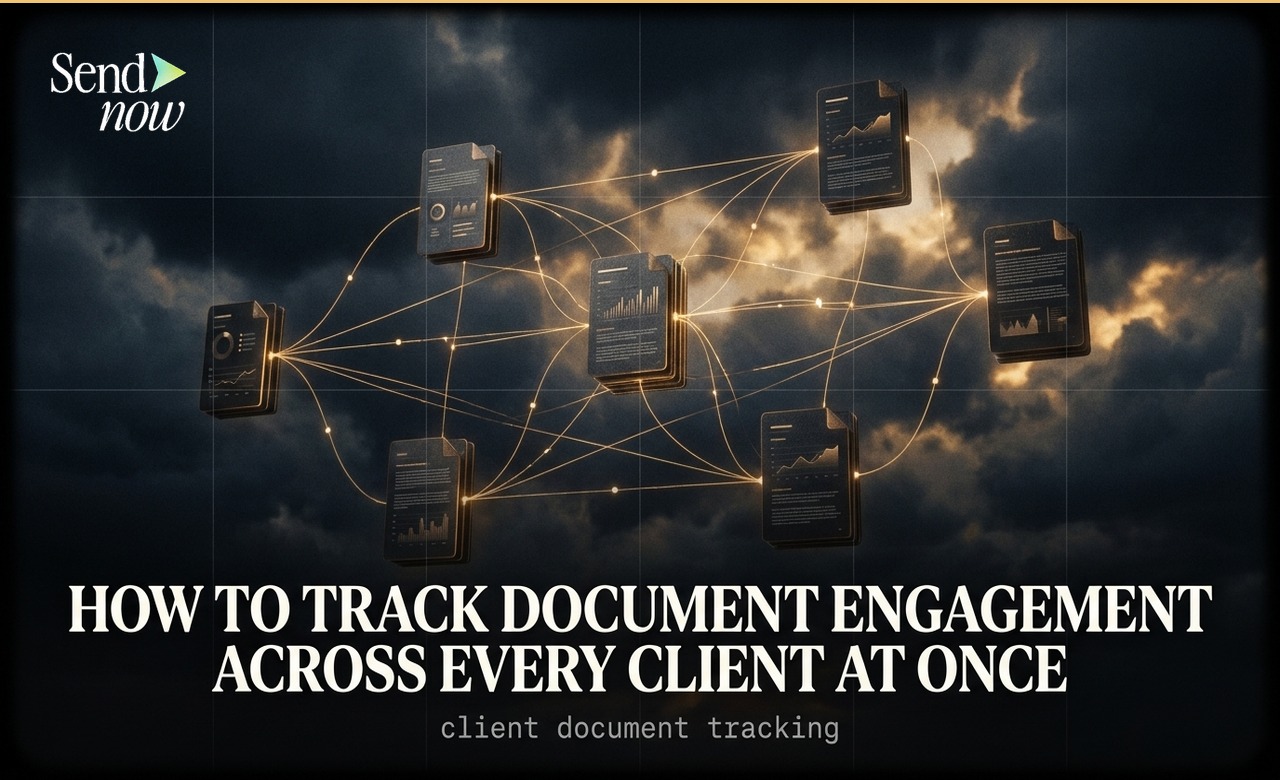
How to Track Document Engagement Across Every Client at Once

How to Track Document Engagement Across Every Client at Once
You can track engagement across all your shared documents from a single dashboard in SendNow, viewing views, completion rates, and last activity for every client at once. Rather than opening each document individually to check who has read it, the central dashboard gives you a live overview of your entire document portfolio in one place.
The Problem with Managing Multiple Client Documents
Finance professionals often share dozens of documents simultaneously: pitch decks, fund factsheets, due diligence packs, subscription agreements. Without a centralised tracking view, monitoring engagement means opening each document separately, checking individual visitor logs, and trying to hold the picture in your head. That process does not scale.
When a single dashboard shows you every document, every client, and every recent action in one scrollable view, you can prioritise your follow-up in minutes rather than hours.
What a Document Engagement Dashboard Shows You
A well-designed document tracking dashboard surfaces the following information at a glance:
- Document name and the link or version it relates to
- Total views (how many times it has been opened)
- Unique visitors (how many distinct individuals have opened it)
- Completion rate (what percentage of the document the average viewer reads)
- Last activity (when it was most recently opened)
- Status (active, expired, or revoked)
With this data in front of you, a quick scan tells you which documents are being actively reviewed, which have gone cold, and which may warrant a follow-up message.
Using SendNow's Multi-Document Dashboard
In SendNow, the main dashboard lists every document you have shared, with engagement metrics displayed inline. You do not need to click into each document to see whether it has been read.
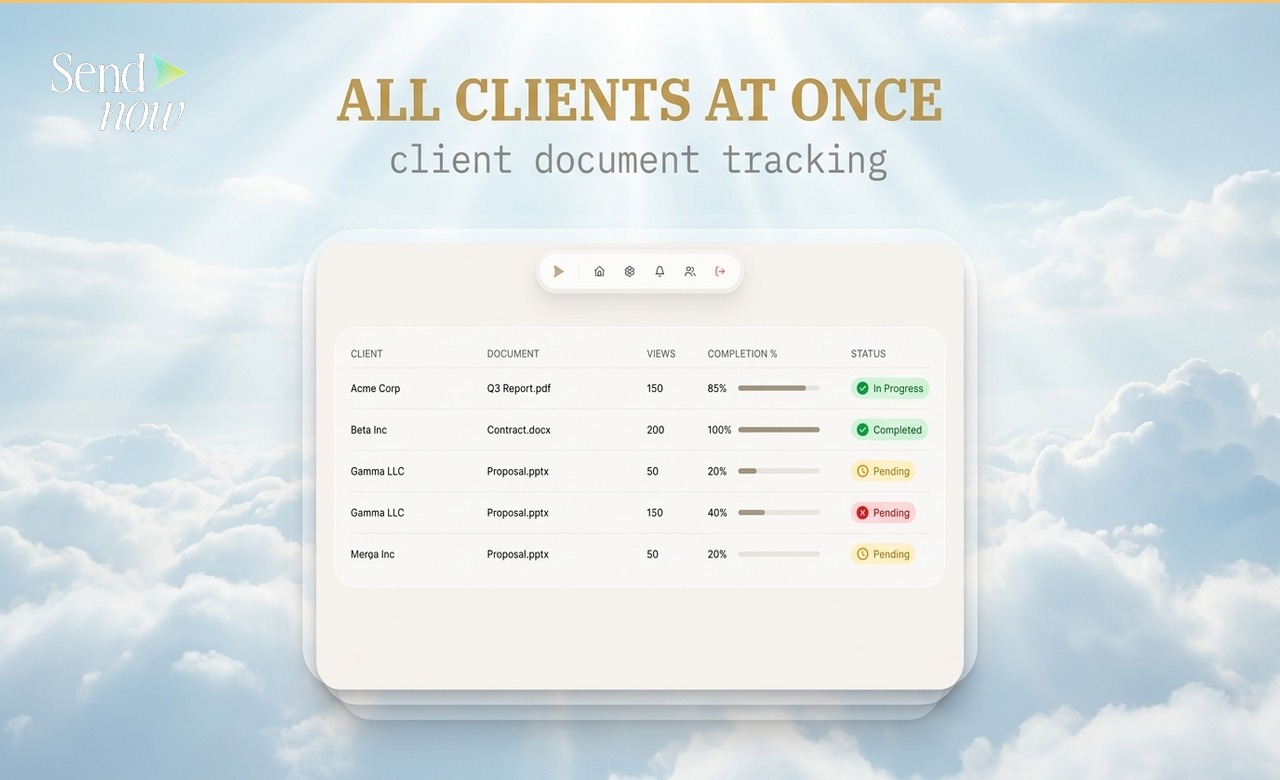
To review engagement across all your documents:
- Log in to your SendNow dashboard
- The main document list shows each document with its view count, completion rate, and last activity
- Click any document to drill into the full visitor-level breakdown

You can sort the list by last activity to surface recently opened documents at the top, or by completion rate to identify which documents are being read in full versus skimmed.
The Document Overview Table
The document overview table in SendNow gives you a URL-level view of every link you have created. This is particularly useful if you share multiple versions of the same document with different clients, because each link tracks independently.
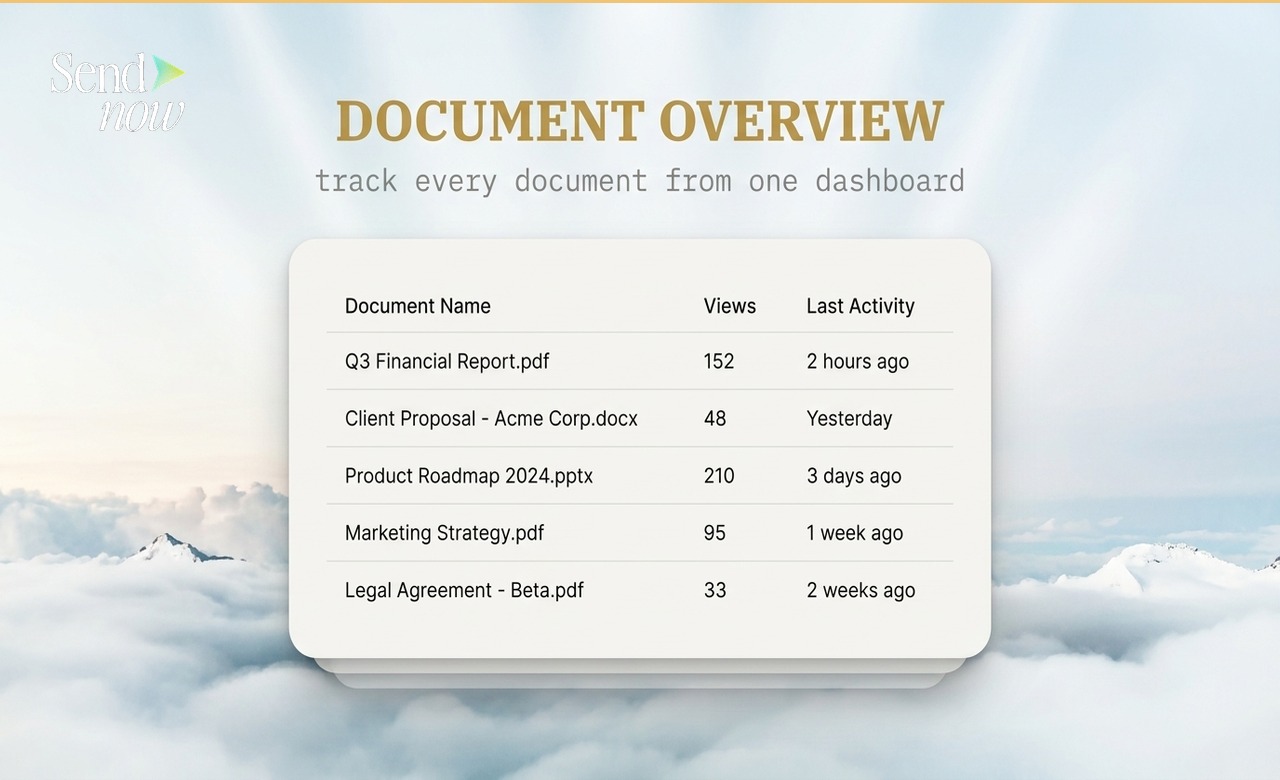
Each row in the table shows:
- The document name and link
- Number of total views
- Last activity timestamp
- Active or expired status
This URL-level granularity means you can see exactly which version of a document each client has been reading, and when.
Building a Tracking Workflow for Client Documents
The most efficient approach is to adopt a regular review rhythm. For active deals or client relationships, a daily scan of the dashboard shows you which documents were opened overnight and whether any clients have returned for a second read (a strong signal of intent).
| Tracking Frequency | Best For |
|---|---|
| Daily | Active deals, live fundraises, time-sensitive proposals |
| Weekly | Ongoing client relationships, quarterly reports |
| On notification | Any document where an immediate follow-up adds value |
| Monthly review | Archive of completed deals and past client engagement |
SendNow sends real-time notifications for every document open, so you can supplement dashboard reviews with instant alerts when high-priority documents are accessed.
Completion Rate as a Quality Signal
Completion rate — the percentage of a document that each viewer reads — is one of the most useful metrics in the dashboard. A document that is consistently read to 90% or above is landing well. A document where most viewers stop at 30% may have a front-end problem: a weak opening, unclear structure, or the wrong audience.
For a deep dive into completion rate analysis, read the Document Completion Rate Guide.
Return Visits as an Engagement Signal
When a client returns to a document they already opened, it signals active consideration. In the context of an investment pitch or due diligence process, a return visit often means the prospect is sharing the document internally or revisiting specific sections before making a decision.

The Return Visit Tracking Guide covers how to interpret and act on return visit data in detail.
For the full analytics framework covering all engagement metrics, including page-level attention and geographic data, see the Complete Guide to PDF Tracking.
GDPR Considerations for Multi-Client Tracking
When you track document engagement across multiple EU-based clients, each open event constitutes the processing of personal data under GDPR. SendNow processes this data on your behalf as a data processor, and your privacy policy should disclose that you use document analytics tools when sharing files with EU recipients.
Frequently Asked Questions
Q1: Can I see all my client documents in one place without clicking into each one? Yes. The SendNow dashboard lists every document with its engagement metrics inline. No need to open each document individually.
Q2: Can I filter the dashboard by date or client? Yes. You can sort and filter the document list by last activity, view count, and document name to focus on the most relevant documents.
Q3: Do I get notified when any client opens a document? Yes. SendNow sends real-time notifications for every document open. You can receive notifications by email so you know immediately when a client engages.
Q4: Can I track multiple versions of the same document separately? Yes. Each link in SendNow tracks independently, so sharing different versions with different clients gives you separate engagement data for each.
Q5: What is the difference between total views and unique visitors? Total views counts every open event, including repeat visits. Unique visitors counts the number of distinct individuals who have opened the document.
Q6: Can I share the dashboard data with my team? SendNow supports team accounts, allowing multiple users to access the same document dashboard and analytics data.
Q7: Is there a limit on how many documents I can track at once? Limits depend on your plan. Most professional plans support unlimited documents and links.
Q8: How long is historical engagement data retained? SendNow retains your full engagement history for the lifetime of your account, so you can review analytics from documents shared months or years ago.
For more on understanding individual engagement data, see the Complete Guide to PDF Tracking. To learn how geographic data enriches your client tracking, read How to See Where in the World Your Document Was Opened.
SendNow offers a free trial — no credit card required. Start at sendnow.live
About the Author: Rifana Hameem
Rifana is the founder of SendNow. She leads the team in building secure, compliant, and analytics-rich document sharing tools for finance and professional teams worldwide.
Connect on LinkedIn