How to Track Video Proposals and See Exactly Who Watched

How to Track Video Proposals and See Exactly Who Watched
You can track video proposals by hosting them through a document analytics platform that records who watched, how long they watched, and whether they completed the video. Using email verification before playback, you can attribute every second of watch time to a named individual — and receive a real-time notification the moment they press play.
Why Video Proposals Are Growing in Finance
Video has become a meaningful format in professional services communication. Finance teams and advisers are increasingly using short recorded videos to:
- Walk clients through a proposal before a live meeting
- Deliver personalised market commentaries
- Introduce their firm to new prospects
- Explain complex instruments or fee structures in plain language
- Follow up after a meeting with a recorded summary
The appeal is straightforward. A two-minute video can communicate tone, credibility, and nuance in a way that a PDF cannot. Recipients are more likely to engage with a short video than to read a dense document from beginning to end.
But the same problem that plagues PDF sharing also applies to video: without tracking, you have no idea whether anyone watched.
The Problem with Untracked Video Sharing
Most video proposals are shared in one of three ways, all of which offer no engagement data:
As an email attachment — Video files are typically too large for email and are usually blocked by corporate email filters.
Via YouTube or Vimeo (unlisted) — These platforms provide view counts, but not viewer identity. You know your video was watched four times but have no idea by whom.
As a direct file download — The recipient downloads the file. Whether they ever played it is entirely unknown.
None of these approaches tell you what you actually need to know: did this specific prospect watch my video, how far did they get, and when should I follow up?
How Video Proposal Tracking Works
Video tracking platforms work by serving your video through a browser-based player with embedded analytics. When a viewer opens the link:
- If email verification is enabled, they enter their email before the video plays
- The player begins recording watch events in real time
- Every second of watched video is logged against the viewer's profile
- Pauses, replays, and scrubs are recorded
- You receive a notification when playback begins or when the video is completed
The resulting analytics view shows:

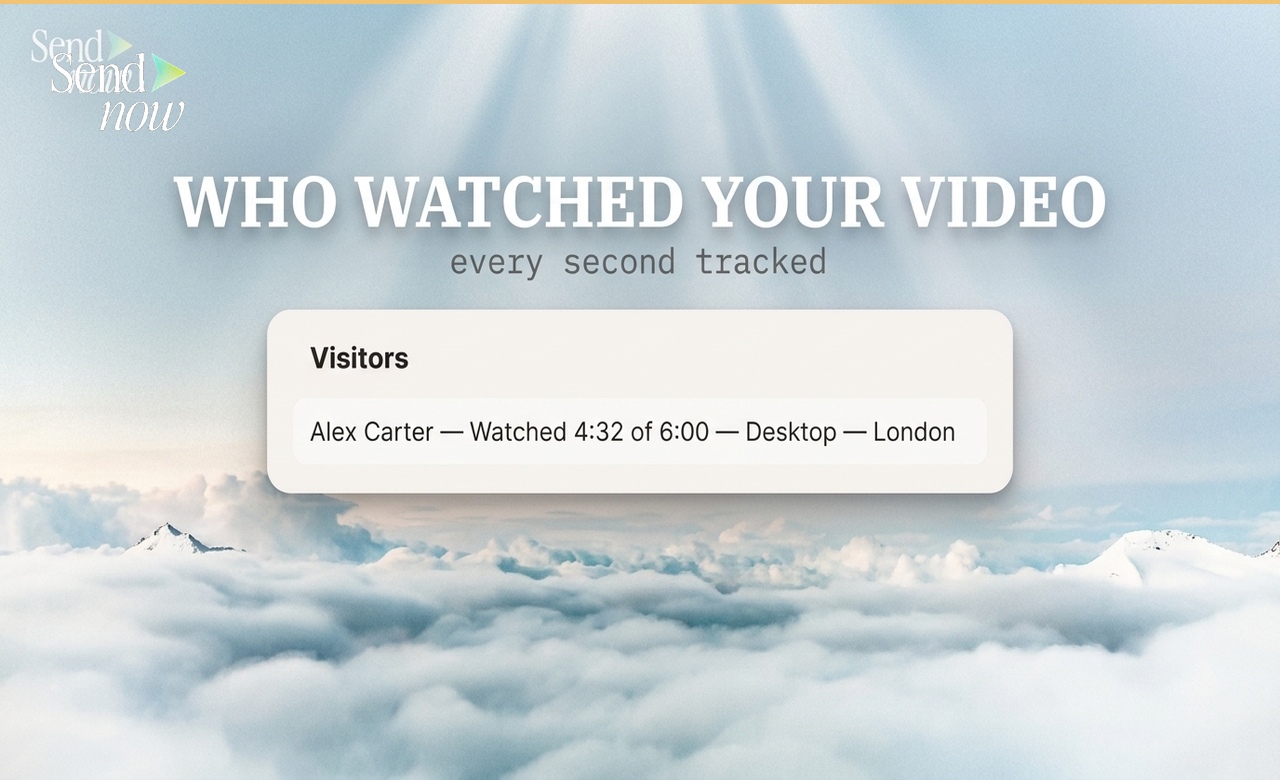
- Viewer name — attributed to the verified email address
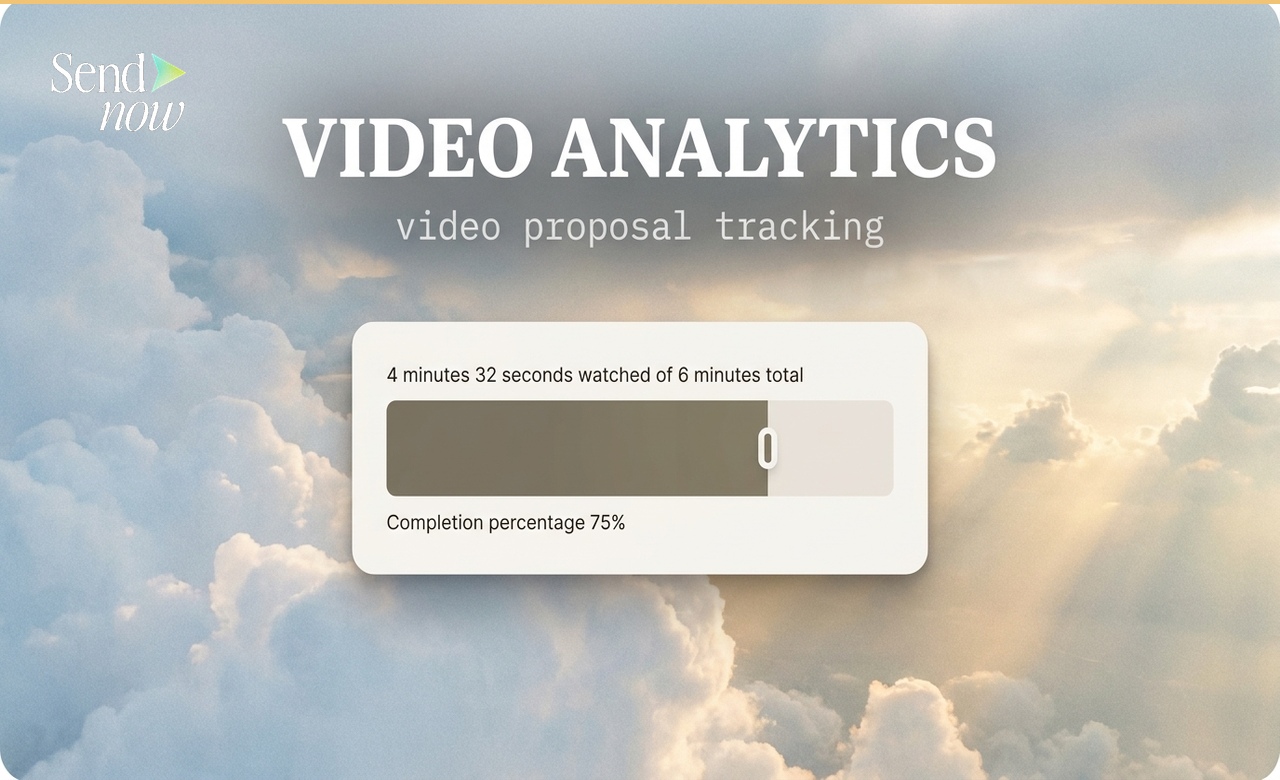
- Watch time — how many minutes and seconds were watched
- Completion percentage — what fraction of the total video was viewed
- Watch-time bar — a visual showing which sections were watched and which were skipped or rewound
- Device and location — desktop vs mobile, country, city
- Session timestamp — exact time of the viewing event
Setting Up Video Proposal Tracking in SendNow
- Log in to sendnow.live and click New Link
- Select Video and upload your video file or paste a hosted video URL
- Enable Email Verification so each viewer is identified by name
- Toggle on Open Notifications to be alerted when someone begins watching
- Copy the trackable link and include it in your proposal email
The recipient clicks the link, enters their email address, and watches the video in a clean browser-based player. Your dashboard updates in real time.
Interpreting Video Watch-Time Data
The watch-time bar — a visual representation of which portions of the video were watched — is the most useful signal for follow-up strategy.
Full watch, no rewinds — The viewer watched the full video sequentially. They had a clean, engaged viewing experience. Follow up with a call that assumes full familiarity with the content.
Watched 80%, dropped at the end — Very common. The viewer may have got what they needed and closed before the outro. Not a negative signal.
Rewound a specific section — The viewer replayed a particular segment, typically one they found confusing or particularly relevant. This section is worth addressing proactively in your follow-up.
Watched 10-20%, abandoned — The video did not hold attention. Consider whether the opening is compelling enough, whether the video length is appropriate, or whether this specific recipient is simply not the right audience.
No views after 48 hours — The link was sent but not opened. A follow-up email (not another video send) is appropriate.
Combining Video Tracking with Document Tracking
The most effective finance proposals combine a PDF and a video — a written document for reference and a recorded walkthrough for initial engagement. With a unified tracking platform, you can see both engagement streams side by side.
A typical high-intent prospect pattern:
- Watched 100% of the video walkthrough
- Opened the PDF within 24 hours
- Returned to the PDF pricing section twice
- Total engagement time: 14 minutes
This combination of signals is a far stronger indicator of genuine interest than any single data point. See how to track any link you share — not just PDFs for how to manage multiple content types in one dashboard.
GDPR and Video Analytics

Recording named viewer watch data is personal data processing under GDPR. Finance teams in the EU should confirm their video tracking platform:
- Uses EU data residency for all stored analytics
- Discloses to viewers that interactions are recorded (the email verification step serves this purpose)
- Provides GDPR-compliant data deletion on request
- Encrypts stored video and analytics data
SendNow addresses all of these requirements as part of its core infrastructure. EU finance teams can use video tracking with confidence that their data governance obligations are met.
Comparison: Video Sharing Methods
| Method | Viewer Identity | Watch Time | Completion % | Real-Time Alert | GDPR |
|---|---|---|---|---|---|
| Email attachment | No | No | No | No | N/A |
| YouTube unlisted | No | Aggregate only | Aggregate only | No | Partial |
| Vimeo private | No | Partial | Partial | No | Partial |
| SendNow tracked link | Yes (email gate) | Yes (per-second) | Yes | Yes | Yes |
For related guidance, see how to get notified the moment someone opens your document to configure real-time video open alerts, and the PDF tracking complete guide for the full analytics framework.
FAQs
Q: Can I track who watched a video proposal? A: Yes. Using a platform like SendNow with email verification enabled, every viewer's watch session is attributed to their email address. You can see exactly who watched, when, and for how long.
Q: How do I know if someone watched my entire video? A: The analytics dashboard shows a completion percentage for each viewer. 100% means they watched to the end.
Q: Can I get a notification when someone starts watching my video? A: Yes. SendNow sends a real-time notification via email or Slack the moment a viewer begins playback.
Q: Does video tracking work if the recipient downloads the video file? A: Tracking only covers playback within the hosted viewer. Disabling download keeps all viewing within the tracked environment.
Q: Can I see which parts of a video someone rewound or replayed? A: Yes. The watch-time bar shows which segments were watched, replayed, or skipped.
Q: What is a good video completion rate for a proposal? A: For a well-targeted proposal video under three minutes, completion rates of 70-90% are achievable. Longer videos typically see lower completion, which is not necessarily a negative signal.
Q: Is video tracking available during the free trial? A: Yes. SendNow includes video tracking in its 24-hour free trial.
Q: What video formats does SendNow support? A: SendNow supports standard video formats including MP4. You can also link to hosted videos from external sources and wrap them in the tracked viewer.
SendNow offers a free trial — no credit card required. Start at sendnow.live.
About the Author: Rifana Hameem
Rifana is the founder of SendNow. She leads the team in building secure, compliant, and analytics-rich document sharing tools for finance and professional teams worldwide.
Connect on LinkedIn