

How to Choose a Client Communication Platform for Professional Services

How to Choose a Client Communication Platform for Professional Services
Professional-services firms live on trust. Clients may hire you because of your expertise, but the day-to-day relationship is often judged by something simpler: how easy it is to get an answer, find the latest file, understand the next step, and know who is responsible.
That is why communication problems can become expensive even when the actual work is good. A proposal gets buried in an email thread. A client opens an old version of a report. Two team members respond to the same question. A confidential file is sent in a way that makes everyone uncomfortable. None of these problems looks dramatic on its own, but repeated friction makes a firm feel disorganized.
A client communication platform (refer to HubSpot's client relations guide) should reduce that friction. The goal is not to move every conversation into a complicated new system. The goal is to make communication clearer, files easier to manage, responsibilities easier to see, and follow-up more reliable.
Start with the problem you are trying to solve
Before comparing platforms, write down the communication problems that happen repeatedly in your firm.
For example, an agency may struggle with feedback scattered across email, chat, and design tools. A consulting firm may spend too much time sending revised reports and confirming that clients received them. An accounting or advisory team may need tighter control over sensitive documents. A legal or recruiting firm may need several people to work from the same client conversation without creating duplicate replies.
These are different problems, so they should not automatically lead to the same software.
A useful starting list is:
- Important client emails are easy to miss.
- Files are sent in several different ways.
- Nobody is sure which version is current.
- Clients ask repeatedly where to find something.
- Follow-up depends on one employee remembering it.
- Several team members need context before replying.
- Sensitive information needs better access control.
- There is no clear record of what was sent and when.
If you can identify the two or three issues that cost your team the most time, choosing a platform becomes much easier.
Understand the main types of client communication platforms
Not every platform is designed to solve the same part of the client relationship.
Front (Collaborative Inboxes & Client Operations)
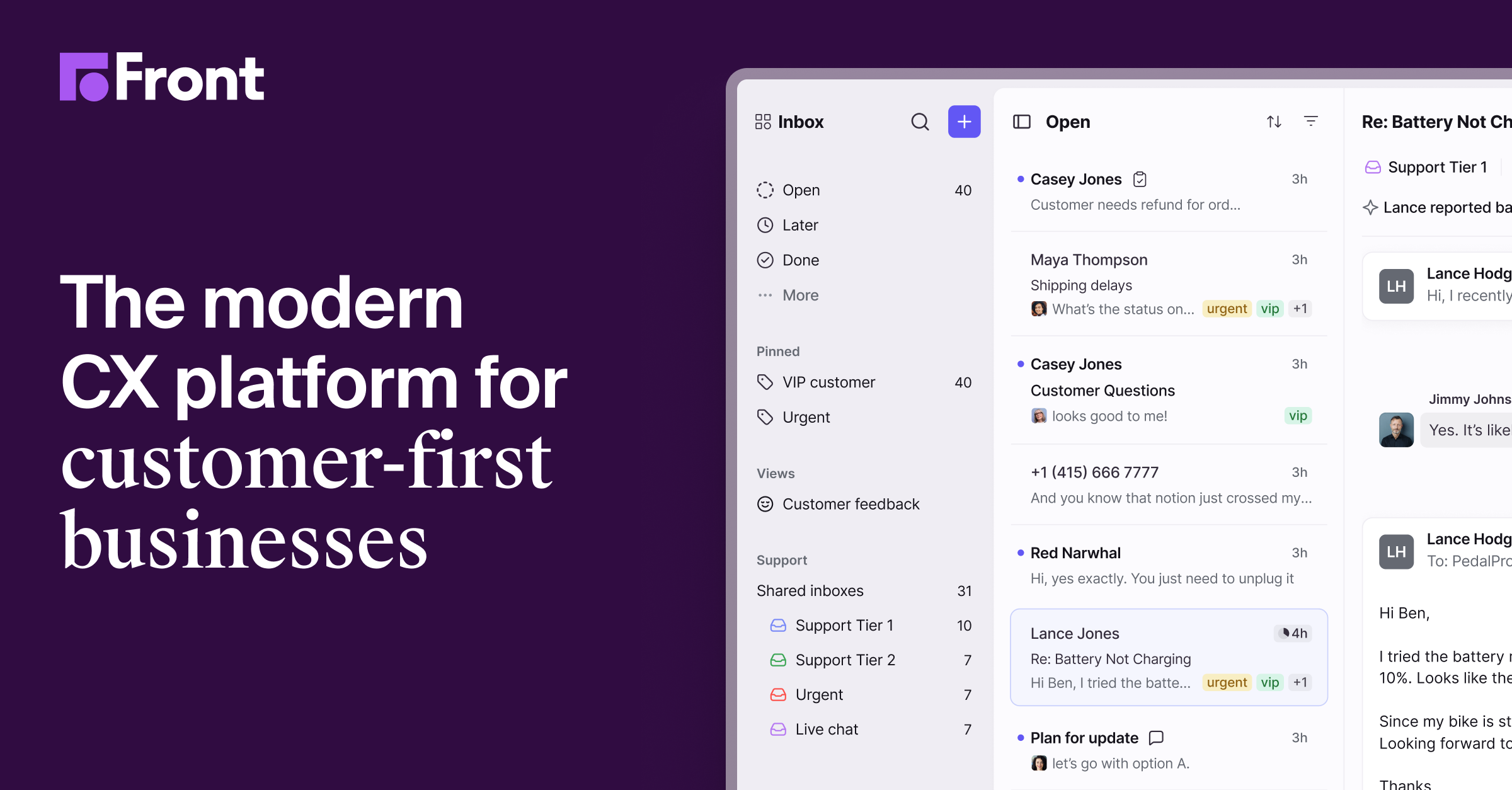
While dedicated client portals organize static deliverables, day-to-day engagement happens through communication. Front bridges this gap by transforming traditional email into a collaborative customer operations hub designed specifically for service firms, agencies, and B2B client management teams.
Traditional portals often suffer from low client adoption when customers default back to email threads. Front solves this by unifying shared channels—such as clients@firm.com, SMS, live chat, and WhatsApp—into a single collaborative interface. Behind the scenes, account teams can draft replies collaboratively, assign conversations directly to subject matter experts, and leave internal comments without forward loops or internal CC clutter.
Key capabilities for client-facing organizations include:
- Zero-Friction Client Experience: Clients interact through standard email while your internal team benefits from structured routing, automated SLAs, and shared ownership.
- Contextual Integration: Front pulls customer metadata, CRM stages, and document analytics directly into the sidebar, ensuring every team member sees the latest engagement history before answering.
- Analytics & SLA Adherence: Detailed dashboards measure first-response times, resolution speeds, and individual workload distribution across client accounts.
Get started with front.com.
| Type of platform | Best suited for |
|---|---|
| Shared inbox | Teams that need several people to manage client email together |
| client portal | Firms that want clients to have one persistent place for files, requests, and updates |
| Secure document workspace | Teams that regularly send proposals, reports, contracts, or confidential files |
| Project communication workspace | Firms where communication is closely connected to tasks and delivery |
| CRM-based communication (see Gartner's CRM research) | Teams that want conversations and follow-up connected to account records |
Some firms will need more than one category. That is normal. The important question is whether the tools work together without forcing employees to copy the same information into several places.
Make ownership obvious
One of the most useful improvements a communication platform can make is simple ownership.
When a client sends a question, someone should know immediately whether they are responsible for the response. If the question belongs to another person, the handoff should be visible. Internal notes should stay internal, while the client sees one clear and coordinated answer.
This matters most when several people support the same account. Without ownership, teams either miss requests or over-communicate because everyone assumes somebody else may not respond.
When testing a platform, ask:
- Can a conversation be assigned to a specific person?
- Can teammates leave private notes?
- Can someone see the history before replying?
- Is it clear when a request has been handled?
- Can responsibilities be transferred without losing context?
A platform does not need dozens of collaboration features. It needs to make responsibility obvious.
Treat document sharing as part of communication
Professional-services communication is often document-heavy. Proposals, statements of work, reports, presentations, contracts, financial files, research, and deliverables all move between the firm and the client.
That means document sharing should not be treated as a separate afterthought.
A good workflow makes it clear which file is current, who can access it, whether access should expire, and what the recipient needs to do next. If the file is confidential, the sharing method should match the sensitivity of the information.
The client experience matters too. A secure system is not useful if the recipient has to create multiple accounts, search through several folders, or ask your team how to open the file.
Before choosing a platform, test a real workflow from the client's side. Send a document to a personal email address, open it on a phone, return to it the next day, and check whether the experience still feels simple.
Look for useful visibility, not endless activity data
Some client communication platforms show activity such as whether a document was opened or whether a recipient returned to it. That information can be useful when it changes what your team does next.
For example, if a client has reviewed a proposal several times, the account owner may decide that it is a good moment to ask whether any questions remain. If a time-sensitive document has not been opened, the team may choose a different communication channel.
The mistake is turning every small activity into an alert. Too much activity data becomes another inbox to manage.
A simple rule works well: only pay attention to information that helps someone make a better follow-up decision.
Check the client experience before the admin experience
Buying decisions are often made from the internal team's point of view. Administrators look at permissions, reporting, integrations, and settings. Those things matter, but the client does not care how powerful the control panel is.
The client cares about questions such as:
- Can I open what was sent to me?
- Can I tell which file is the latest?
- Do I know what I am supposed to do?
- Can I reply without learning a complicated system?
- Can I access it from my phone?
- Does this feel secure and professional?
If the answer to those questions is not obvious, the platform may create more friction than it removes.
Test five real workflows before buying
A product demo can make almost any platform look smooth. A better test is to recreate the work your team actually performs.
Try these five workflows:
- Send a proposal to a new client.
- Share a confidential document with limited access.
- Ask a client for feedback on a file.
- Hand a client conversation from one employee to another.
- Follow up after a client has reviewed an important document.
Invite the people who actually perform those tasks to participate. A platform that looks excellent to a manager may feel slow to the employees who use it all day.
Think about scale before you need it
A process that works for ten clients may become messy at fifty or one hundred.
Ask how the platform handles new employees, former employees, client offboarding, archived conversations, permission changes, and account ownership. Consider how easy it is to search old information and how your firm would export important records if you ever changed systems.
You do not need to buy for a company five times your current size. You do need to avoid a workflow that becomes difficult as soon as the team grows.
A simple decision framework
Score each platform from 1 to 5 on the areas that matter most to your firm.
| Area | Question to ask |
|---|---|
| Client experience | Is it simple for an outside client to use? |
| Team ownership | Can requests be assigned and handed off clearly? |
| Document workflow | Can we share the right file safely and clearly? |
| Visibility | Does the platform help us know when follow-up is needed? |
| Permissions | Can access be controlled without becoming difficult to manage? |
| Integration | Can it work with the systems we already rely on? |
| Scale | Will the workflow still make sense as the client base grows? |
Do not automatically choose the platform with the highest total score. Weight the areas according to your actual problems. If secure document exchange is critical, it should count more than a feature your team will rarely use.
Final takeaway
The best client communication platform for a professional-services firm is not the one with the longest feature list. It is the one that makes the client relationship easier to understand.
Clients should know what they received, what they need to do next, and who is responsible. Your team should know the same things without searching through several disconnected systems.
Start with the communication problems that already cost you time. Test real workflows. Judge the experience from the client's side. Then choose the platform that removes the most friction while keeping the relationship personal and professional.
Related SendNow Resources
- 8 Best DocSend Alternatives for Startups in 2026 (Tested)
- Related SendNow resource
- Related SendNow resource
- Related SendNow resource
- Related SendNow resource
- Related SendNow resource
External References
About the Author: Rifana Hameem
Rifana is the founder of SendNow. She leads the team in building secure, compliant, and analytics-rich document sharing tools for finance and professional teams worldwide.
Connect on LinkedIn

