AI Data Room for Startup Fundraising: Build, Share and Track a Raise (2026)

A fundraising data room should open after an investor shows interest, not before. Start with a tracked pitch deck link, then open a gated room at diligence, with one link per investor so you can see who is engaged. With SendNow connected to Claude or ChatGPT, you do each step in a sentence: build the room, set the NDA and download rules, issue the links, ask who opened what, and revoke everything when the round closes. Data rooms start at $19/month, and you can connect the assistant on any plan.
AI Data Room for Startup Fundraising: Build, Share and Track a Raise (2026)
What does a fundraising data room need?
A fundraising data room is a gated folder of the documents an investor needs to decide. Keep it short and organized, because investors read it in a hurry.
| Section | What goes in | When to open it |
|---|---|---|
| Pitch | Deck, product roadmap, demo link | First meeting |
| Financials | Financial model, cap table, bank-level summaries | After a second meeting |
| Legal | Articles, prior financing documents, draft term sheet | At term sheet stage |
| Team | Bios, org chart, key hires | After interest is clear |
| Customers | References, case studies, pipeline summary | Only if asked |
Our data room checklist for fundraising lists the individual files to prepare.
When should you open the data room?
Open it in stages. A common sequence:
- Deck link first. Share the pitch deck as a tracked link with email verification. You learn who reads it and how far they get.
- Room at diligence. When an investor asks for more, send a link to the data room with the NDA on.
- Legal last. Hold legal documents until a term sheet is near.
Staging protects you and keeps the process moving. SendNow's research across more than 10 million document views found the average reader spends about 2 minutes 30 seconds on a document [Source: State of Document Engagement 2026], so a lean first deck beats a 40-file dump.
How do you build the room with Claude or ChatGPT?
Connect SendNow once (about two minutes, one URL and an OAuth sign-in; see the setup guide). Then describe the room:
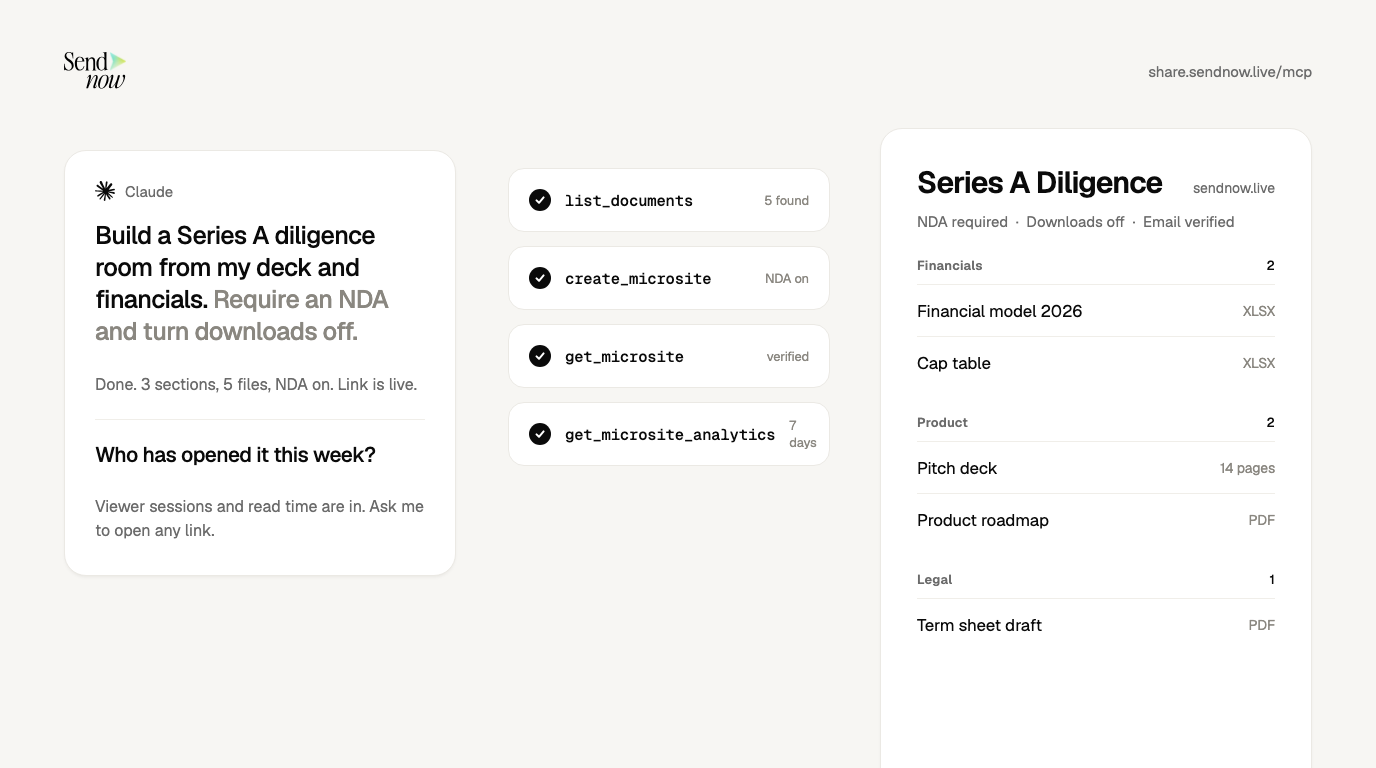
"Create a data room called Series A Diligence. Sections: Pitch (Pitch deck, Product roadmap), Financials (Financial model 2026, Cap table), Legal (Articles of incorporation, Draft term sheet), Team (Team bios). Require email verification and an NDA, turn downloads off, and expire it on December 31. Then show me every setting in a table."
The assistant makes three calls:
| Step | Tool | What happens |
|---|---|---|
| 1 | list_documents | Finds your files by name |
| 2 | create_microsite | Builds the room with sections, NDA, downloads off, expiry |
| 3 | get_microsite | Reads the saved room back so you can check it |
If a file is not in SendNow yet, attach it in the chat and the assistant uploads it first. You can generate this prompt from your own file names with the data room prompt generator.
How do you give each investor their own link?
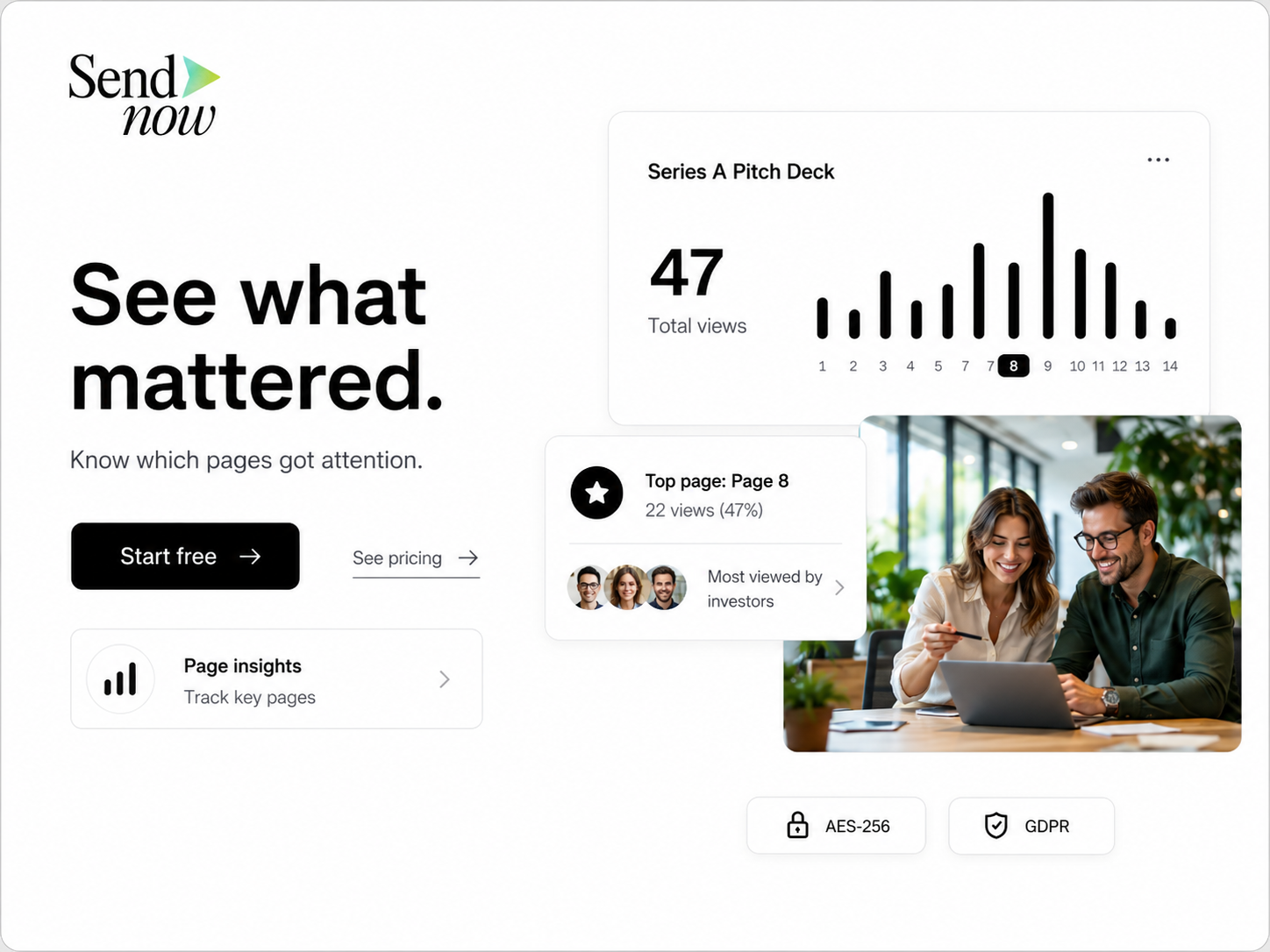
One shared link tells you that someone opened the room. A link per investor tells you who. For the deck:
"Create a separate secure link to the Pitch deck for each of Alpha Capital, Birch Partners and Cedar Ventures. Label each one, require email verification, turn downloads off, and expire in 21 days."
Each call to create_secure_link makes a labelled link. To lock a link to one firm, ask for "only people at @alphacapital.com" (Business plan). To be told when a link is opened, ask for an email on each open when the link is created.
What should you watch after you send?
Ask the assistant:
"Which investors opened the deck this week, and how far did each get?" "Who visited the Series A Diligence room more than once?" "On each investor link, who signed the NDA but completed less than 25% of the document?"
These use list_link_viewers and get_microsite_analytics. Three signals matter:
- Verified emails. Named people are your follow-up list. Anonymous opens can include link previews and mail scanners.
- Repeat visits. An investor who returns, or whose colleagues open the link, is circulating your materials.
- Stalls. Someone who signed the NDA and then stopped early may have a question you can answer.
Verify any number in the dashboard before you quote it to an investor. For the metrics themselves, see document analytics and how to track an investor pitch deck.
What mistakes sink a fundraising data room?
- Opening everything on day one. It buries the deck and gives away documents before interest is real.
- Leaving downloads on. You cannot take back a saved file.
- Sending one link to everyone. You lose the signal of who is engaged.
- Stale versions. Rename the files and keep one current model. Ask the assistant to rename files for you.
- Leaving links live after the close. Revoke them.
How do you shut it down when the round closes?
"List every active link for this round, then revoke them all. Keep the view history."
That calls list_links and revoke_link. Prefer revoking to deleting: deleting is permanent, while revoking switches access off and keeps the record. The assistant names the exact link before any delete and waits for your confirmation.
What does a seed round look like in practice?
Here is an illustrative example with made-up names, to show the rhythm rather than promise a result.
Week 1. A founder uploads the deck, model and cap table. She asks the assistant for one tracked link to the deck for each of five investors, with email verification on and downloads off, expiring in 21 days. She pastes each link into its own email.
Week 2. She asks, "Which investors opened the deck, and how far did each get?" Three opened it. Two came back a second time, and one of those forwarded it to a colleague, which shows up as a new verified email. She books calls with those two first.

Week 3. After the first meeting with one investor, she asks for a data room with Pitch, Financials and Legal, an NDA on and downloads off, and sends that investor a link to the room. She leaves the other four on the deck link.
Close. When the round is done, she asks the assistant to list every active link and revoke them all.
The assistant did not decide whom to call or what to send. It removed the clicking between those decisions.
What can the assistant not do?
- Read your documents. None of the 24 tools returns document text. It builds, secures and measures the room, and it cannot summarize your cap table.
- Write your NDA. Paste wording from your counsel into the prompt.
- Override your plan. An NDA gate and screenshot blocking need Pro; allowed-viewer lists and dynamic watermarks need Business.
For the security side, see Is MCP safe for confidential documents? and the NDA gate.
Should I use a data room or a tracked deck link?
Use a tracked deck link first. Open a data room when an investor asks for diligence materials.
Can the AI see my cap table?
No. The assistant sees file names, settings and analytics, not what is written inside your files.
Do I need a paid plan to build a fundraising data room?
You can connect on any plan. Data rooms start at $19/month, and an NDA gate needs Pro (from $17/month). See pricing.
How is this different from DocSend?
DocSend locks NDA gating and dynamic watermarks behind its higher tiers and has an MCP server in beta for Advanced Data Rooms only. See DocSend alternatives and DocSend MCP: setup and limits.
Where can I get ready-made prompts?
Use the fundraising prompt pack: twelve copy-paste prompts, each with the tool it calls and the plan it needs. For the general setup, read how to connect Claude and ChatGPT to a data room, and for a ready structure see investor data room for startups.
Sources
- SendNow, State of Document Engagement 2026
- SendNow, AI integrations and MCP
About the Author: Rifana Hameem
Rifana is the founder of SendNow. She leads the team in building secure, compliant, and analytics-rich document sharing tools for finance and professional teams worldwide.
Connect on LinkedIn