7 Best DocSend Alternatives for Startups in 2026 (Prices Checked)

DocSend's Advanced plan, where NDA gating and dynamic watermarks live, is $150/month billed yearly ($250 monthly), and its Standard price moved twice in the last two months. SendNow gives you NDA gating, screenshot protection and page-by-page analytics on Pro at $9/month billed yearly ($17 monthly), flat, not per seat. Papermark and Peony are the best picks if you want a permanent free plan; Digify is the enterprise option. Prices below were read on each vendor's own site on 24 October 2026.
Same tracking and NDA controls, flat pricing instead of per-seat.
No card required · Pro from $9/mo billed yearly
7 Best DocSend Alternatives for Startups in 2026 (Prices Checked)
Last updated 24 October 2026. What changed: every price re-checked on the vendor's own pricing page, Peony added, Papermark, Digify, PandaDoc and HummingDeck corrected, and a new FAQ built from questions founders actually ask.
At a glance
| Tool | Best for | Cheapest paid plan | NDA + dynamic watermark from |
|---|---|---|---|
| SendNow | Founders and deal teams who want security without per-seat pricing | $6.25/mo yearly ($9 monthly) | Business $20/mo yearly ($43 monthly), or Microsites Pro $12.40/mo yearly ($19 monthly) |
| DocSend | Teams whose investors expect a DocSend link | Standard $30 to $45/user/mo yearly (see below) | Advanced $150/mo yearly ($250 monthly), 3 users |
| Papermark | Free and open-source | Pro €24/mo yearly (€29 monthly) | Data Rooms €99/mo yearly (€149 monthly) |
| Peony | Free plan plus per-admin pricing | Business $30/admin/mo yearly ($44 monthly) | Data Room $52/admin/mo yearly ($75 monthly) |
| Digify | Enterprise data rooms | Pro $140/mo | Watermark and screen shield are add-ons on Pro |
Why are so many teams looking for a DocSend alternative in 2026?
Three reasons keep coming up in reviews and founder threads: price, per-seat billing and clutter.
Price. On Capterra, DocSend scores 4.5 out of 5 across 102 reviews, but only 4.1 for value for money. Source: Capterra G2's review summary lists "pricing for smaller teams can be high" among the main cons, alongside a crowded dashboard and limited mobile support (4.6 stars, 588 reviews). Source: G2
Per-seat billing. As one founder put it on LinkedIn, DocSend "charges per seat for the basics." Source: LinkedIn At $45/user/month billed yearly, a 5-person team on Standard pays $225 a month and still has no NDA gate.
Clutter as you grow. Capterra reviewers describe the file view getting messy at scale. One wrote that "the File Management UI gets cluttered when handling hundreds of technical specs" (Estrella A., August 2026), another mentioned "how cluttered the system would get when working with various clients" (Ethan J., February 2026). Source: Capterra
To be fair, people still like what DocSend does well. A Capterra reviewer said the best part is seeing "how long they spent on each page, and whether they forwarded it" (Nabil N., May 2026). That is the bar every alternative below has to clear.
DocSend's price keeps moving: what does it cost today?
DocSend's pricing page has been one of the least stable in this category. PulseSignal, which tracks the page, recorded 10 changes in 2026 alone. Source: PulseSignal
| DocSend plan | Billed yearly | Billed monthly | Notes |
|---|---|---|---|
| Personal | $10/user/mo | $15/user/mo | Removed in September 2026, listed again on 20 October 2026 |
| Standard | $30 to $45/user/mo | $43 to $65/user/mo | PulseSignal logged the rise to $45 / $65 on 20 October 2026 |
| Advanced | $150/mo | $250/mo | 3 users included |
| Advanced Data Rooms | $180/mo | $300/mo |
When we loaded docsend.com/pricing on 24 October 2026, it showed Standard at $30/user/month, Advanced at $150/month and Advanced Data Rooms at $180/month. Because the page keeps changing, check it on the day you buy.
Did DocSend remove its free plan?
DocSend has never had a permanent free plan, only a 14-day trial. What went away was Dropbox's built-in Send & Track feature, which Dropbox shut down on 31 March 2025. Source: Dropbox Community Forum After a DocSend trial ends, the account moves to a limited state where analytics and sharing controls stop working.
What should you look for in a DocSend alternative?
Founders asking for help with this on forums usually want the same short list: good sharing, basic access control, some analytics, decent security, and something that looks professional to investors. Here is how that breaks down.
For founders and deal teams:
- Page-by-page analytics, not just an "opened" notification
- An NDA gate before the document opens
- Dynamic watermarks with the viewer's email on every page
- Screenshot protection, link expiry and the ability to revoke a link
- A branded room when you share more than one file
- A custom domain. One commenter on LinkedIn: "Custom domains on share links make a big difference for credibility when sending pitch decks." Source: LinkedIn
For any team:
- Clear pricing, and whether it is per user, per admin or flat
- A trial without a credit card
- Analytics that separate real readers from email scanners (more on this below)
For how these controls work in practice, read the guide to dynamic watermarking and the NDA gate page.
#1 SendNow: Best overall DocSend alternative for founders and deal teams
Pricing: Lite $9/month ($6.25/mo billed yearly, 5 docs, 2 GB), Pro $17/month ($9/mo yearly, 100 docs, 15 GB), Business $43/month ($20/mo yearly, 300 docs, 50 GB). Deal rooms are a separate plan: Microsites Pro $19/month ($12.40/mo yearly) and Microsites Growth $49/month ($33.25/mo yearly). 24-hour free trial, no credit card. See SendNow pricing
SendNow is built for people who share sensitive documents with outsiders: founders raising a round, VCs, bankers and deal teams. It puts the security features DocSend keeps on its $150/month Advanced plan into plans that start at $9/month billed yearly, and every document plan is a flat price for one seat.
What you get:
- Page-by-page analytics with real-time open alerts, time on every page and return visits for each viewer
- NDA gating and screenshot protection from Pro
- Dynamic watermarks with the viewer's email on every page, on Business or any Microsites plan
- Branded deal rooms (microsites) for sharing a whole investor package under one link
- Link expiry, revocation, download blocking and allow/block lists
- Custom domains and webhooks on Business
- PowerPoint sharing that keeps embedded video and audio: share PowerPoint as a link, plus pitch deck analytics
- Claude and ChatGPT connector to share files and read analytics from a chat
- Bot filtering that leaves email-scanner visits out of your file tracking analytics
Here is a SendNow deal room in action:
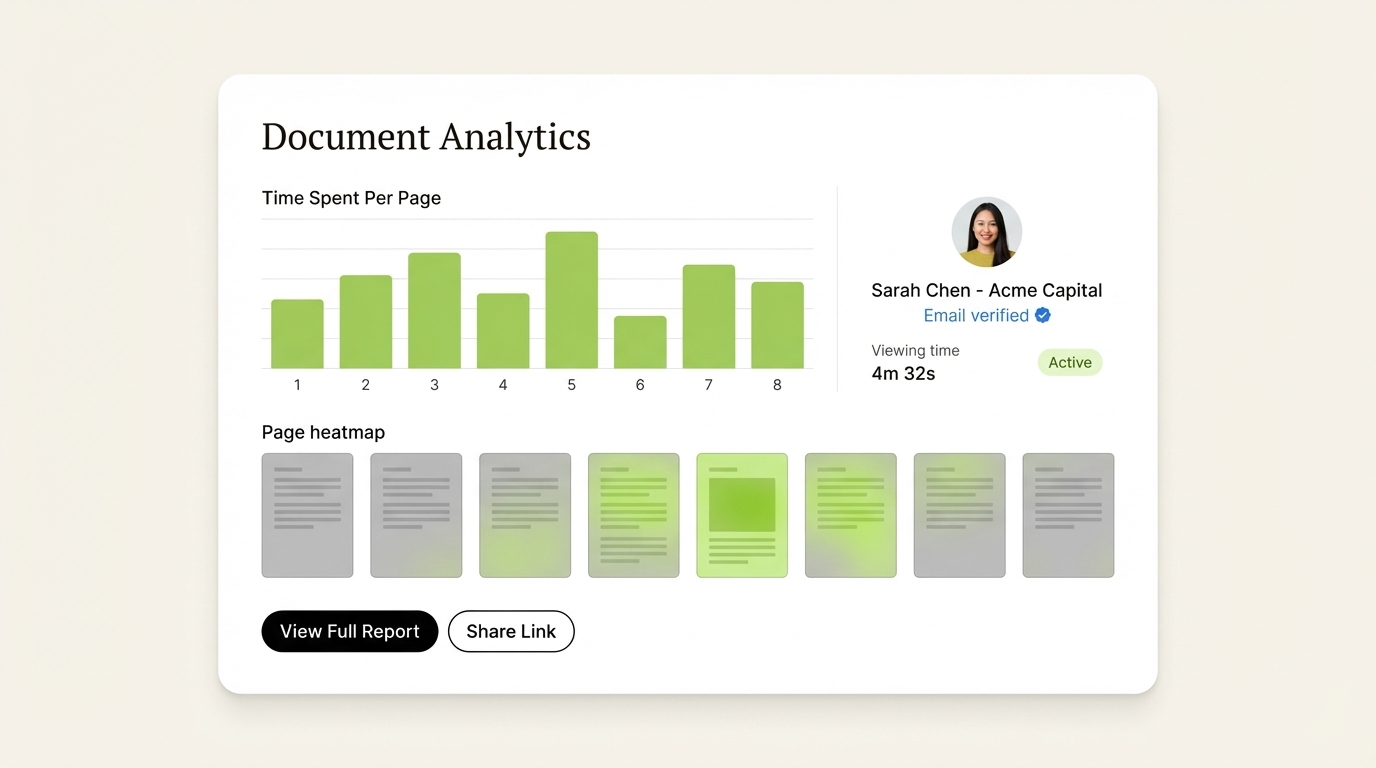
SendNow's analytics show which pages held each viewer's attention and who came back.
Where SendNow is not the best fit: if you need a permanent free plan, Papermark or Peony is the better pick. If a large team needs one shared workspace, compare DocSend Advanced (3 users included) or Peony's per-admin pricing.
Best for: founders raising capital, VCs, bankers and small deal teams.
#2 Papermark: Best free and open-source option
Pricing (EUR): Free €0 (50 documents); Pro €24/month billed yearly (€29 monthly); Business €59/month (€79 monthly); Data Rooms €99/month (€149 monthly). A 7-day trial of Data Rooms Plus is available. Source: Papermark
Papermark is the open-source DocSend alternative. You can self-host it, and the hosted free plan is usable for a single founder with one deck.
Strengths:
- Open source, with a self-hosted option
- Free plan with 50 documents
- Screenshot protection and a custom domain on Business
- NDA agreements and dynamic watermarks on Data Rooms
Where it falls short:
- The security features most deal teams want (NDA and dynamic watermarks) start at €99/month billed yearly
- Self-hosting means you own the servers, upgrades and security
Best for: technical founders and budget-conscious startups sharing non-sensitive decks.
#3 Peony: Best for teams with many viewers
Pricing: Free (50 documents, page-by-page analytics, password protection); Business $30/admin/month billed yearly ($44 monthly) with a simple NDA, screenshot protection and up to 3 data rooms per admin; Data Room $52/admin/month ($75 monthly) with dynamic watermarking, signed NDAs and a custom domain. Viewers are free on every plan. Source: Peony
Peony bills only for admins, the people who upload and manage files, so a large number of investors or buyers viewing a room adds nothing to the bill. It also includes AI document Q&A from Business.
Where it falls short: dynamic watermarks and a custom domain need the $52/admin Data Room plan, and prices are per admin, so a team of three pays three times.
Best for: fundraises and deals with lots of outside viewers and one or two admins.
#4 Digify: Best for enterprise data rooms
Pricing: Pro $140/month, Team $350/month, Business $1,500/month. On Pro, dynamic watermarking and screen shield (screenshot protection) are paid add-ons. Source: Digify
Digify is a mature virtual data room with strong security credentials. The trade-off is price: Pro starts at $140/month before the add-ons most deal teams want.
Best for: enterprises and funds with compliance needs and the budget for a full VDR.

#5 HummingDeck: Best for sales teams emailing large companies
Pricing: Free plan; Starter C$14/month, Pro C$35/user/month, Business C$55/user/month (the page showed Canadian dollars for us; check the price in your currency). 7-day trial. Source: HummingDeck
HummingDeck focuses on clean engagement data. Its pricing page points out that email security tools such as Microsoft SafeLinks and Proofpoint can open links before the real recipient does, and its analytics are built to filter that out. Per-page analytics start on Starter; restricted access is on Pro.
Best for: sales teams sending into large companies where email scanners open every link.
#6 PandaDoc: Best for proposals and eSignatures
Pricing: Starter $19/seat/month billed yearly ($35 monthly); Business $49/seat/month billed yearly ($65 monthly), which includes up to 3 rooms. Source: PandaDoc, PandaDoc pricing guide
PandaDoc is a full document workflow: create, send, track and sign. If proposals and contracts are your main job, it is worth a look. For pitch decks and data rooms, tracking is a side feature rather than the core product.
Best for: sales teams that want proposals, eSignatures and basic tracking in one tool.
#7 Brieflink: Free, with one caveat
Pricing: Free.
Brieflink is a free pitch deck sharing tool with a clean viewer, view tracking and email verification. It is owned by NFX, a venture capital firm, so founders sharing cap tables or burn should weigh that before uploading. It has no NDA gate, dynamic watermarks or screenshot protection.
Best for: pre-seed founders sharing a non-sensitive deck who only need view tracking.
Also considered: Orangedox (for teams that live in Google Drive) and Qwilr (web-page proposals built in its own editor). Neither is a drop-in replacement for sharing an existing PDF deck.
How do prices compare across DocSend alternatives?
| What you need | SendNow | DocSend | Papermark | Peony |
|---|---|---|---|---|
| Cheapest paid plan | $6.25/mo yearly ($9 monthly) | $10/user/mo yearly (Personal) | €24/mo yearly | $30/admin/mo yearly |
| NDA gate | Pro, $9/mo yearly ($17 monthly) | Advanced, $150/mo yearly | Data Rooms, €99/mo yearly | Business (simple NDA), $30/admin/mo yearly |
| Dynamic watermark | Business $20/mo yearly or Microsites Pro $12.40/mo yearly | Advanced, $150/mo yearly | Data Rooms, €99/mo yearly | Data Room, $52/admin/mo yearly |
| Billing | Flat, 1 seat per plan | Per user (Advanced includes 3) | Per plan | Per admin, viewers free |
| Free option | 24-hour trial, no card | 14-day trial | Free plan | Free plan |
Yearly prices shown; monthly billing costs more on every tool. Prices read on each vendor's site on 24 October 2026.
A worked example: one seed round, two tools
Say you are raising a seed round and sending your deck to 40 investors over a year. You want an email gate, an NDA before the financials, and to know who came back.
| What you get | SendNow | DocSend |
|---|---|---|
| Plan you need for an NDA gate | Pro, $9/mo billed yearly ($17 monthly) | Advanced, $150/mo billed yearly (3 users) |
| Cost for a year | $108 | $1,800 |
| What you see per investor | Visits, time on every page, return visits | Visits, time spent, pages |
If you run the raise alone, SendNow costs $1,692 less for the year. If three people need to log in to one workspace, DocSend Advanced's 3 included users narrow that gap.
NDA gate, screenshot protection and page-by-page analytics on Pro from $9/mo billed yearly.
From $6.25/mo after the trial · No card required
Is DocSend still worth it if investors expect it?
Sometimes, yes. Some founders stay on DocSend because investors recognise the link, and that familiarity has value. One founder replying to a YouTube video on the topic said the two accelerators they went through recommended DocSend, Pitch or Google Slides over a PDF, mainly so viewers always see the latest version. Source: YouTube comment
What investors actually care about is the deck, not the tool. Any alternative here gives a clean, link-based viewer. If you are paying $150/month only for the logo on the link, that money may be better spent elsewhere.
Should you gate your deck at all?
Not always. In his YouTube video, Mat Sherman argues that an email gate adds friction and that founders over-read the analytics: "You get distracted by the analytics and you forget about the job." He likes receiving a plain PDF because it shows confidence. Source: YouTube
Our view: keep the first-touch deck light (no email gate, or an email-only gate), and put the NDA, watermark and screenshot protection on the financials and data room you share after the first meeting. You keep the low friction Mat Sherman wants and the protection your numbers need.
Why do I see views my investor says they never made?
Usually an email security scanner opened the link first. HummingDeck notes that tools like Microsoft SafeLinks and Proofpoint can open links before the recipient does. Source: HummingDeck DocSend now flags visits from data centers, such as email scanners and VPNs, as "atypical" in a document's Recent Activity, and says these visits can show a 0-second view time. Source: Dropbox Help The visit is still in your log, though, so you have to spot it yourself.
SendNow leaves these scanner visits out of your engagement data so your follow-up list is based on real readers.
What do investors actually look at in a deck?
Across more than 10 million document views over about 18 months on SendNow, the average viewing session was 2 minutes 30 seconds and the average pitch deck was about 8 pages, with repeat viewing up about 1.5x. Full methodology and caveats are in the 2026 State of Document Engagement report, and the deck-specific cut is in the pitch deck engagement benchmarks.
What that means: nobody reads your deck front to back on the first pass. The signals that matter are:
- Did they open it? Worth a real-time alert.
- Which pages held attention? Time on the financials means interest.
- Did a second person open it? A forward to a partner is a strong signal.
- Did they come back? Return visits usually come before a call request.
- Are the financials protected? If the deck has revenue or burn, gate it.
When your raise stalls: pausing, revoking and replacing links
Raises slow down. When that happens, check three things on any tool:
- Can you revoke or expire a link once a conversation goes cold? SendNow, Peony (from Business) and DocSend all let you disable or expire links. Source: Peony, Dropbox Help
- Can you replace the deck without changing the link? This keeps investors on the latest version, which is the main reason founders gave for using a link over a PDF.
- What happens to your links when you cancel? On Peony, links stop working as soon as a subscription ends. Source: Peony Check this on any tool before you move active investor links.
Per-seat pricing hurts here too: adding an advisor to a per-user plan raises the bill even in a slow month. SendNow plans are a flat price.
Single document link, or a deal room?
A single link is enough when you are sending one deck to individual investors and want per-viewer analytics and an NDA gate on one file.
You need a deal room (SendNow calls it a Microsite) when you share a full package: deck, financials, cap table and references under one branded URL, with different permissions per folder. SendNow Microsites Pro is $19/month ($12.40/mo yearly); DocSend's Advanced Data Rooms is $180/month billed yearly.
Which DocSend alternative should you pick?
| Your situation | Our pick |
|---|---|
| Pre-seed, no budget, non-sensitive deck | Papermark or Peony free plan |
| Pre-seed or seed, want analytics and an NDA gate | SendNow Pro, $9/mo billed yearly |
| Seed or Series A, sharing a full investor package | SendNow Microsites Pro, $12.40/mo billed yearly |
| Technical founder who wants to self-host | Papermark self-hosted |
| Many outside viewers, one admin | Peony |
| Enterprise M&A or a fund with compliance needs | Digify, from $140/mo |
| Investors specifically expect DocSend | DocSend, with a clear budget |
Migration checklist
- Export your files from DocSend or your drive.
- Upload them to your new tool.
- Set the controls: email gate, password, NDA, watermark, as each file needs.
- Build a room if you share more than one file.
- Replace old links in your investor emails and CRM. This is the step teams forget.
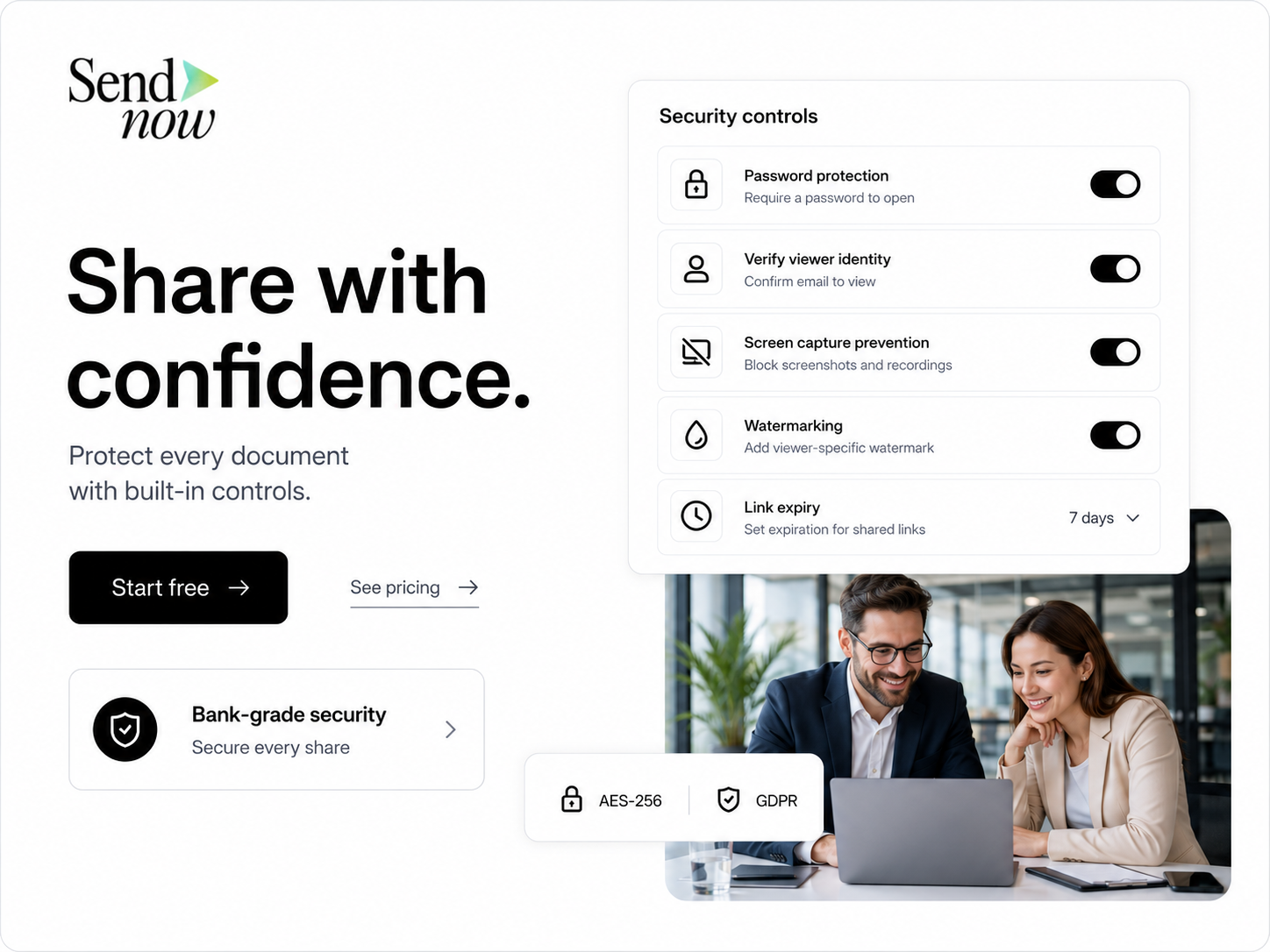
What VCs and investors actually do with your pitch deck
Before choosing an alternative, it helps to understand how venture capitalists actually interact with shared decks:
- An analyst scans first (typically 2–3 minutes, focusing heavily on traction, team, and market size).
- If interested, they forward the link to a partner — the make-or-break moment in any fundraise.
- The partner opens independently, creating a distinct viewing session.
- If traction looks compelling, the deck is circulated to the wider investment committee or partnership.
- During partner meetings, partners flip back to specific financial or unit-economics slides.
Per-viewer identity tracking and multi-session detection allow you to see when an analyst forwards your deck to a general partner before they ever reply to your email.
Investor pitch deck sharing strategy: getting the most from your data
Here is how top founders turn document analytics into momentum during an active fundraise:
- Week 1 (Initial outreach batch): Send your deck to 20–30 target investors. Monitor open rates. If an investor hasn't opened within 3 business days, follow up with a concise 2-sentence note.
- Week 2 (Prioritize hot leads): Sort viewers by total reading time. Anyone who spent 4+ minutes or returned to the deck multiple times deserves a prioritized, personalized follow-up.
- Week 3 (Detect partner forwarding): When you see a second or third unique session from the same firm domain (e.g.,
@firm.com), a partner is actively reviewing your deal. Reach out while you have partner attention. - Week 4 (Iterate slides based on drop-off): If viewers consistently spend 50 seconds on slide 4 and bail at slide 6, your narrative has a friction point. Refine the slide before your next send.
Compare each tool with SendNow
- SendNow vs DocSend
- SendNow vs Papermark
- SendNow vs Peony
- SendNow vs Digify
- SendNow vs PandaDoc
- SendNow vs Pitchwise
- SendNow vs Orangedox
- SendNow vs Ellty
See all comparisons at sendnow.live/compare.
FAQ: DocSend alternatives in 2026
Is DocSend worth it for startups in 2026?
For most early-stage startups, no. The features a raise needs, an NDA gate and dynamic watermarks, sit on DocSend Advanced at $150/month billed yearly. SendNow Pro gives you an NDA gate, screenshot protection and page-level analytics for $9/month billed yearly. DocSend makes more sense if your investors specifically expect it or three people need one shared workspace.
Do VCs care which tool you use to share your deck?
No. VCs care about the quality of the company, team, and traction. As long as the viewer opens quickly on mobile and desktop without forced account creation or lag, the tool is unobtrusive.
How do I know if a VC forwarded my deck to their partner?
When you require email verification, each recipient who opens the link appears as a separate session. If you see a second or third email from the same venture firm reviewing the deck, it has been forwarded internally to colleagues or partners.
Should I password-protect my pitch deck when sending to VCs?
For early outreach, avoid password friction. Use an email gate for identity tracking. Save password gates and NDA acceptance for sensitive financial models, cap tables, or formal due diligence data rooms.
Does SendNow track clicks on links inside pitch decks?
Yes. If your deck contains links to product demos, Loom videos, or Calendly booking pages, SendNow tracks in-document link clicks as discrete engagement events.
Can I migrate existing decks and links from DocSend?
Yes. Upload your PDF or PPTX files into SendNow, set your access rules (email gate, NDA, watermark, or expiry), and generate new secure links.
What is the best free DocSend alternative?
Papermark and Peony both have permanent free plans with 50 documents. Peony's free plan includes page-by-page analytics and password protection. Neither free plan includes an NDA gate or dynamic watermarks. SendNow has no free plan but offers a 24-hour trial with no card.
What is the cheapest DocSend alternative?
Among paid plans, SendNow Lite is $6.25/month billed yearly ($9 monthly). For the features most founders want, an NDA gate and screenshot protection, SendNow Pro at $9/month billed yearly is the cheapest we found.
Does the DocSend Personal plan stop downloads and screenshots?
This question comes up under DocSend review videos on YouTube. Source: YouTube comment Personal is DocSend's entry plan, and dynamic watermarking and NDA gating sit on Advanced. Check docsend.com/pricing for the current list. On SendNow, screenshot protection and download blocking are on Pro.
Why does my deck show a view before the investor opened it?
Email security scanners often open links first. DocSend flags these as "atypical" visits that can show 0 seconds Source: Dropbox Help; SendNow leaves them out of your engagement data.
Does a tracked link put investors off compared with a PDF?
Some investors say so. Mat Sherman argues an email gate adds friction. Source: YouTube Other founders reply that a link keeps everyone on the latest version. A light first link without an email gate, plus protected files later, covers both.
Can I update my deck without sending a new link?
On several tools, yes. HummingDeck shows replacing a deck while keeping the same link in its fundraising walkthrough Source: HummingDeck, and founders cite this as the main reason to use DocSend over a PDF. That way investors who open an old email still see the latest version.
Do custom domains matter when sending a pitch deck?
They can help with trust. On SendNow, custom domains are on Business and Microsites Growth. Papermark has them on Business and Peony on its Data Room plan.
Is Papermark actually free?
Yes. Papermark has a free hosted plan with 50 documents, and you can self-host it. Screenshot protection starts on Business (€59/month billed yearly), and NDA agreements and dynamic watermarks on Data Rooms (€99/month billed yearly). Source: Papermark
Which is better, Papermark or DocSend?
Papermark wins on price and openness: free plan, open source, self-hostable, and its Data Rooms plan includes NDA and dynamic watermarks at €99/month billed yearly. DocSend wins on brand recognition. If you want those security features for less, see SendNow vs Papermark.
Are there AI-native competitors to DocSend?
Yes. Peony includes AI document Q&A from its Business plan. Source: Peony SendNow connects to Claude and ChatGPT, so you can share files and read your analytics from a chat. See SendNow for Claude.
Does SendNow charge per user?
No. SendNow plans are flat monthly prices, and each document plan includes one seat. DocSend prices per user, and Peony per admin.
Does DocSend have a free trial?
Yes, 14 days. When it ends, analytics and sharing controls stop working. SendNow offers a 24-hour free trial with no credit card. See is DocSend free? and DocSend pricing.
Start a 24-hour trial, no credit card. Plans from $6.25/mo billed yearly.
From $6.25/mo after the trial · No card required
Prices were read on each vendor's own pricing page on 24 October 2026. Vendors change prices often, so check before you buy.
Keep reading
The rest of the DocSend cluster
- SendNow vs DocSend: full feature and price comparison
- DocSend pricing explained, tier by tier
- DocSend data room alternatives for M&A and diligence
Our research
Related buying guides
About the Author: Rifana Hameem
Rifana is the founder of SendNow. She leads the team in building secure, compliant, and analytics-rich document sharing tools for finance and professional teams worldwide.
Connect on LinkedIn